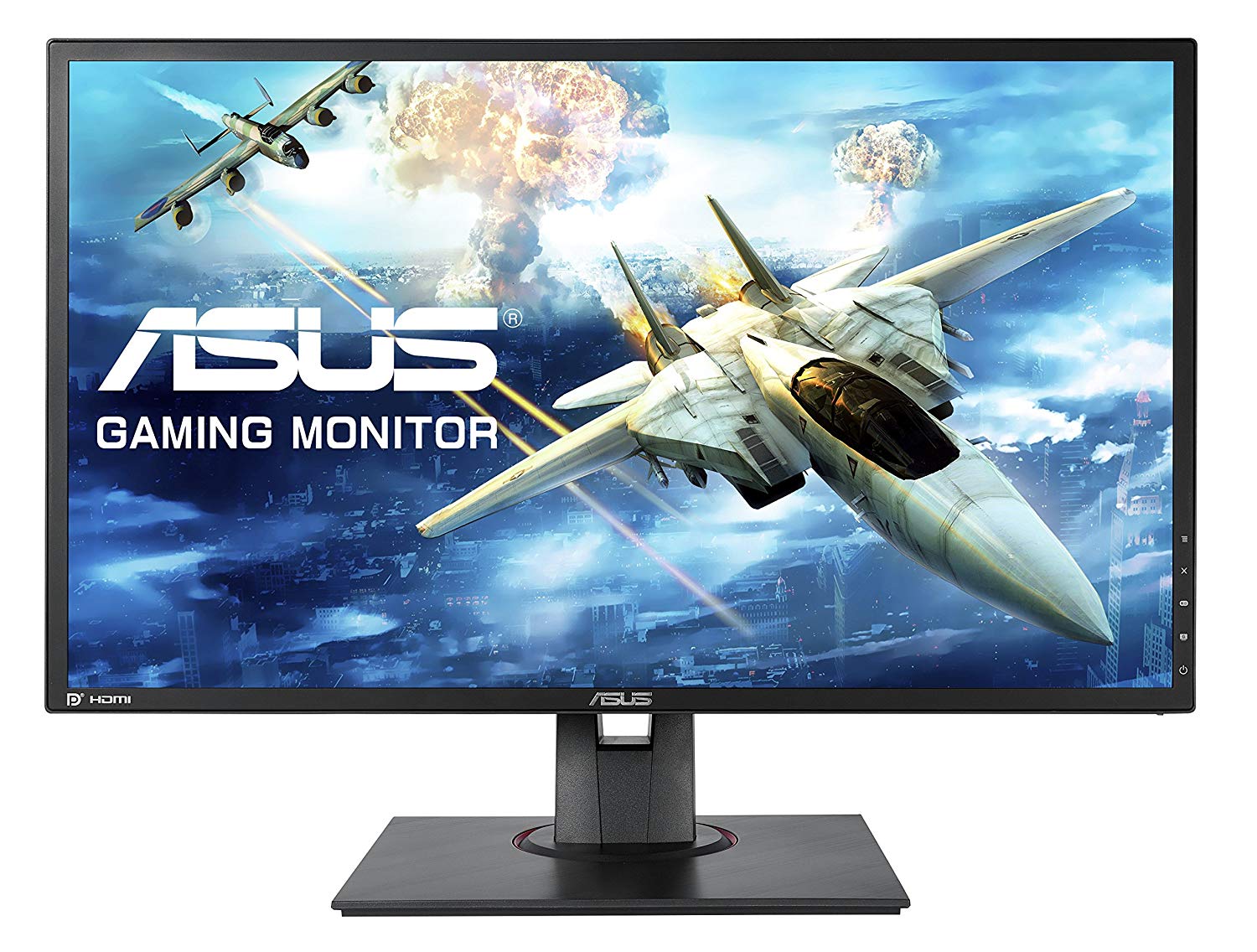
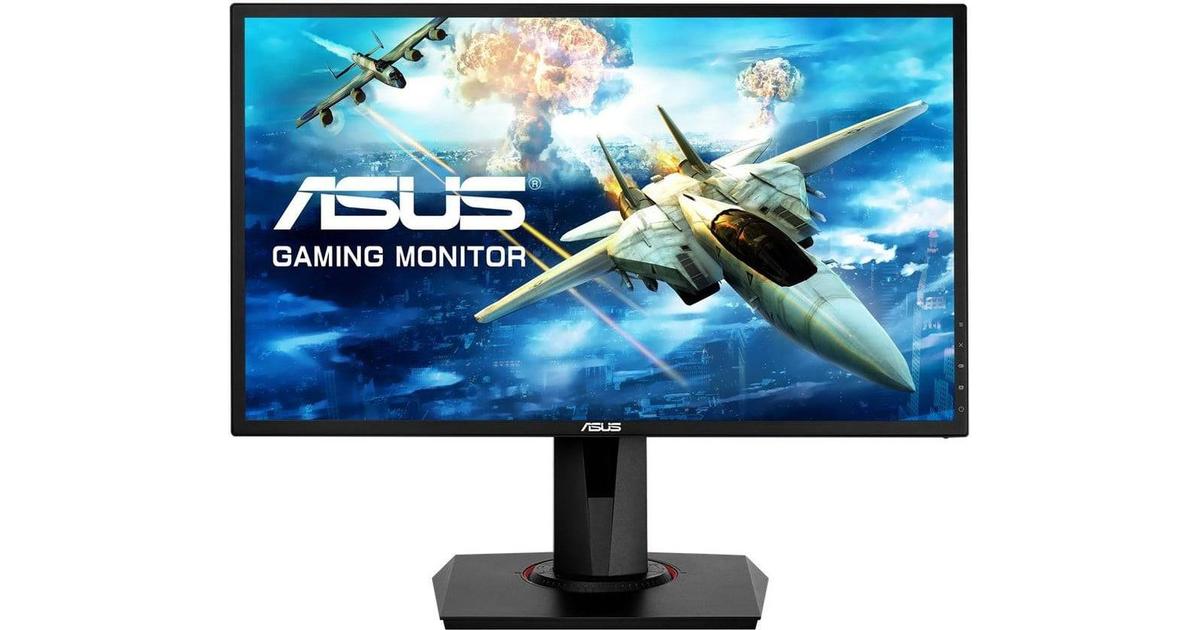
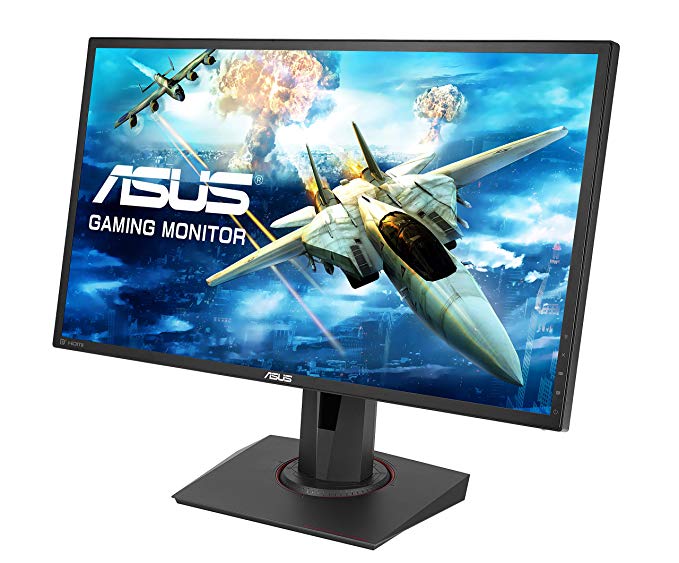
24" Asus VG245H گیمنگ مانیٹر کی کارکردگی کے معیارات
مانیٹر میں ویسا پہاڑ ہے. اوسط ردعمل کی شرح کے لئے، Asus VG245H اسکورز 5 ایم ایس، جو اعلی ریفریش کی شرح کے ساتھ موثر ہم آہنگی کو یقینی بناتا ہے.. گرافکس رنگ کے معیار کے لئے Asus VG245H 8 -bit کے بہترین رنگ کی گہرائی ہے، جس میں نتیجے میں ہموار گرڈینٹ اور زیادہ درست رنگ. Asus VG245H کی کم از کم ردعمل کی شرح 1 ایم ایس ہے، جو ماضی کے اثرات کو ختم کر دیتا ہے. AMD FreeSync کی حمایت کے ساتھ، یہ مانیٹر AMD اور NVIDIA دونوں گرافکس کارڈز کے ساتھ مطابقت رکھتا ہے. پکسل کثافت کی شرائط میں Asus VG245H 91 پکسل فی انچ کی شاندار کثافت ہے، جس کا نتیجہ تیز متن اور تصویر کی کیفیت ہے.. Asus VG245H میں 75 Hz کی زیادہ سے زیادہ ریفریش کی شرح ہے اور یہ مسابقتی کھیلوں میں انتہائی روزہ فریم کی شرح کے لئے بہت کم ہوسکتا ہے.. مانیٹر میں 1000 : 1 کا متنازع برعکس ہے. Asus VG245H 20 ms کی کل ان پٹ کی لہر ہے، جو مقابلہ میں خراب ہے. Asus VG245H میں ڈسپلے پورٹ نہیں ہے اور NVIDIA کارڈوں کیلئے AMD FreeSync کے ساتھ کام کرنا ضروری ہے. گرافیک طور پر کھیلوں کا مطالبہ ہو سکتا ہے کہ 56 HZ کے ایڈیٹیٹ ریفریج کی شرح کے باہر فریم ڈراپیں. مانیٹر ایک TN پینل کا استعمال کرتا ہے جو افقی اور عمودی زاویہ سے دیکھا جب رنگ تبدیل ہونے سے گزرتا ہے اور آئی پی ایس اور VA پینلز کے مقابلے میں تھوڑا دھویا رنگ ہے.. یہ قابل ذکر ہے کہ Asus VG245H نسبتا پرانی نگرانی ہے. Asus VG245H چمک دیگر مانیٹر سے کم ہے.
24" Asus VG245H Certificates, standards and licenses
Certificates, standards and licenses
BSMICBCCCCECEL level 1cTickCUeStandbyENERGY STARFCC Class BJ-MOSSKCCPSERCMRoHSTÜV Low Blue LightTÜV Flicker-freeUL/cULVCCIWEEEWHQL (Windows 10; Windows 8.1; Windows 7)
24" Asus VG245H Connectivity
Connectivity
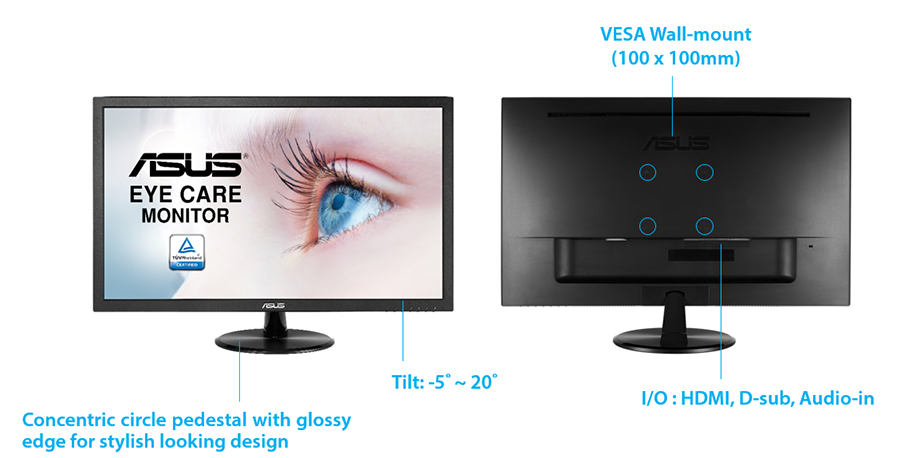
2 x HDMI 1.4, 1 x D-sub, 1 x 3.5 mm Audio In, 1 x 3.5 mm Audio Out
24" Asus VG245H Dimensions, weight and color
Colors
Black
Depth
50 mm (millimeters) 5 cm (centimeters) 1.9685 in (inches) 0.164 ft (feet)
Depth with stand
211 mm (millimeters) 21.1 cm (centimeters) 8.3071 in (inches) 0.6923 ft (feet)
Height
329 mm (millimeters) 32.9 cm (centimeters) 12.9528 in (inches) 1.0794 ft (feet)
Height with stand
359 mm (millimeters) 35.9 cm (centimeters) 14.1339 in (inches) 1.1778 ft (feet)
Weight with stand
5.1 kg (kilograms) 11.24 lbs (pounds)
Width
561 mm (millimeters) 56.1 cm (centimeters) 22.0866 in (inches) 1.8406 ft (feet)
Width with stand
561 mm (millimeters) 56.1 cm (centimeters) 22.0866 in (inches) 1.8406 ft (feet)
24" Asus VG245H Display
Adobe RGB (1998)
70 % (percent)
Aspect ratio
1.778:116:9
Average response time
5 ms (milliseconds) 0.0050 s (seconds)
Backlight
W-LED
Brightness
250 cd/m² (candela per square meter)
Coating
Anti-glare/Matte
Colors
16777216 colors 24 bits
Diagonal
609.7 mm (millimeters) 60.97 cm (centimeters) 24.0039 in (inches) 2.0003 ft (feet)
Display area
86.05 % (percent)
Dynamic contrast
100000000 : 1
Height
298.89 mm (millimeters) 29.889 cm (centimeters) 11.7673 in (inches) 0.9806 ft (feet)
Horizontal viewing angle
170 ° (degrees)
Input lag
7 ms (milliseconds) 0.0070 s (seconds)
Maximum response time
15 ms (milliseconds) 0.0150 s (seconds)
Minimum response time
1 ms (milliseconds) 0.0010 s (seconds)
NTSC (1953)
72 % (percent)
Panel bit depth
8 bits
Panel type
TN
Pixel density
91 ppi (pixels per inch) 36 ppcm (pixels per centimeter)
Pixel pitch
0.277 mm (millimeters) 0.0277 cm (centimeters) 0.0109 in (inches) 0.0009 ft (feet)
Resolution
1920 x 1080 pixels Full HD / 1080p
Size class
24 in (inches)
Static contrast
1000 : 1
Vertical viewing angle
160 ° (degrees)
Width
531.36 mm (millimeters) 53.136 cm (centimeters) 20.9197 in (inches) 1.7433 ft (feet)
sRGB
95 % (percent)
24" Asus VG245H Ergonomics
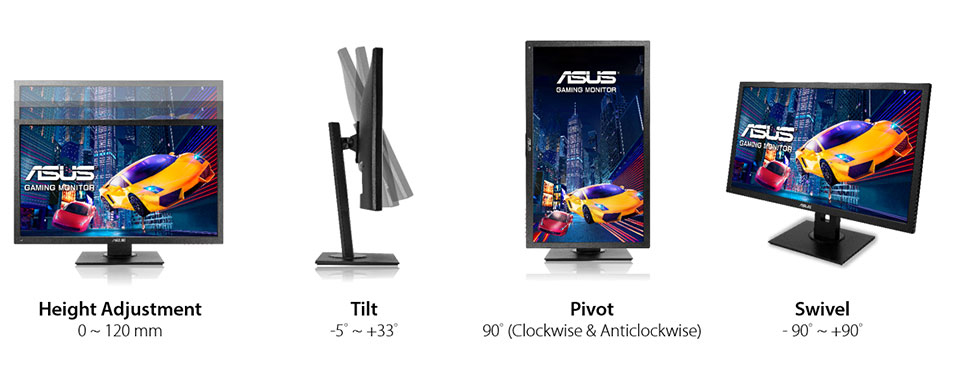
Backward tilt
33 ° (degrees)
Forward tilt
5 ° (degrees)
Forward/backward tilt
Yes
Height adjustment
Yes
Height adjustment range
130 mm (millimeters) 13 cm (centimeters) 5.1181 in (inches) 0.4265 ft (feet)
The Asus VG245H offers impressive picture quality, responsiveness and special features for under $200. ... Asus VG245H Review: An Awesome Gaming Monitor Value. ... Verdict. The Asus VG245H offers ...
We have no doubt that the VG245H will attract plenty of buyers. It represents a price breakthrough for sure and is about the only display from a major company that offers adaptive-refresh in any ...
Conclusion. We have no doubt that the VG245H will attract plenty of buyers. It represents a price breakthrough for sure and is about the only display from a major company that offers adaptive ...
The VG245H includes the same GamePlus features we saw on the PG248Q. You get a selection of reticles, four countdown timers, an FPS counter and an alignment guide.
ASUS VG245H Refresh rate lock
What's up with the ASUS VG245H? If I try to set a custom refresh rate higher than 75hz, I lose connection to the hdmi output and the monitor refuses to connect until I set it back to 75hz. What kind of sorcery is this? Is there any way to work around it and let me go higher than 75hz?
Monitor is advertised to run at 75hz btw, then there's an another model which has 144hz but looks identical to the one I have so it was probably done on purpose.
00
W
wildbill3367 years ago
Asus vg245h xbox
Is it possible to use freesync with asus 24inch vg245h and xbox one x?
I purchased the monitor hooked everything up and the variable refresh rate option in the xbox settings menu is grey. Can not click it. I spoke to microsoft who then gave me asus contact support who said they have no monitors that support hdmi 2 which i found weird cause i am pretty sure i read somewhere before i made the purchase that it was compatible. Please can someone help me or else i need to return this monitor. Thanks in advance.
00
K
kloutkobain7 years ago
ASUS VG245H monitor Issues
I have this monitor and I've tried it all and I cant seem to fix the screen tearing that I get in the middle and 1/3 down of the top of the screen. Is there anything I can possibly do to stop it?
00
P
photonboy7 years ago
kloutkobain :
Barty1884 :
Screen "tearing" or a defect? If you're experiencing "tearing" in game, capping a framerate would help.
Yeah I've done that and even capped it below 75 fps and even at 60 fps with 75hz on and still no fix.
Capping the FPS doesn't get rid of screen tearing even if the FPS matches the monitor refresh rate. You need to enable VSYNC to get rid of screen tearing. VSYNC results in an FPS cap that matches your monitor refresh rate but it's synchronized in order to prevent screen tearing (new and old frame data mixed with same refresh).
VSYNC advantage is no screen tearing.
VSYNC disadvantage is added lag (a bit more sluggish).
When you do that it's best to configure the game settings so they rarely dip below that FPS. Which is apparently 75FPS to match 75Hz.
Another option still involves VSYNC but (for NVidia) it's called Adaptive VSYNC and it just toggles VSYNC OFF if you drop below 75FPS (for 75Hz monitor) to prevent added STUTTERING but you'll get screen tearing again though it's often a good tradeoff to get some quick tearing rather than stuttering.
NCP-> manage 3d settings-> add game-> ... adaptive vsync-> save
(similar feature for AMD with Radeon Pro called Dynamic VSYNC which works exactly the same. Not sure if there is another AMD tool or if their drivers have it)
When I use that I start the game with VSYNC OFF at first then configure settings so I am at the target (75FPS/75Hz) at least 90% of the time as a good balance between visuals and screen tear frequency.
00
S
Someonewithadesk8 years ago
How to get VG245H to 75Hz and how to use Freesync
So I have 2 questions about the VG245H monitor that I have bought:
1: The monitor advertises a 75Hz refresh rate, but whenever I go into the monitors settings, it says 60Hz. How do I get it to 75? I definitely have a pc that should easily support 75hz at 1080p.
2: I have an MSI RX480 gpu, and the monitor advertises Freesync compatibility. However, when I go into the software that came with the gpu drivers and I go into the monitor settings, it says "freesync not supported". How do I get them to use freesync together?
Thanks!
00
C
chidybangz8 years ago
I just figured out how to get 75hz. On your desktop right click and select display settings. scroll down and select advanced display settings than display adapter properties. Moniter tab and select 75 hz refresh rate. Good Luck















گرافکس کارڈ خریدنے سے پہلے کیا خیال کریں
اگر آپ نئے نظام گرافکس کارڈ خریدنے سے اپنے سسٹم کو اپ گریڈ کرنے کی منصوبہ بندی کر رہے ہیں. پھر غور کرنے کے لئے کچھ اہم عوامل موجود ہیں.
قرارداد VS معیار: کھیل کی کارکردگی پر اثر
کھیل کی کارکردگی پر کیا اثر پڑتا ہے؟ وضاحت یا تفصیلات؟
پی سی گیمز میں الٹرا وی اعلی معیار کی ترتیبات
ہر کھلاڑی کے پاس پی سی کے کھیل کے لئے مثالی ترتیب کے بارے میں مختلف سوچ ہے. لیکن زیادہ تر معاملات میں، اعلی معیار گرافکس کی ترتیبات کا انتخاب کرنے کا راستہ ہے.
سی پی یو یا GPU بینڈ وابستہ کیا ہیں؟
کیا آپ اچانک فریم ڈراپ ہو رہے ہیں؟ شاید آپ کو ایک مشکل ہوسکتی ہے.
میرے لئے قابل قبول FPS کی رفتار کیا ہے؟
کچھ کھیلوں کے لئے، آپ اب بھی کم فریم کی شرحوں پر عظیم گرافکس سے لطف اندوز کرسکتے ہیں.
GPU Hierarchy
GPU Compare
CPU Compare
Gaming Laptops
Gaming Monitors
Gaming Headsets
بحث اور تبصرے
آپ کے تبصرے اشتراک کریں
What's up with the ASUS VG245H? If I try to set a custom refresh rate higher than 75hz, I lose connection to the hdmi output and the monitor refuses to connect until I set it back to 75hz. What kind of sorcery is this? Is there any way to work around it and let me go higher than 75hz?
Monitor is advertised to run at 75hz btw, then there's an another model which has 144hz but looks identical to the one I have so it was probably done on purpose.
Is it possible to use freesync with asus 24inch vg245h and xbox one x?
I purchased the monitor hooked everything up and the variable refresh rate option in the xbox settings menu is grey. Can not click it. I spoke to microsoft who then gave me asus contact support who said they have no monitors that support hdmi 2 which i found weird cause i am pretty sure i read somewhere before i made the purchase that it was compatible. Please can someone help me or else i need to return this monitor. Thanks in advance.
I have this monitor and I've tried it all and I cant seem to fix the screen tearing that I get in the middle and 1/3 down of the top of the screen. Is there anything I can possibly do to stop it?
kloutkobain :
Barty1884 :
Screen "tearing" or a defect? If you're experiencing "tearing" in game, capping a framerate would help.
Yeah I've done that and even capped it below 75 fps and even at 60 fps with 75hz on and still no fix.
Capping the FPS doesn't get rid of screen tearing even if the FPS matches the monitor refresh rate. You need to enable VSYNC to get rid of screen tearing. VSYNC results in an FPS cap that matches your monitor refresh rate but it's synchronized in order to prevent screen tearing (new and old frame data mixed with same refresh).
VSYNC advantage is no screen tearing.
VSYNC disadvantage is added lag (a bit more sluggish).
When you do that it's best to configure the game settings so they rarely dip below that FPS. Which is apparently 75FPS to match 75Hz.
Another option still involves VSYNC but (for NVidia) it's called Adaptive VSYNC and it just toggles VSYNC OFF if you drop below 75FPS (for 75Hz monitor) to prevent added STUTTERING but you'll get screen tearing again though it's often a good tradeoff to get some quick tearing rather than stuttering.
NCP-> manage 3d settings-> add game-> ... adaptive vsync-> save
(similar feature for AMD with Radeon Pro called Dynamic VSYNC which works exactly the same. Not sure if there is another AMD tool or if their drivers have it)
When I use that I start the game with VSYNC OFF at first then configure settings so I am at the target (75FPS/75Hz) at least 90% of the time as a good balance between visuals and screen tear frequency.
So I have 2 questions about the VG245H monitor that I have bought:
1: The monitor advertises a 75Hz refresh rate, but whenever I go into the monitors settings, it says 60Hz. How do I get it to 75? I definitely have a pc that should easily support 75hz at 1080p.
2: I have an MSI RX480 gpu, and the monitor advertises Freesync compatibility. However, when I go into the software that came with the gpu drivers and I go into the monitor settings, it says "freesync not supported". How do I get them to use freesync together?
Thanks!
I just figured out how to get 75hz. On your desktop right click and select display settings. scroll down and select advanced display settings than display adapter properties. Moniter tab and select 75 hz refresh rate. Good Luck