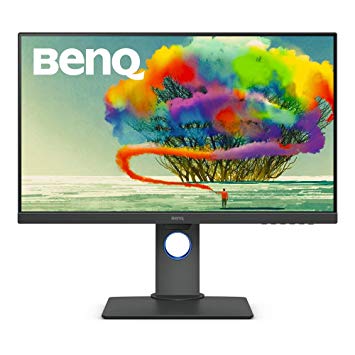
27" BenQ PD2700U oyun izleme performansı kriterleri
Grafik renk kalitesi için, BenQ PD2700U mükemmel bir renk derinliğine sahiptir ve 8 -bit. Piksel yoğunluğu bakımından, BenQ PD2700U , inç başına piksel başına 163 mükemmel bir yoğunluğa sahiptir ve daha net metin ve resim kalitesi sağlar.. Monitör paneli iyi görüş açılarına sahiptir ve TN panellerden daha iyi kontrast ve renkler sunar. BenQ PD2700U Ekran Bağlantı Noktasına sahiptir ve bu NVIDIA kartların AMD FreeSync ile çalışması için gereklidir.. Grafiksel olarak zorlu oyunları telafi etmek için, BenQ PD2700U , daha düşük kare hızı düşüşlerine adapte olabilen çok iyi bir düşük son adaptif 24 Hz yenileme hızına sahiptir. Monitörün bir VESA montajı vardır. BenQ PD2700U nispeten yeni bir monitör. AMD FreeSync desteğiyle, bu monitör hem AMD hem de NVIDIA grafik kartlarıyla uyumludur.. Ortalama yanıt oranı için, BenQ PD2700U puanları 14 ms'dir; bu, yüksek yenileme hızı ile etkisiz senkronizasyon nedeniyle hareketin bulanıklaşmasına neden olabilir. BenQ PD2700U parlaklığı diğer monitörlerden daha düşük. BenQ PD2700U maksimum yenileme hızına 76 Hz sahiptir ve rakip oyunlarda son derece hızlı kare hızları için bu çok düşük olabilir. Monitörün etkileyici olmayan bir kontrast oranı 1300 : 1. BenQ PD2700U , 21.5 ms toplam girdi gecikmesine sahiptir, bu rekabet arasında kötüdür. Asgari yanıt oranı BenQ PD2700U , 5 ms'dir ve bu, gölgelenme etkilerine neden olabilir.
27" BenQ PD2700U Certificates, standards and licenses
Certificates, standards and licenses
ENERGY STAR 7.0Epeat GoldTCO 7.0WHQL (Windows 10; Windows 8.1; Windows 8; Windows 7)
27" BenQ PD2700U Connectivity
Connectivity
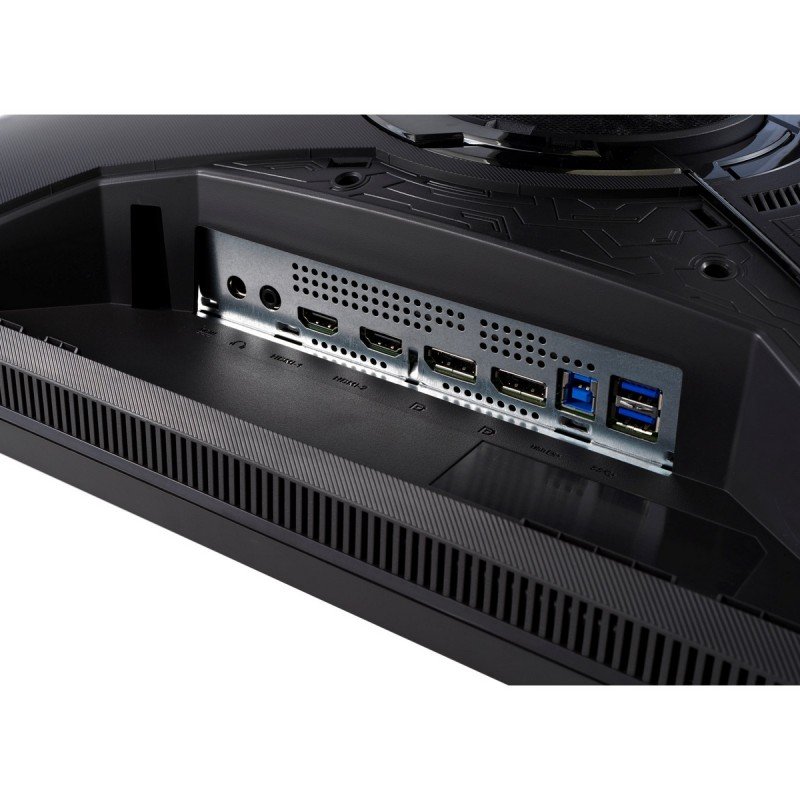
1 x USB (KVM keyboard connection) 4 x USB 3.0 (downstream) , 2 x USB 3.0 (upstream) , 1 x HDMI 2.0, 1 x DisplayPort 1.4, 1 x DisplayPort 1.4 (Input mini) , 1 x DisplayPort 1.4 (Output MST) , 1 x 3.5 mm Audio Out
27" BenQ PD2700U Dimensions, weight and color
Colors
Black
Depth
58.8 mm (millimeters) 5.88 cm (centimeters) 2.315 in (inches) 0.1929 ft (feet)
Depth with stand
230.7 mm (millimeters) 23.07 cm (centimeters) 9.0827 in (inches) 0.7569 ft (feet)
Height
367.9 mm (millimeters) 36.79 cm (centimeters) 14.4843 in (inches) 1.207 ft (feet)
Height with stand
427.5 mm (millimeters) 42.75 cm (centimeters) 16.8307 in (inches) 1.4026 ft (feet)
Weight
5 kg (kilograms) 11.02 lbs (pounds)
Weight with stand
7.7 kg (kilograms) 16.98 lbs (pounds)
Width
613.8 mm (millimeters) 61.38 cm (centimeters) 24.1654 in (inches) 2.0138 ft (feet)
Width with stand
613.8 mm (millimeters) 61.38 cm (centimeters) 24.1654 in (inches) 2.0138 ft (feet)
27" BenQ PD2700U Display
Adobe RGB (1998)
70 % (percent)
Aspect ratio
1.778:116:9
Average response time
14 ms (milliseconds) 0.0140 s (seconds)
Backlight
W-LED
Brightness
350 cd/m² (candela per square meter)
Coating
Anti-glare/Matte (3H)
Colors
1073741824 colors 30 bits
Diagonal
684 mm (millimeters) 68.4 cm (centimeters) 26.9291 in (inches) 2.2441 ft (feet)
Display area
88.7 % (percent)
FRC
Yes
HDR
HDR10
Height
335.664 mm (millimeters) 33.5664 cm (centimeters) 13.2151 in (inches) 1.1013 ft (feet)
Horizontal viewing angle
178 ° (degrees)
Input lag
15 ms (milliseconds) 0.0150 s (seconds)
Minimum response time
5 ms (milliseconds) 0.0050 s (seconds)
NTSC (1953)
75 % (percent)
Panel bit depth
10 bits (8 bits + FRC)
Panel manufacturer
LG Display
Panel model
LM270WR3-????
Panel type
AH-IPS
Peak brightness
400 cd/m² (candela per square meter)
Pixel density
163 ppi (pixels per inch) 64 ppcm (pixels per centimeter)
Pixel pitch
0.155 mm (millimeters) 0.0155 cm (centimeters) 0.0061 in (inches) 0.0005 ft (feet)
Resolution
3840 x 2160 pixels Ultra HD (UHD) / 4K / 2160p
Size class
27 in (inches)
Static contrast
1300 : 1
Vertical viewing angle
178 ° (degrees)
Width
596.736 mm (millimeters) 59.6736 cm (centimeters) 23.4935 in (inches) 1.9578 ft (feet)
sRGB
100 % (percent)
27" BenQ PD2700U Ergonomics
Backward tilt
20 ° (degrees)
Forward tilt
5 ° (degrees)
Forward/backward tilt
Yes
Height adjustment
Yes
Height adjustment range
140 mm (millimeters) 14 cm (centimeters) 5.5118 in (inches) 0.4593 ft (feet)
Landscape/portrait pivot
Yes
Left pivot
0 ° (degrees)
Left swivel
45 ° (degrees)
Left/right swivel
Yes
Removable stand
Yes
Right pivot
90 ° (degrees)
Right swivel
45 ° (degrees)
VESA interface
100 x 100 mm
VESA mount
Yes
27" BenQ PD2700U Features
Features
AMA (Advanced Motion Accelerator) AMD FreeSync technology, Animation modeCAD/CAM modeDisplay PilotFlicker-free technology, HDCP (High-bandwidth Digital Content Protection) Low Blue Light
27" BenQ PD2700U Frequencies
Horizontal frequency (digital)
27 kHz - 140 kHz (kilohertz)
Vertical frequency (digital)
24 Hz - 76 Hz (hertz)
27" BenQ PD2700U Power supply and consumption
110V
100 V - 120 V (volts)
220V
220 V - 240 V (volts)
Alternating current frequency
50 Hz - 60 Hz (hertz)
Power consumption (average)
30 W (watts)
Power consumption (maximum)
80 W (watts)
Power consumption (off)
0.5 W (watts)
Power consumption (sleep)
0.5 W (watts)
27" BenQ PD2700U oyun izleme performansı kriterleri - List of Max Refresh Rate Compatible GPUs
BenQ PD2700U review ... Our Verdict. BenQ’s new 27 incher is a no-nonsense 4K monitor with a quality IPS panel and its sights set on serious computing and content creators. For
The BenQ PD2700U delivers professional-grade performance at a reasonable price. We test out the 27-inch IPS panel with 4K/UHD resolution, HDR10 and factory-certified calibration.
Verdict Budget shoppers will find the PD2700U checks all the important boxes for color accuracy and support of the latest signal formats. 400 nits means decent HDR and a detailed, luminescent picture.
Conclusion. For some, a professional monitor is mandatory, and price is no object. But it’s possible to get all the color accuracy and most of the same features in an enterprise display if you ...























Grafik Kartı Satın Almadan Önce Neler Dikkat Edilmeli?
Yeni bir grafik kartı satın alarak sisteminizi yükseltmeyi planlıyorsanız. O zaman dikkate alınması gereken bazı önemli faktörler var.
Çözünürlük VS Kalitesi: Oyun Performansına Etkisi
Oyun performansını neler etkiler? Netlik veya Detaylar?
PC Oyunlarında Ultra VS Yüksek Kalite Ayarları
Her oyuncunun PC oyunları için ideal ayar hakkında farklı bir fikri vardır. Ancak çoğu durumda, Yüksek kaliteli bir grafik yapılandırması seçerek gitmek yoludur.
CPU veya GPU Darboğazları nedir?
Ani çerçeve damlaları alıyor musunuz? bir darboğazınız olabilir.
Benim için kabul edilebilir FPS hızı nedir?
Bazı oyunlarda, daha düşük kare hızlarında hala mükemmel garfiklerin tadını çıkarabilirsiniz.
GPU Hierarchy
GPU Compare
CPU Compare
Gaming Laptops
Gaming Monitors
Gaming Headsets
Tartışma ve Yorumlar
Yorumlarınızı paylaşın