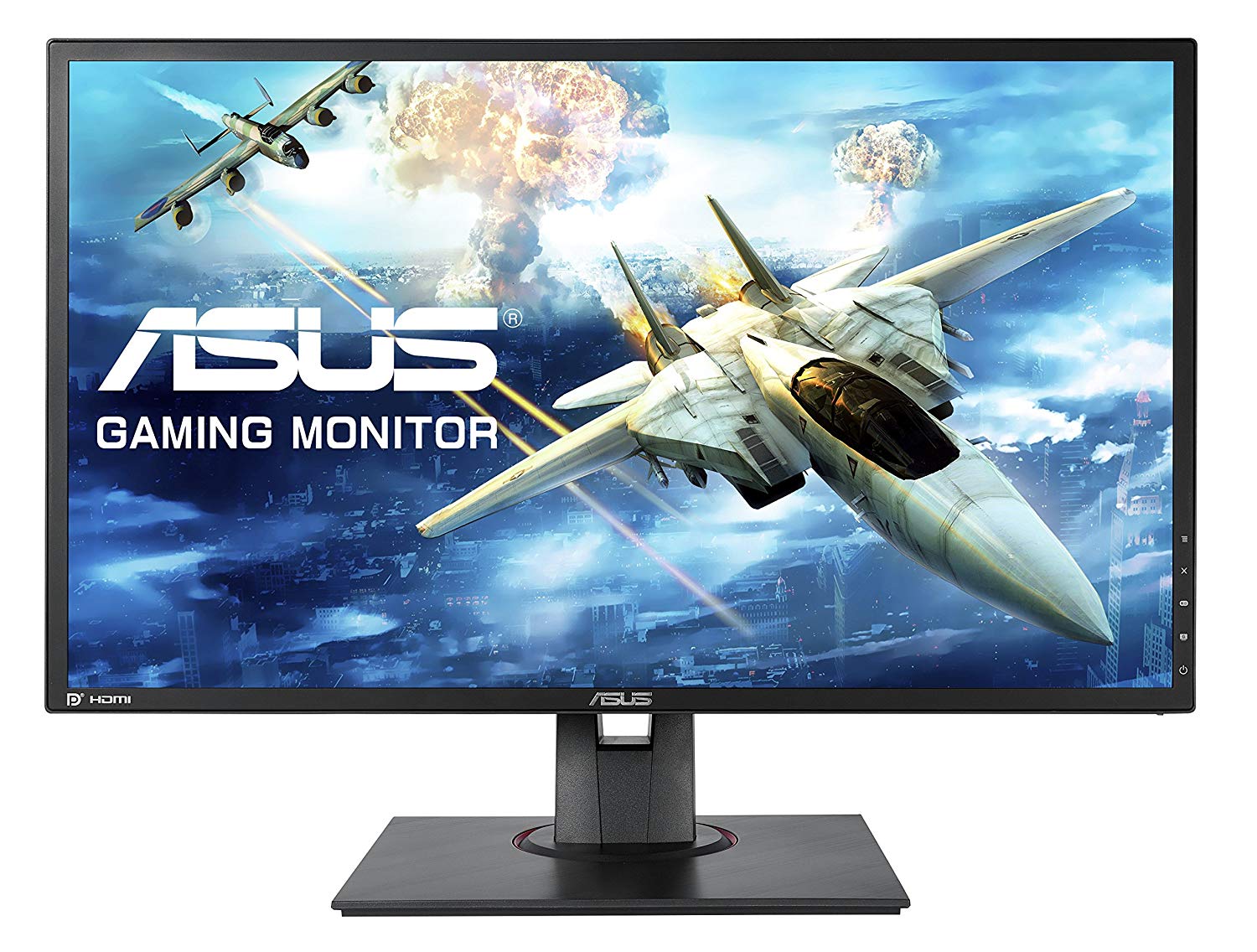
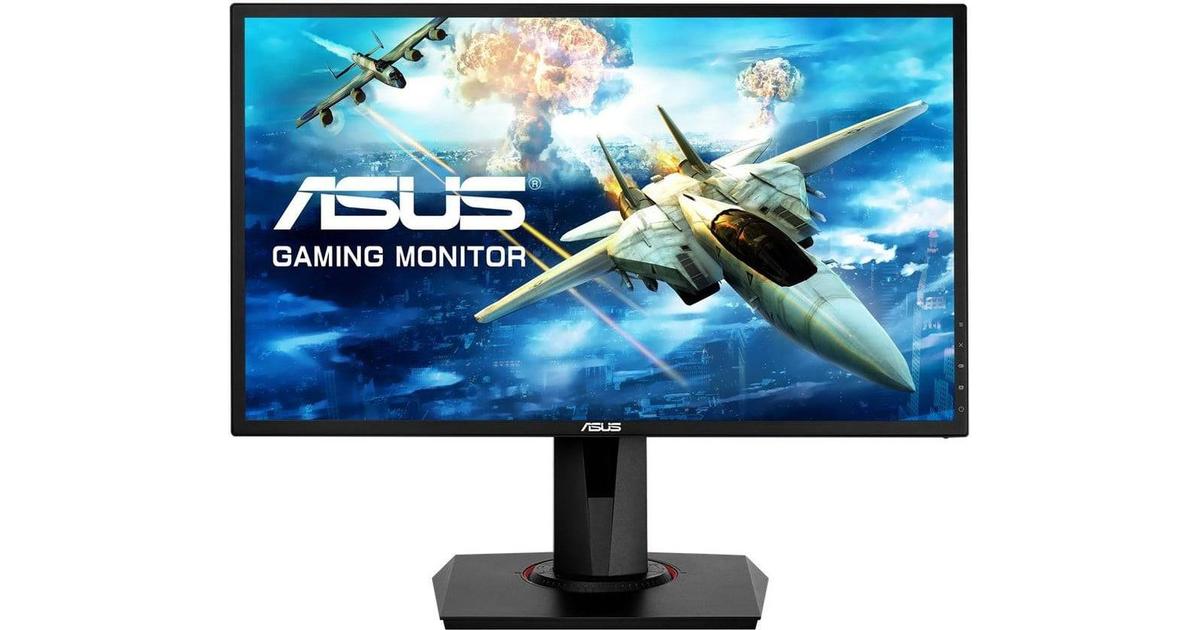
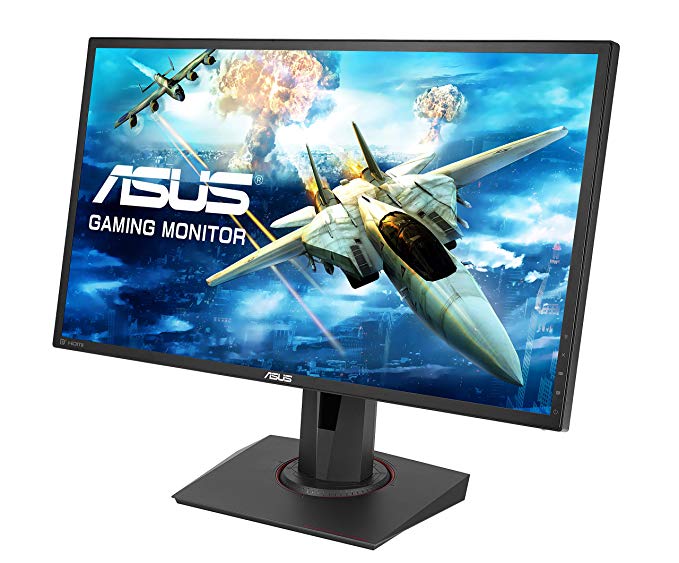
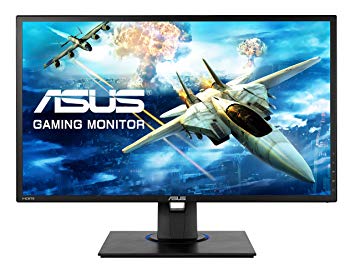
Asus MG248QE to stosunkowo nowy monitor. Monitor ma mocowanie VESA. Asus MG248QE ma całkowite opóźnienie wejściowe wynoszące 12.5 ms, co jest doskonałe wśród konkurencji. Aby zrekompensować wymagające graficznie gry, Asus MG248QE ma bardzo dobrą adaptacyjną częstotliwość odświeżania dla niskich częstotliwości 40 Hz, która może dostosować się do mniejszych spadków szybkości klatek. Minimalny wskaźnik odpowiedzi Asus MG248QE to 1 ms, co eliminuje efekty zjawy. Pod względem gęstości pikseli Asus MG248QE ma doskonałą gęstość 91 pikseli na cal, co skutkuje ostrzejszą jakością tekstu i obrazu. Dla średniego współczynnika odpowiedzi Asus MG248QE wyniki 3 ms, które zapewniają skuteczną synchronizację z wysoką częstotliwością odświeżania. Asus MG248QE ma port wyświetlacza i jest to niezbędne dla kart NVIDIA do współpracy z AMD FreeSync. Dzięki obsłudze AMD FreeSync monitor ten jest zgodny zarówno z kartami graficznymi AMD, jak i NVIDIA. Dla ekstremalnie szybkich częstotliwości klatek Asus MG248QE ma maksymalną częstotliwość odświeżania 144 Hz, która umożliwia płynniejszą rozgrywkę. Monitor korzysta z panelu TN, który ma przesunięcia kolorów podczas oglądania z kątów poziomych i pionowych oraz ma lekko wyprane kolory w porównaniu z panelami IPS i VA. Jasność Asus MG248QE jest niższa niż innych monitorów. W przypadku jakości kolorów graficznych Asus MG248QE ma średnią głębię kolorów 6 -bit, co powoduje, że gradienty są nieco zaciemnione i kolory są nieco mniej dokładne. Monitor ma imponujący współczynnik kontrastu 1000 : 1.
24" Asus MG248QE Certificates, standards and licenses
Certificates, standards and licenses
BSMICBCCCCEcTickCUENERGY STAR 6.0ErPeStandbyFCC Class BJ-MOSSKCCPCBPSERCMRoHSTCO Certified Displays 6.0TÜV Low Blue LightTÜV Flicker-freeUL/cULVCCIWEEEWHQL (Windows 10; Windows 8.1; Windows 7)
24" Asus MG248QE Connectivity
Connectivity
1 x HDMI 1.4, 1 x DisplayPort 1.2, 1 x DVI-D Dual Link, 2 x 3.5 mm Audio Out
24" Asus MG248QE Dimensions, weight and color
Colors
Black
Depth
51 mm (millimeters) 5.1 cm (centimeters) 2.0079 in (inches) 0.1673 ft (feet)
Depth with stand
211 mm (millimeters) 21.1 cm (centimeters) 8.3071 in (inches) 0.6923 ft (feet)
Height
329 mm (millimeters) 32.9 cm (centimeters) 12.9528 in (inches) 1.0794 ft (feet)
Height with stand
415 mm (millimeters) 41.5 cm (centimeters) 16.3386 in (inches) 1.3615 ft (feet)
Weight
2.97 kg (kilograms) 6.55 lbs (pounds)
Weight with stand
4.8 kg (kilograms) 10.58 lbs (pounds)
Width
561 mm (millimeters) 56.1 cm (centimeters) 22.0866 in (inches) 1.8406 ft (feet)
Width with stand
561 mm (millimeters) 56.1 cm (centimeters) 22.0866 in (inches) 1.8406 ft (feet)
24" Asus MG248QE Display
Aspect ratio
1.778:116:9
Average response time
3 ms (milliseconds) 0.0030 s (seconds)
Backlight
W-LED
Brightness
350 cd/m² (candela per square meter)
Coating
Anti-glare/Matte
Colors
16777216 colors 24 bits
Diagonal
609.7 mm (millimeters) 60.97 cm (centimeters) 24.0039 in (inches) 2.0003 ft (feet)
Display area
86.08 % (percent)
Dynamic contrast
100000000 : 1
FRC
Yes
Height
298.94 mm (millimeters) 29.894 cm (centimeters) 11.7693 in (inches) 0.9808 ft (feet)
Horizontal viewing angle
170 ° (degrees)
Minimum response time
1 ms (milliseconds) 0.0010 s (seconds)
NTSC (1953)
72 % (percent)
Panel bit depth
8 bits (6 bits + FRC)
Panel type
TN
Pixel density
91 ppi (pixels per inch) 36 ppcm (pixels per centimeter)
Pixel pitch
0.277 mm (millimeters) 0.0277 cm (centimeters) 0.0109 in (inches) 0.0009 ft (feet)
Resolution
1920 x 1080 pixels Full HD / 1080p
Size class
24 in (inches)
Static contrast
1000 : 1
Vertical viewing angle
160 ° (degrees)
Width
531.46 mm (millimeters) 53.146 cm (centimeters) 20.9236 in (inches) 1.7436 ft (feet)
24" Asus MG248QE Ergonomics
Backward tilt
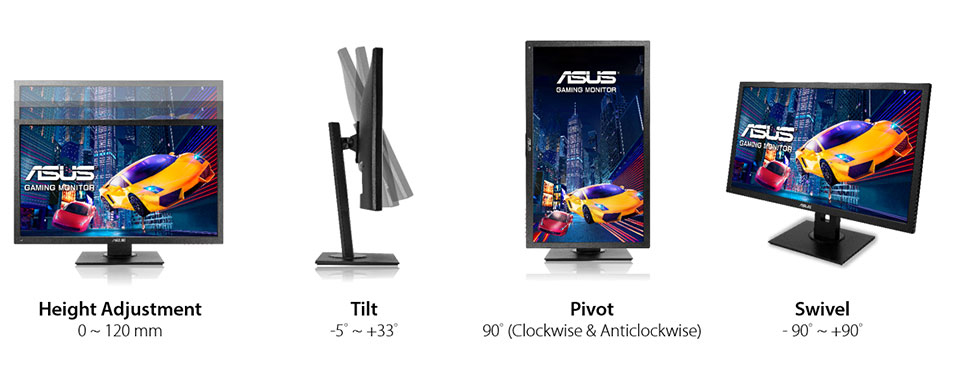
33 ° (degrees)
Forward tilt
5 ° (degrees)
Forward/backward tilt
Yes
Height adjustment
No
Landscape/portrait pivot
Yes
Left pivot
90 ° (degrees)
Left/right swivel
No
Removable stand
Yes
Right pivot
90 ° (degrees)
VESA interface
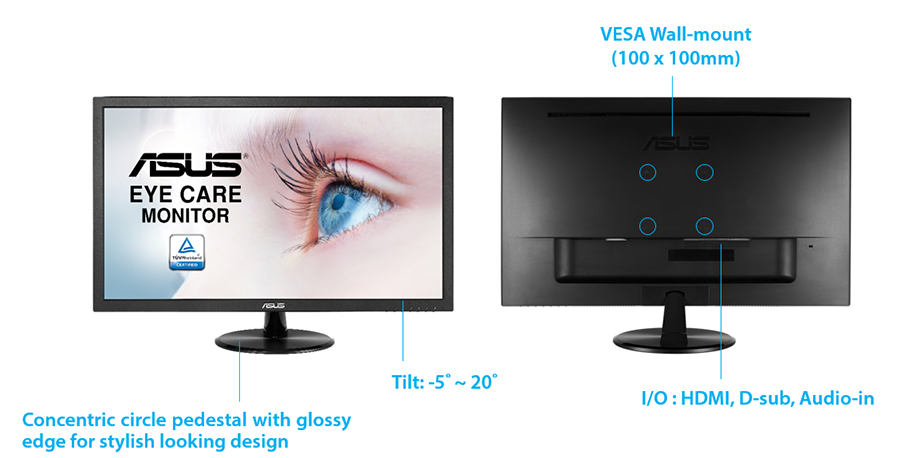
100 x 100 mm
VESA mount
Yes
24" Asus MG248QE Features
Features
5-way OSD joystickAdaptive-Sync TechnologyFlicker-free technology, GamePlus (Crosshair/Timer) GameVisualHDCP (High-bandwidth Digital Content Protection) Ultra-low Blue Light
24" Asus MG248QE Frequencies
Horizontal frequency (analog)
30 kHz - 160 kHz (kilohertz)
Horizontal frequency (digital)
30 kHz - 160 kHz (kilohertz)
Vertical frequency (analog)
50 Hz - 144 Hz (hertz)
Vertical frequency (digital)
40 Hz - 144 Hz (hertz)
24" Asus MG248QE Operating and storage conditions
Operating temperature
0 °C - 40 °C (degrees Celsius) 32 °F - 104 °F (degrees Fahrenheit)
Storage temperature
-20 °C - 60 °C (degrees Celsius) -4 °F - 140 °F (degrees Fahrenheit)
24" Asus MG248QE Power supply and consumption
110V
100 V - 120 V (volts)
220V
220 V - 240 V (volts)
Alternating current frequency
50 Hz - 60 Hz (hertz)
Power consumption (maximum)
40 W (watts)
Power consumption (off)
0.5 W (watts)
Power consumption (sleep)
0.5 W (watts)
Testy wydajności monitora gier 24" Asus MG248QE - List of Max Refresh Rate Compatible GPUs
Question ASUS Terrible Service. A bad dream on MG248QE
I Buy a Asus MG248QE. The crosshair just moves alone in cyclical periods. I tested under gaming, in windows, and in windows emergency mode to see if any software was creating the problem. I also tested with hdmi and display port. The stupid crosshair simple doesn't stop moving. Theoreticaly it is supposed to help in gaming, not make it more hard... Someone knows about this problem? Thanks to you all for help.
00
M
Marath6 years ago
Question ASUS Terrible Service. A bad dream on MG248QE
I Buy a Asus MG248QE. The crosshair just moves alone in cyclical periods. I tested under gaming, in windows, and in windows emergency mode to see if any software was creating the problem. I also tested with hdmi and display port. The stupid crosshair simple doesn't stop moving. Theoreticaly it is supposed to help in gaming, not make it more hard... Someone knows about this problem? Thanks to you all for help.
00
R
rcfaro7 years ago
Asus Mg248QE Vs Mg248QR explain diferences?
Hi,
Can Simeone explain me diference betwen this two? QE is 20€ cheaper than QR
Here link comparation- https://www.asus.com/Product-Compare/
00
D
Doutor7 years ago
Asus MG248QE hdmi 144hz support?
I just bought the Asus MG248QE gaming monitor to use with my laptop (it only arrives in a few days), but will it be able to run 144hz with a hdmi 2.0? I heard that HDMI 2.0 supports 144HZ but does the monitor support it as well? I do have a mini display port so I could buy a displayport to mini displayport cable but it would cost me more 30€ and I already paid a good amount for the monitor itself. I would assume it supports it but I rather be sure.































Co należy wziąć pod uwagę przed zakupem karty graficznej
Jeśli planujesz uaktualnić swój system, kupując nową kartę graficzną. Następnie należy wziąć pod uwagę kilka ważnych czynników.
Rozdzielczość Jakość VS: wpływ na wydajność gry
Co wpływa na wydajność gry? Klarowność lub szczegóły?
Ustawienia Ultra VS wysokiej jakości w grach komputerowych
Każdy gracz ma inne zdanie na temat idealnego ustawienia gier na PC. Jednak w większości przypadków wybór najlepszej konfiguracji graficznej jest do zrobienia.
Czym są wąskie gardła CPU lub GPU?
Czy otrzymujesz nagłe krople ramki? możesz mieć wąskie gardło.
Jaka jest dla mnie dopuszczalna prędkość FPS?
W przypadku niektórych gier nadal można cieszyć się wspaniałymi garfikami przy niższej liczbie klatek na sekundę.
GPU Hierarchy
GPU Compare
CPU Compare
Gaming Laptops
Gaming Monitors
Gaming Headsets
Dyskusja i komentarze
Udostępnij swoje komentarze
I Buy a Asus MG248QE. The crosshair just moves alone in cyclical periods. I tested under gaming, in windows, and in windows emergency mode to see if any software was creating the problem. I also tested with hdmi and display port. The stupid crosshair simple doesn't stop moving. Theoreticaly it is supposed to help in gaming, not make it more hard... Someone knows about this problem? Thanks to you all for help.
I Buy a Asus MG248QE. The crosshair just moves alone in cyclical periods. I tested under gaming, in windows, and in windows emergency mode to see if any software was creating the problem. I also tested with hdmi and display port. The stupid crosshair simple doesn't stop moving. Theoreticaly it is supposed to help in gaming, not make it more hard... Someone knows about this problem? Thanks to you all for help.
Hi,
Can Simeone explain me diference betwen this two? QE is 20€ cheaper than QR
Here link comparation- https://www.asus.com/Product-Compare/
I just bought the Asus MG248QE gaming monitor to use with my laptop (it only arrives in a few days), but will it be able to run 144hz with a hdmi 2.0? I heard that HDMI 2.0 supports 144HZ but does the monitor support it as well? I do have a mini display port so I could buy a displayport to mini displayport cable but it would cost me more 30€ and I already paid a good amount for the monitor itself. I would assume it supports it but I rather be sure.