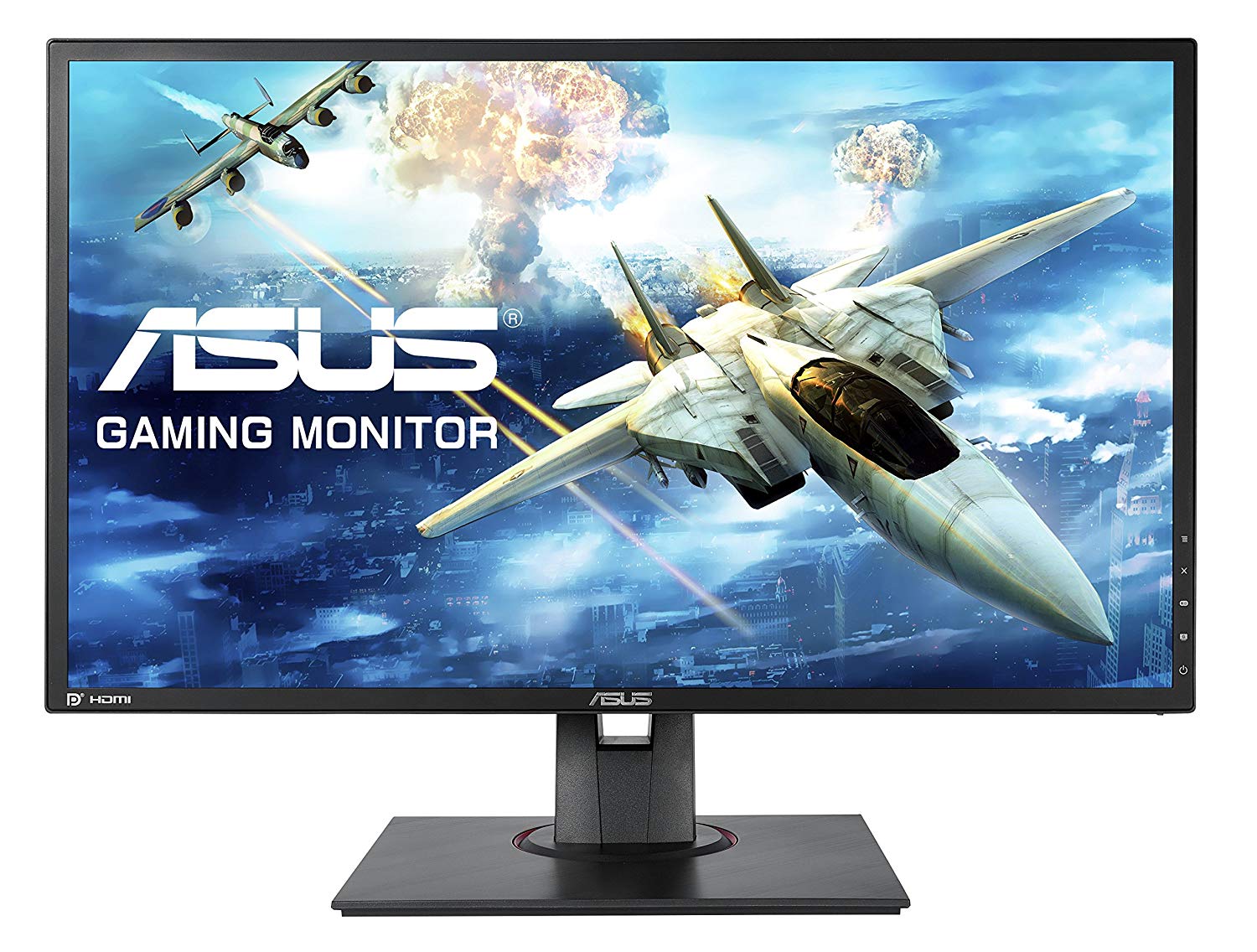
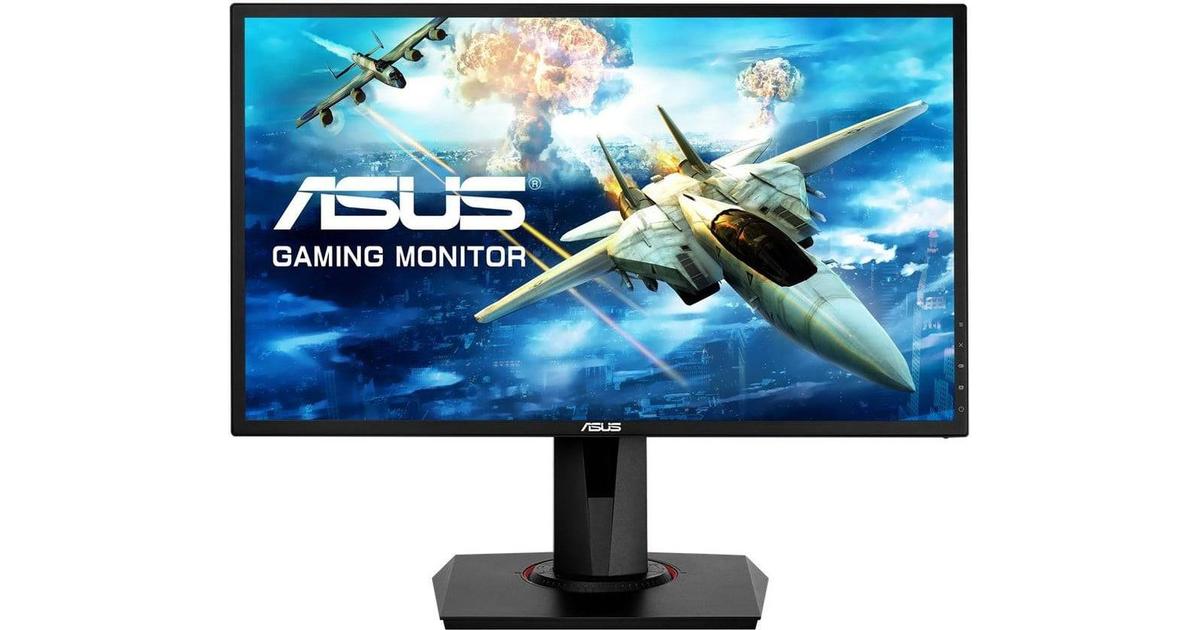
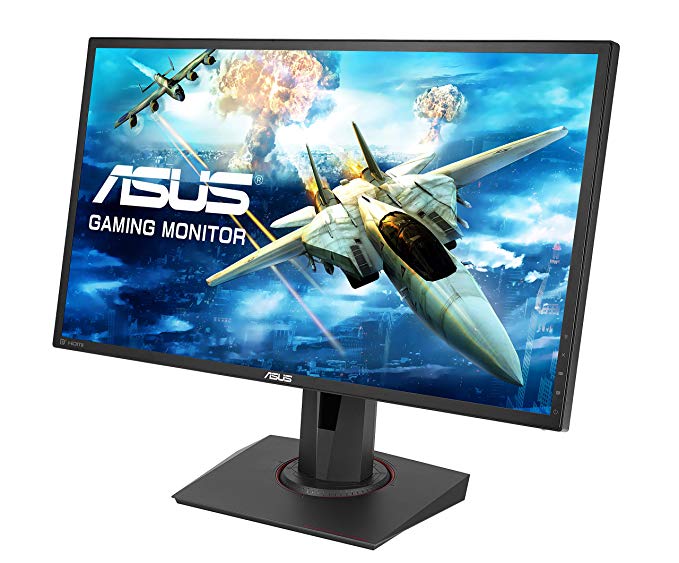
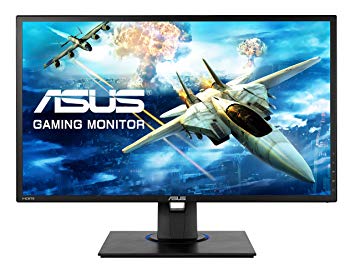
للتعويض عن الألعاب التي تتطلب رسومًا بيانية ، يتمتع Asus MG248QE بمعدل تحديث منخفض للغاية جيد للغاية قدره 40 هرتز يمكنه التكيف مع المزيد من انخفاض معدل الإطارات. بالنسبة لمعدلات الإطارات السريعة للغاية ، لدى Asus MG248QE معدل تحديث أقصى يبلغ 144 هرتز والذي يسمح باللعب بطريقة أكثر سلاسة. الشاشة لديها جبل VESA. يحتوي Asus MG248QE على منفذ العرض وهذا ضروري لبطاقات NVIDIA للعمل مع AMD FreeSync. الحد الأدنى لمعدل الاستجابة Asus MG248QE هو 1 مللي ثانية ، وهو ما يلغي آثار الظلال. مع دعم AMD FreeSync ، تكون هذه الشاشة متوافقة مع كل من بطاقات الرسومات AMD و NVIDIA. بالنسبة لمتوسط معدل الاستجابة ، تسجل Asus MG248QE الدرجات 3 ms ، مما يضمن التزامن الفعال مع معدل التحديث العالي. فيما يتعلق بكثافة البكسل ، Asus MG248QE بها كثافة ممتازة 91 بكسل لكل بوصة ، مما ينتج عنه جودة نص وصورة أكثر حدة. Asus MG248QE شاشة جديدة نسبيا. Asus MG248QE تأخر إدخال كلي قدره 12.5 ms ، وهو أمر ممتاز بين المنافسة. سطوع Asus MG248QE أقل من الشاشات الأخرى. تحتوي الشاشة على نسبة تباين غير مبهرة من 1000 : 1. تستخدم الشاشة لوحة TN التي تعاني من تغيير اللون عند عرضها من الزوايا الأفقية والرأسية وتم غسلها قليلاً مقارنةً بألواح IPS و VA. بالنسبة لجودة ألوان الرسومات ، يحتوي Asus MG248QE على متوسط عمق ألوان يبلغ 6 -bit ، مما ينتج عنه تدرجات متدرجة وألوان أقل دقة قليلاً.
24" Asus MG248QE Certificates, standards and licenses
Certificates, standards and licenses
BSMICBCCCCEcTickCUENERGY STAR 6.0ErPeStandbyFCC Class BJ-MOSSKCCPCBPSERCMRoHSTCO Certified Displays 6.0TÜV Low Blue LightTÜV Flicker-freeUL/cULVCCIWEEEWHQL (Windows 10; Windows 8.1; Windows 7)
24" Asus MG248QE Connectivity
Connectivity
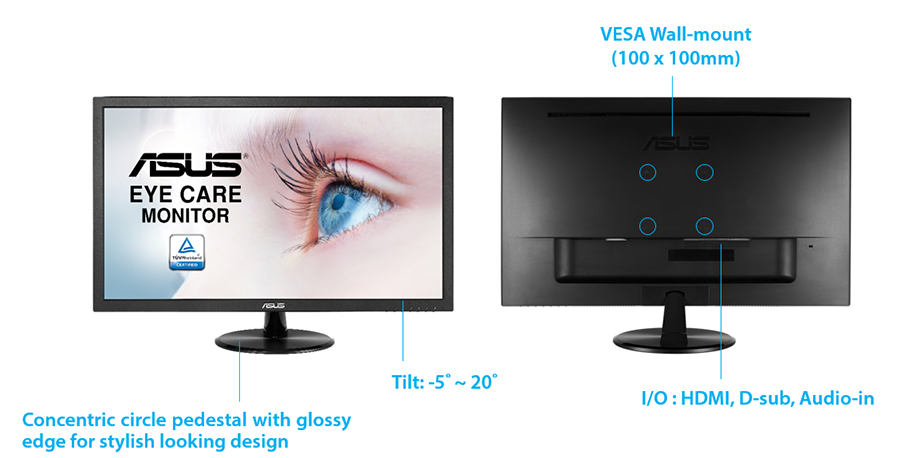
1 x HDMI 1.4, 1 x DisplayPort 1.2, 1 x DVI-D Dual Link, 2 x 3.5 mm Audio Out
24" Asus MG248QE Dimensions, weight and color
Colors
Black
Depth
51 mm (millimeters) 5.1 cm (centimeters) 2.0079 in (inches) 0.1673 ft (feet)
Depth with stand
211 mm (millimeters) 21.1 cm (centimeters) 8.3071 in (inches) 0.6923 ft (feet)
Height
329 mm (millimeters) 32.9 cm (centimeters) 12.9528 in (inches) 1.0794 ft (feet)
Height with stand
415 mm (millimeters) 41.5 cm (centimeters) 16.3386 in (inches) 1.3615 ft (feet)
Weight
2.97 kg (kilograms) 6.55 lbs (pounds)
Weight with stand
4.8 kg (kilograms) 10.58 lbs (pounds)
Width
561 mm (millimeters) 56.1 cm (centimeters) 22.0866 in (inches) 1.8406 ft (feet)
Width with stand
561 mm (millimeters) 56.1 cm (centimeters) 22.0866 in (inches) 1.8406 ft (feet)
24" Asus MG248QE Display
Aspect ratio
1.778:116:9
Average response time
3 ms (milliseconds) 0.0030 s (seconds)
Backlight
W-LED
Brightness
350 cd/m² (candela per square meter)
Coating
Anti-glare/Matte
Colors
16777216 colors 24 bits
Diagonal
609.7 mm (millimeters) 60.97 cm (centimeters) 24.0039 in (inches) 2.0003 ft (feet)
Display area
86.08 % (percent)
Dynamic contrast
100000000 : 1
FRC
Yes
Height
298.94 mm (millimeters) 29.894 cm (centimeters) 11.7693 in (inches) 0.9808 ft (feet)
Horizontal viewing angle
170 ° (degrees)
Minimum response time
1 ms (milliseconds) 0.0010 s (seconds)
NTSC (1953)
72 % (percent)
Panel bit depth
8 bits (6 bits + FRC)
Panel type
TN
Pixel density
91 ppi (pixels per inch) 36 ppcm (pixels per centimeter)
Pixel pitch
0.277 mm (millimeters) 0.0277 cm (centimeters) 0.0109 in (inches) 0.0009 ft (feet)
Resolution
1920 x 1080 pixels Full HD / 1080p
Size class
24 in (inches)
Static contrast
1000 : 1
Vertical viewing angle
160 ° (degrees)
Width
531.46 mm (millimeters) 53.146 cm (centimeters) 20.9236 in (inches) 1.7436 ft (feet)
24" Asus MG248QE Ergonomics
Backward tilt
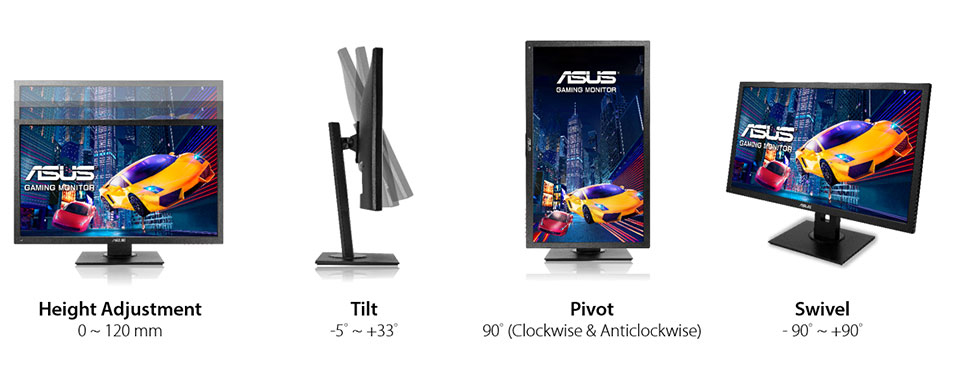
33 ° (degrees)
Forward tilt
5 ° (degrees)
Forward/backward tilt
Yes
Height adjustment
No
Landscape/portrait pivot
Yes
Left pivot
90 ° (degrees)
Left/right swivel
No
Removable stand
Yes
Right pivot
90 ° (degrees)
VESA interface
100 x 100 mm
VESA mount
Yes
24" Asus MG248QE Features
Features
5-way OSD joystickAdaptive-Sync TechnologyFlicker-free technology, GamePlus (Crosshair/Timer) GameVisualHDCP (High-bandwidth Digital Content Protection) Ultra-low Blue Light
24" Asus MG248QE Frequencies
Horizontal frequency (analog)
30 kHz - 160 kHz (kilohertz)
Horizontal frequency (digital)
30 kHz - 160 kHz (kilohertz)
Vertical frequency (analog)
50 Hz - 144 Hz (hertz)
Vertical frequency (digital)
40 Hz - 144 Hz (hertz)
24" Asus MG248QE Operating and storage conditions
Operating temperature
0 °C - 40 °C (degrees Celsius) 32 °F - 104 °F (degrees Fahrenheit)
Storage temperature
-20 °C - 60 °C (degrees Celsius) -4 °F - 140 °F (degrees Fahrenheit)
24" Asus MG248QE Power supply and consumption
110V
100 V - 120 V (volts)
220V
220 V - 240 V (volts)
Alternating current frequency
50 Hz - 60 Hz (hertz)
Power consumption (maximum)
40 W (watts)
Power consumption (off)
0.5 W (watts)
Power consumption (sleep)
0.5 W (watts)
24" Asus MG248QE مقاييس أداء مراقبة الألعاب - List of Max Refresh Rate Compatible GPUs
Question ASUS Terrible Service. A bad dream on MG248QE
I Buy a Asus MG248QE. The crosshair just moves alone in cyclical periods. I tested under gaming, in windows, and in windows emergency mode to see if any software was creating the problem. I also tested with hdmi and display port. The stupid crosshair simple doesn't stop moving. Theoreticaly it is supposed to help in gaming, not make it more hard... Someone knows about this problem? Thanks to you all for help.
00
M
Marath6 years ago
Question ASUS Terrible Service. A bad dream on MG248QE
I Buy a Asus MG248QE. The crosshair just moves alone in cyclical periods. I tested under gaming, in windows, and in windows emergency mode to see if any software was creating the problem. I also tested with hdmi and display port. The stupid crosshair simple doesn't stop moving. Theoreticaly it is supposed to help in gaming, not make it more hard... Someone knows about this problem? Thanks to you all for help.
00
R
rcfaro7 years ago
Asus Mg248QE Vs Mg248QR explain diferences?
Hi,
Can Simeone explain me diference betwen this two? QE is 20€ cheaper than QR
Here link comparation- https://www.asus.com/Product-Compare/
00
D
Doutor7 years ago
Asus MG248QE hdmi 144hz support?
I just bought the Asus MG248QE gaming monitor to use with my laptop (it only arrives in a few days), but will it be able to run 144hz with a hdmi 2.0? I heard that HDMI 2.0 supports 144HZ but does the monitor support it as well? I do have a mini display port so I could buy a displayport to mini displayport cable but it would cost me more 30€ and I already paid a good amount for the monitor itself. I would assume it supports it but I rather be sure.































ما النظر قبل شراء بطاقة الرسومات
إذا كنت تخطط لترقية النظام الخاص بك عن طريق شراء بطاقة رسومات جديدة. ثم هناك بعض العوامل الهامة للنظر فيها.
جودة القرار الجودة: التأثير على أداء اللعبة
ما يؤثر على أداء اللعبة؟ الوضوح أو التفاصيل؟
إعدادات Ultra VS High Quality في ألعاب الكمبيوتر الشخصي
كل لاعب لديه فكرة مختلفة حول الإعداد المثالي لألعاب الكمبيوتر. ولكن في معظم الحالات ، يعد اختيار تهيئة رسومات عالية الجودة هو الطريق المناسب.
ما هي المعامِلات CPU أو GPU؟
هل تحصل على قطرات إطار مفاجئ؟ قد يكون لديك عنق الزجاجة.
ما هي سرعة FPS المقبولة بالنسبة لي؟
بالنسبة إلى بعض الألعاب ، لا يزال بإمكانك الاستمتاع بحفل كبير في أسعار الإطارات المنخفضة.
GPU Hierarchy
GPU Compare
CPU Compare
Gaming Laptops
Gaming Monitors
Gaming Headsets
مناقشة وتعليقات
شارك تعليقاتك
I Buy a Asus MG248QE. The crosshair just moves alone in cyclical periods. I tested under gaming, in windows, and in windows emergency mode to see if any software was creating the problem. I also tested with hdmi and display port. The stupid crosshair simple doesn't stop moving. Theoreticaly it is supposed to help in gaming, not make it more hard... Someone knows about this problem? Thanks to you all for help.
I Buy a Asus MG248QE. The crosshair just moves alone in cyclical periods. I tested under gaming, in windows, and in windows emergency mode to see if any software was creating the problem. I also tested with hdmi and display port. The stupid crosshair simple doesn't stop moving. Theoreticaly it is supposed to help in gaming, not make it more hard... Someone knows about this problem? Thanks to you all for help.
Hi,
Can Simeone explain me diference betwen this two? QE is 20€ cheaper than QR
Here link comparation- https://www.asus.com/Product-Compare/
I just bought the Asus MG248QE gaming monitor to use with my laptop (it only arrives in a few days), but will it be able to run 144hz with a hdmi 2.0? I heard that HDMI 2.0 supports 144HZ but does the monitor support it as well? I do have a mini display port so I could buy a displayport to mini displayport cable but it would cost me more 30€ and I already paid a good amount for the monitor itself. I would assume it supports it but I rather be sure.