เปรียบเทียบกับ
Select..
23.6" AOC C24G1 - ฿ 6,192 23.8" AOC 24V2H - ฿ 8,147 23.8" AOC 24V2Q - ฿ 4,073 23.8" AOC AGON AG241QG - ฿ 5,339 23.8" AOC AGON AG241QX - ฿ 10,754 24" AOC 24G2 - ฿ 8,341 24" AOC G2460PF - ฿ 6,518 24" AOC G2460PG - ฿ 5,339 24" AOC G2460PG-2 - ฿ 5,339 24" AOC G2460VQ6 - ฿ 4,888 24.5" AOC AGON AG251FG - ฿ 21,183 24.5" AOC AGON AG251FZ - ฿ 21,183 24.5" AOC G2590FX - ฿ 6,518 24.5" AOC G2590PX - ฿ 4,073 24.5" AOC G2590PX/G2 - ฿ 7,463 24.5" AOC G2590VXQ - ฿ 7,307 27" AOC 27V2H - ฿ 5,012 27" AOC 27V2Q - ฿ 4,298 27" AOC AGON AG271QG - ฿ 11,081 27" AOC AGON AG272FCX - ฿ 32,525 27" AOC AGON AG272FCX6 - ฿ 32,525 27" AOC AGON AG273QCG - ฿ 32,525 27" AOC AGON AG273QCX - ฿ 16,295 27" AOC C2789FH8 - ฿ 9,743 27" AOC C27G1 - ฿ 8,408 27" AOC CQ27G1 - ฿ 8,473 27" AOC CQ27G2 - ฿ 8,473 27" AOC G2770PF - ฿ 9,875 27" AOC G2778VQ - ฿ 4,298 27" AOC G2790PX - ฿ 13,535 28" AOC G2868PQU - ฿ 7,821 28" AOC U2879VF - ฿ 13,694 31.5" AOC AGON AG322FCX - ฿ 3,585 31.5" AOC AGON AG322QC4 - ฿ 17,924 31.5" AOC AGON AG322QCX - ฿ 14,658 31.5" AOC C32G1 - ฿ 8,148 31.5" AOC CQ32G1 - ฿ 17,435 31.5" AOC Q3279VWF - ฿ 7,495 31.5" AOC Q3279VWFD8 - ฿ 7,495 32" AOC CQ32G1 - ฿ 13,036 34" AOC CU34G2X - ฿ 13,036 35" AOC AGON AG352QCX - ฿ 13,036 35" AOC AGON AG352UCG - ฿ 26,065 35" AOC AGON AG352UCG6 - ฿ 24,117 35" AOC C3583FQ - ฿ 19,008 23.6" AOpen 24HC1QR P - ฿ 4,172 23.6" AOpen 24HX2Q P - ฿ 5,702 23.8" AOpen 24ML1Y - ฿ 5,702 23.8" AOpen 24ML2Y - ฿ 9,777 24" AOpen 24MX1 - ฿ 3,911 27" AOpen 27HC1R P - ฿ 7,170 27" AOpen 27ML1 - ฿ 7,724 27" AOpen 27ML1U - ฿ 7,724 27" AOpen 27ML2 - ฿ 6,614 27" AOpen 27MX1 - ฿ 6,614 27" AOpen 27MX1U - ฿ 6,614 31.5" AOpen 32HC1QUR P - ฿ 11,700 14" ASUS ProArt PA148CTV - ฿ 13,003 14" ASUS ZenScreen MB14AC - ฿ 6,518 15" ASUS ZenScreen Go MB16AHP - ฿ 9,744 15" ASUS ZenScreen Touch MB16AMT - ฿ 12,058 16" ASUS ROG Strix XG16AHPE - ฿ 11,374 17" ASUS ROG Strix XG17AHPE - ฿ 15,285 24" ASUS TUF Gaming VG249Q1A - ฿ 5,508 24" ASUS VG245H - ฿ 10,754 24" ASUS VG246H - ฿ 4,171 24" ASUS VG248QE - ฿ 7,443 24" ASUS VG248QG - ฿ 6,144 25" ASUS ROG Swift 360Hz PG259QN - ฿ 12,986 25" ASUS TUF Gaming VG258QM - ฿ 10,021 25" ASUS TUF Gaming VG259QM - ฿ 11,700 27" ASUS TUF VG27VQ - ฿ 12,971 27" ASUS MX279HS - ฿ 7,463 27" ASUS ProArt Display PA278CV - ฿ 14,372 27" ASUS ProArt Display PA278QV - ฿ 9,419 27" ASUS ROG Strix XG279Q - ฿ 23,139 27" ASUS ROG Strix XG27AQ - ฿ 14,691 27" ASUS ROG Strix XG27UQ - ฿ 21,770 27" ASUS ROG Swift PG279Q - ฿ 23,139 27" ASUS ROG Swift PG279QM - ฿ 26,039 27" ASUS ROG Swift PG279QZ - ฿ 32,557 27" ASUS TUF Gaming VG27AQL1A - ฿ 13,754 27" ASUS TUF Gaming VG27WQ1B - ฿ 11,244 27" ASUS TUF VG27AQ - ฿ 12,971 27" ASUS VG279Q - ฿ 8,441 27" ASUS VG279QM - ฿ 11,129 32" ASUS TUF VG32VQ - ฿ 15,016 34" ASUS TUF Gaming VG34VQL1B - ฿ 14,956 42" ASUS ROG Swift OLED PG42UQ - ฿ 53,040 23" Acer SA230Аbi - ฿ 3,585 23.6" Acer ED242Q - ฿ 5,863 23.6" Acer ED242QR - ฿ 5,863 23.6" Acer ED242QRbi - ฿ 3,585 23.6" Acer KG241Q - ฿ 4,530 23.6" Acer KG241QA - ฿ 4,236 23.8" Acer B247Y - ฿ 4,629 23.8" Acer B247Y bmiprx - ฿ 4,725 23.8" Acer HA240Y - ฿ 4,236 23.8" Acer Nitro VG240 - ฿ 5,214 23.8" Acer Nitro VG240Y - ฿ 5,214 23.8" Acer Nitro VG240YU - ฿ 4,236 23.8" Acer Predator XB1 XB241YU - ฿ 9,125 23.8" Acer RG240 - ฿ 4,236 23.8" Acer SA240YA - ฿ 4,236 23.8" Acer V247Y bmipx - ฿ 4,332 23.8" Acer V247Ybi - ฿ 4,236 23.8" Acer V247Ybip - ฿ 4,236 23.8" Acer XF240YU - ฿ 10,754 24" Acer B247W - ฿ 6,689 24" Acer GF246 - ฿ 4,236 24" Acer KG241 - ฿ 6,843 24" Acer Nitro RG241Y Pbiipx - ฿ 5,100 24" Acer Nitro XF243Y Pbmiiprx - ฿ 5,952 24" Acer Predator XB1 XB241H - ฿ 16,295 24" Acer XB240HA - ฿ 3,585 24" Acer XF240H - ฿ 7,332 24.5" Acer KG251Q - ฿ 4,236 24.5" Acer KG251QD - ฿ 6,387 24.5" Acer KG251QF - ฿ 6,387 24.5" Acer KG251QG - ฿ 6,387 24.5" Acer KG251QH - ฿ 6,387 24.5" Acer KG251QI - ฿ 6,387 24.5" Acer KG251Qbiix - ฿ 6,387 24.5" Acer Predator XB2 XB252Q - ฿ 16,132 24.5" Acer XF250Q - ฿ 8,115 24.5" Acer XF250QA - ฿ 4,236 24.5" Acer XF250QB - ฿ 4,236 24.5" Acer XF250QD - ฿ 4,236 24.5" Acer XF251Q - ฿ 4,236 24.5" Acer XF252QX - ฿ 4,236 25" Acer Nitro XF252Q Xbmiiprzx - ฿ 13,280 25" Acer Nitro XV252Q Fbmiiprx - ฿ 8,865 25" Acer Predator X25 bmiiprzx - ฿ 13,068 27" Acer B277 - ฿ 9,940 27" Acer B277 bmiprczx - ฿ 6,402 27" Acer B277 bmiprx - ฿ 5,916 27" Acer B277U - ฿ 8,777 27" Acer B277Ubmiipprczx - ฿ 8,148 27" Acer ED273 Awidpx - ฿ 6,518 27" Acer ED273UR - ฿ 8,865 27" Acer GF276 - ฿ 3,911 27" Acer GF276A - ฿ 4,888 27" Acer HA270 - ฿ 4,888 27" Acer KG271 - ฿ 8,314 27" Acer KG271A - ฿ 8,441 27" Acer KG271B - ฿ 3,911 27" Acer KG271D - ฿ 3,911 27" Acer KG271E - ฿ 3,911 27" Acer KG271F - ฿ 4,888 27" Acer KG271U - ฿ 7,495 27" Acer KG271U Abmiipx - ฿ 8,408 27" Acer Nitro VG270 - ฿ 8,050 27" Acer Nitro VG270U - ฿ 8,050 27" Acer Nitro VG270UP - ฿ 8,050 27" Acer Nitro VG271 Pbmiipx - ฿ 10,853 27" Acer Nitro VG271UP Pbmiipx - ฿ 4,236 27" Acer Nitro XF272U - ฿ 8,147 27" Acer Nitro XV272U - ฿ 8,147 27" Acer Nitro XV272U KVbmiiprzx - ฿ 8,147 27" Acer Nitro XV273 Xbmiiprzx - ฿ 8,147 27" Acer Nitro XV3 XV273K - ฿ 26,039 27" Acer PE270K - ฿ 10,429 27" Acer Predator Z1 Z271U - ฿ 9,125 27" Acer Predator X27 - ฿ 53,741 27" Acer Predator X27 bmiphzx - ฿ 55,533 27" Acer Predator XB1 XB271H - ฿ 15,383 27" Acer Predator XB1 XB271HU - ฿ 17,892 27" Acer Predator XB1 XB271HUA - ฿ 9,125 27" Acer Predator XB1 XB271HUT - ฿ 9,125 27" Acer Predator XB270H - ฿ 13,556 27" Acer Predator XB271HU Bmiprz - ฿ 9,125 27" Acer Predator XB273K - ฿ 32,557 27" Acer Predator XB273K Pbmiphzx - ฿ 39,108 27" Acer Predator XB273U GXbmiipruzx - ฿ 13,655 27" Acer Predator Z1 Z271 - ฿ 9,125 27" Acer Predator Z1 Z271T - ฿ 11,374 27" Acer Predator Z271UV - ฿ 13,556 27" Acer RG270 - ฿ 5,410 27" Acer RG270 bmipx - ฿ 6,518 27" Acer V277 - ฿ 4,888 27" Acer V277bi - ฿ 3,911 27" Acer V277bip - ฿ 7,486 27" Acer VG271P - ฿ 3,911 27" Acer VG271UP - ฿ 12,287 27" Acer XB270HA - ฿ 3,911 27" Acer XB270HU - ฿ 17,272 27" Acer XB270HUD - ฿ 12,971 27" Acer XF270HA - ฿ 9,451 27" Acer XF270HB - ฿ 3,911 27" Acer XF270HBbmiiprx - ฿ 8,147 27" Acer XF270HC - ฿ 3,911 27" Acer XF270HU - ฿ 8,147 27" Acer XF270HUA - ฿ 11,374 27" Acer XG270HU - ฿ 12,257 27" Acer XN253QP - ฿ 14,665 27" Acer XN253QX - ฿ 3,911 27" Acer XZ271 - ฿ 3,911 27" Acer XZ271U - ฿ 15,937 28" Acer Nitro XV282K KVbmiipruzx - ฿ 21,149 28" Acer RT280K - ฿ 3,585 28" Acer XB280HK - ฿ 12,971 29" Acer XF290CB - ฿ 3,585 30" Acer Predator Z301CT - ฿ 4,888 31.5" Acer ED323QUR Abidpx - ฿ 11,406 31.5" Acer ED323QUR widpx - ฿ 3,585 31.5" Acer ET322QK - ฿ 13,036 31.5" Acer ET322QK Abmiipx - ฿ 9,777 31.5" Acer ET322QK Bbmiiprx - ฿ 13,036 31.5" Acer ET322QU - ฿ 11,406 31.5" Acer ET322QUAbmiprx - ฿ 7,459 31.5" Acer Predator XZ1 XZ321QU - ฿ 15,937 31.5" Acer Predator Z1 Z321Q - ฿ 3,585 31.5" Acer Predator Z1 Z321QU - ฿ 19,521 31.5" Acer XZ321Q - ฿ 15,937 34" Acer BX340C - ฿ 4,236 34" Acer BX340CK - ฿ 4,236 34" Acer ED347CKR - ฿ 4,236 34" Acer Nitro XV340CK Pbmiipphzx - ฿ 13,427 34" Acer Predator X34 - ฿ 42,041 34" Acer Predator X34P - ฿ 26,724 34" Acer XR341CK - ฿ 3,422 34" Acer XR342CK - ฿ 29,957 34" Acer XR342CKP - ฿ 9,418 35" Acer CZ350CK - ฿ 3,422 35" Acer Predator Z35 - ฿ 24,442 35" Acer Predator Z35P - ฿ 24,442 35" Acer XZ350CUbmijphz - ฿ 4,236 37.5" Acer XR382CQK - ฿ 28,343 49" Acer EI491CR - ฿ 25,712 27" Apple Studio Display - ฿ 47,223 23.6" Asus VP247QG - ฿ 4,399 23.8" Asus XG248Q - ฿ 11,374 24" Asus MG248QE - ฿ 12,580 24" Asus MG248QR - ฿ 8,341 24" Asus PG248Q - ฿ 11,406 24" Asus VG245H - ฿ 5,866 24" Asus VG245HE - ฿ 5,866 24" Asus VG245Q - ฿ 9,147 24" Asus VG248QG - ฿ 8,147 24" Asus VP248H - ฿ 7,463 24" Asus VP248HL - ฿ 7,463 24" Asus VP248QG - ฿ 4,888 24" Asus VP248QGL - ฿ 4,888 24" Asus VP248QGL-P - ฿ 7,463 24.5" Asus RoG Strix XG258Q - ฿ 13,036 24.5" Asus RoG Swift PG258Q - ฿ 15,643 24.5" Asus VG255H - ฿ 4,889 24.5" Asus VG258Q - ฿ 9,093 24.5" Asus VG258QR - ฿ 6,844 27" Asus MG278Q - ฿ 13,036 27" Asus MG279Q - ฿ 13,036 27" Asus MX27UQ - ฿ 9,125 27" Asus PB27UQ - ฿ 4,562 27" Asus RoG Strix XG27VQ - ฿ 10,722 27" Asus RoG Swift PG278Q - ฿ 17,598 27" Asus RoG Swift PG278QE - ฿ 22,780 27" Asus RoG Swift PG278QR - ฿ 17,598 27" Asus RoG Swift PG279Q - ฿ 17,994 27" Asus RoG Swift PG27UQ - ฿ 58,629 27" Asus RoG Swift PG27VQ - ฿ 22,813 27" Asus TUF Gaming VG27AQE - ฿ 12,971 27" Asus VG275Q - ฿ 8,473 27" Asus VG278Q - ฿ 9,386 27" Asus VG278QF - ฿ 11,244 27" Asus VG278QR - ฿ 12,384 27" Asus VG279Q - ฿ 10,931 27" Asus VL278H - ฿ 7,463 27" Asus VL278HE - ฿ 7,463 27" Asus VP278QG - ฿ 6,844 27" Asus VP278QGL - ฿ 6,844 27" Asus VP279QG - ฿ 7,463 27" Asus VP279QGL - ฿ 4,562 31.5" Asus MX32VQ - ฿ 13,426 31.5" Asus RoG Strix XG32VQ - ฿ 17,892 31.5" Asus RoG Strix XG32VQR - ฿ 17,892 34" Asus MX34VQ - ฿ 4,236 34" Asus ProArt PA34V - ฿ 34,329 34" Asus ProArt PA34VC - ฿ 34,329 34" Asus RoG Swift PG348Q - ฿ 24,442 34" Asus RoG Swift PG349Q - ฿ 32,557 35" Asus RoG Strix XG35VQ - ฿ 4,236 35" Asus RoG Swift PG35VQ - ฿ 4,236 37.5" Asus MX38VC - ฿ 39,880 49" Asus VG49V - ฿ 29,298 49" Asus XG49VQ - ฿ 29,298 24" BenQ XL2420G - ฿ 3,911 24" BenQ ZOWIE XL2411P - ฿ 11,406 25" BenQ ZOWIE XL2540 - ฿ 7,789 25" BenQ ZOWIE XL2546K - ฿ 13,981 25" BenQ ZOWIE XL2566K - ฿ 24,262 27" BenQ EX2780Q - ฿ 16,261 27" BenQ PD2700U - ฿ 17,598 27" BenQ XL2720G - ฿ 4,888 27" BenQ XL2730Z - ฿ 4,888 27" BenQ ZOWIE XL2735 - ฿ 6,485 28" BenQ EL2870U - ฿ 11,406 31.5" BenQ EW3270U - ฿ 15,754 31.5" BenQ EX3203R - ฿ 19,521 32" BenQ EW3270U - ฿ 13,036 35" BenQ EX3501R - ฿ 24,410 27" Cooler Master Tempest GP27U - ฿ 34,314 32" Corsair XENEON 32QHD165 - ฿ 30,960 14" Dell C1422H - ฿ 8,799 22" Dell E2220H - ฿ 4,206 23.8" Dell InfinityEdge S2418HN - ฿ 5,181 23.8" Dell InfinityEdge S2418HX - ฿ 4,073 23.8" Dell S2417DG - ฿ 12,058 24" Dell S2417DG - ฿ 11,406 24" Dell S2419HGF - ฿ 5,539 24" Dell S2419HGF - ฿ 12,226 24" Dell S2421H - ฿ 4,888 24.5" Dell Alienware AW2518H - ฿ 10,760 25" Dell Alienware AW2521H - ฿ 15,415 25" Dell Alienware AW2521HF - ฿ 13,655 25" Dell Alienware AW2523HF - ฿ 9,777 25" Dell U2518D - ฿ 17,924 25" Dell UltraSharp U2520D - ฿ 11,897 27" Dell Alienware AW2720HF - ฿ 22,813 27" Dell Alienware AW2721D - ฿ 35,977 27" Dell Alienware AW2723DF - ฿ 21,183 27" Dell D2719HGF - ฿ 5,866 27" Dell G2722HS - ฿ 6,355 27" Dell S2716DG - ฿ 14,571 27" Dell S2716DG - ฿ 21,183 27" Dell S2718H - ฿ 7,872 27" Dell S2718HN - ฿ 17,207 27" Dell S2718HX - ฿ 17,207 27" Dell S2718NX - ฿ 17,207 27" Dell S2719DGF - ฿ 9,777 27" Dell S2719DGF - ฿ 12,286 27" Dell S2721D - ฿ 9,311 27" Dell S2721DGF - ฿ 14,307 27" Dell S2721HGF - ฿ 9,319 27" Dell S2721QS - ฿ 8,147 27" Dell S2722DGM - ฿ 9,777 27" Dell S2722QC - ฿ 13,036 27" Dell SE2717H - ฿ 5,475 27" Dell U2718Q - ฿ 21,803 27" Dell U2723QE - ฿ 16,882 27" Dell UltraSharp U2720Q - ฿ 17,207 27" Dell UltraSharp U2721DE - ฿ 11,080 27" Dell UltraThin S2719DM - ฿ 8,147 32" Dell G3223Q - ฿ 29,298 32" Dell P3223DE - ฿ 16,262 32" Dell S3219D - ฿ 9,582 32" Dell S3220DGF - ฿ 16,262 32" Dell S3221QS - ฿ 11,732 32" Dell S3222DGM - ฿ 14,666 32" Dell U3219Q - ฿ 30,472 32" Dell U3223QE - ฿ 27,049 34" Dell Alienware AW3418DW - ฿ 94,478 34" Dell Alienware AW3420DW - ฿ 23,302 34" Dell Alienware AW3423DW - ฿ 38,814 34" Dell Alienware AW3423DWF - ฿ 38,814 34" Dell S3422DWG - ฿ 13,036 34.13" Dell Alienware AW3418HW - ฿ 13,036 34.14" Dell Alienware AW3418DW - ฿ 27,669 38" Dell Alienware AW3821DW - ฿ 35,977 38" Dell U3818DW - ฿ 45,626 40" Dell UltraSharp U4021QW - ฿ 61,921 27" EIZO Foris FS2735 - ฿ 9,777 27" Gamemax GMX27C144 - ฿ 5,166 31.5" Gamemax GMX32CEWQ - ฿ 3,584 24.5" Gigabyte AORUS KD25F - ฿ 14,665 27" Gigabyte AORUS AD27QD - ฿ 18,965 27" Gigabyte AORUS CV27F - ฿ 18,965 27" Gigabyte AORUS FI27Q - ฿ 18,965 27" Gigabyte AORUS FI27Q-X - ฿ 18,965 27" Gigabyte Aorus AD27QD - ฿ 19,554 27" Gigabyte G27Q - ฿ 13,036 27" Gigabyte G27QC - ฿ 9,125 27" Gigabyte M27Q - ฿ 9,777 27" Gigabyte M27Q X - ฿ 14,013 28" Gigabyte M28U - ฿ 16,295 32" Gigabyte AORUS FI32U - ฿ 24,442 32" Gigabyte G32QC - ฿ 9,777 32" Gigabyte M32Q - ฿ 16,295 32" Gigabyte M32U - ฿ 21,314 32" Gigabyte M32UC - ฿ 20,531 34" Gigabyte G34WQC - ฿ 12,384 34" Gigabyte M34WQ - ฿ 13,688 43" Gigabyte AORUS FV43U - ฿ 22,813 48" Gigabyte AORUS FO48U OLED - ฿ 35,849 23" HP 23f - ฿ 7,328 23.8" HP 24f - ฿ 9,017 23.8" HP 24fh - ฿ 5,166 23.8" HP 24fw - ฿ 5,866 23.8" HP 24fwа - ฿ 4,032 24" HP X24ih - ฿ 5,866 24.5" HP 25mx - ฿ 7,952 24.5" HP 25x - ฿ 14,665 24.5" HP Omen 25 - ฿ 7,105 25" HP 25f - ฿ 4,562 27" HP 27F - ฿ 6,059 27" HP 27f - ฿ 5,866 27" HP 27fh - ฿ 32,557 27" HP 27fw - ฿ 10,429 27" HP 27mx - ฿ 5,166 27" HP 27q - ฿ 19,554 27" HP 27x - ฿ 9,744 27" HP 27xq - ฿ 13,036 27" HP OMEN 27c - ฿ 12,547 27" HP OMEN 27i - ฿ 14,405 27" HP OMEN X 27 - ฿ 31,596 27" HP Omen 27 - ฿ 19,554 27" HP X27q - ฿ 6,844 32" HP Omen 32 - ฿ 12,352 32" HP Pavilion 32 QHD - ฿ 93,175 32" HP Pavilion 32 QHD - ฿ 93,175 32" HP Pavilion 32 QHD - ฿ 93,175 32" HP Pavilion 32 QHD - ฿ 93,175 32" HP Pavilion 32 QHD - ฿ 93,175 32" HP Pavilion 32 QHD - ฿ 93,175 32" HP Pavilion 32 QHD - ฿ 93,175 32" HP Pavilion 32 QHD - ฿ 93,175 32" HP Pavilion Gaming 32 HDR - ฿ 10,148 34" HP Envy 34 - ฿ 107,514 35.03" HP Omen X 35 - ฿ 24,638 24" Hanns.G HG244PJB - ฿ 5,537 31.5" Hanns.G HG324QJB - ฿ 4,562 24" Iiyama G-Master GB2488HSU-B2 - ฿ 8,486 24" Iiyama G-Master GB2488HSU-B3 - ฿ 3,911 24" Iiyama G-Master GE2488HS-B2 - ฿ 3,368 24.5" Iiyama G-Master G2530HSU-B1 - ฿ 3,911 24.5" Iiyama G-Master GB2530HSU-B1 - ฿ 61,595 24.5" Iiyama G-Master GB2560HSU-B1 - ฿ 3,911 24.5" Iiyama ProLite E2591HSU-B1 - ฿ 6,974 24.95" Iiyama ProLite XU2595WSU-B1 - ฿ 11,308 24.95" Iiyama ProLite XUB2595WSU-B1 - ฿ 12,482 27" Iiyama G-Master G2730HSU-B1 - ฿ 6,614 27" Iiyama G-Master GB2730HSU-B1 - ฿ 7,818 27" Iiyama G-Master GB2730QSU-B1 - ฿ 9,907 27" Iiyama G-Master GB2760HSU-B1 - ฿ 11,081 27" Iiyama G-Master GB2760QSU-B1 - ฿ 6,614 27" Iiyama G-Master GB2783QSU - ฿ 7,463 27" Iiyama G-Master GB2788HS-B1 - ฿ 3,911 27" Iiyama G-Master GB2788HS-B2 - ฿ 3,911 27" Iiyama ProLite B2783QSU - ฿ 10,497 27" Iiyama ProLite B2791HSU - ฿ 6,614 27" Iiyama ProLite E2783QSU - ฿ 9,777 27" Iiyama ProLite X2788QS-B1 - ฿ 61,595 27" Iiyama ProLite XB2788QS-B1 - ฿ 61,595 27" Iiyama ProLite XUB2792QSU - ฿ 10,497 28" Iiyama G-Master GB2888UHSU - ฿ 3,911 28" Iiyama ProLite B2875UHSU-B1 - ฿ 11,308 31.5" Iiyama G-Master G3266HS-B1 - ฿ 3,585 23.6" LG 24GL600F - ฿ 5,703 23.8" LG 24MK400H - ฿ 3,911 23.8" LG 24MK430H - ฿ 4,562 23.8" LG 24MK600M - ฿ 5,408 23.8" LG 24MP59G - ฿ 4,448 23.8" LG 24MP68VQ - ฿ 6,035 24" LG 24GL600F - ฿ 5,214 24" LG 24GM79G - ฿ 8,128 27" LG 27GK750F - ฿ 11,105 27" LG 27GL650F-B - ฿ 9,419 27" LG 27GL83A-B - ฿ 9,777 27" LG 27GL850-B - ฿ 14,012 27" LG 27GN650-B - ฿ 8,514 27" LG 27GN750-B - ฿ 13,965 27" LG 27GN800-B - ฿ 9,679 27" LG 27GN850-B - ฿ 14,012 27" LG 27GN880-B - ฿ 20,197 27" LG 27GN950-B - ฿ 22,190 27" LG 27GP83B-B - ฿ 14,012 27" LG 27GP850-B - ฿ 14,012 27" LG 27GP950-B - ฿ 26,072 27" LG 27MK400H - ฿ 4,888 27" LG 27MK430H - ฿ 4,526 27" LG 27MK600M - ฿ 5,508 27" LG 27MK60TM - ฿ 4,790 27" LG 27MN60T-W - ฿ 3,585 27" LG 27MP59G - ฿ 8,115 27" LG 27MP89HM - ฿ 3,585 27" LG 27UK650-W - ฿ 10,754 27" LG UltraGear 27GL850G - ฿ 22,190 29" LG 29UM50 - ฿ 3,585 29" LG 29UM59 - ฿ 7,007 29" LG 29UM60 - ฿ 41,357 29" LG 29UM67 - ฿ 14,662 29" LG 29UM68-P - ฿ 9,777 29" LG 29UM69G - ฿ 7,489 29" LG 29WK500 - ฿ 7,212 29" LG 29WK50S - ฿ 6,673 29" LG 29WK600 - ฿ 12,352 31.5" LG 32GK650F - ฿ 10,722 31.5" LG 32GK850F - ฿ 13,532 31.5" LG 32GK850G - ฿ 18,642 31.5" LG 32QK500 - ฿ 9,581 32" LG 32GK650F-B - ฿ 9,027 32" LG 32GK850G-B - ฿ 10,070 32" LG 32GN50T-B - ฿ 5,866 32" LG 32GN600-B - ฿ 7,092 32" LG 32GN63T-B - ฿ 6,844 32" LG 32GN650-B - ฿ 12,286 32" LG 32GP850-B - ฿ 25,062 32" LG 32GQ950-B - ฿ 32,492 32" LG 32QN55T-B - ฿ 6,518 32" LG 32UD99-W - ฿ 33,959 32" LG 32UL500-W - ฿ 9,581 32" LG 32UL950-W - ฿ 33,959 34" LG 34CB88 - ฿ 4,236 34" LG 34CB88-A - ฿ 4,236 34" LG 34GK950F-B - ฿ 23,015 34" LG 34GN850-B - ฿ 22,813 34" LG 34GP83A-B - ฿ 23,015 34" LG 34GP950G-B - ฿ 29,233 34" LG 34UC79G - ฿ 16,611 34" LG 34UC88 - ฿ 18,902 34" LG 34UC89G - ฿ 19,439 34" LG 34UC98 - ฿ 25,746 34" LG 34UC99 - ฿ 4,236 34" LG 34UM59 - ฿ 10,379 34" LG 34UM60 - ฿ 9,744 34" LG 34UM61 - ฿ 10,752 34" LG 34UM67 - ฿ 19,196 34" LG 34UM68-P - ฿ 11,341 34" LG 34UM69G - ฿ 11,341 34" LG 34WK500 - ฿ 11,340 34" LG 34WK650 - ฿ 12,384 34" LG UltraGear 34GK950F - ฿ 25,746 34" LG UltraGear 34GK950G - ฿ 4,236 35" LG 35WN65C-B - ฿ 9,777 37.5" LG 38UC99 - ฿ 32,557 37.5" LG 38WK95C - ฿ 47,362 37.5" LG UltraGear 38GL950G - ฿ 44,765 38" LG 38GL950G-B - ฿ 32,590 38" LG 38GN950-B - ฿ 24,442 38" LG 38WN95C-W - ฿ 39,880 40" LG 40WP95C-W - ฿ 54,317 42" LG 42 C2 OLED - ฿ 27,049 48" LG 48 C1 OLED - ฿ 45,669 48" LG 48 CX OLED - ฿ 34,838 48" LG 48GQ900-B - ฿ 25,729 49" LG 49WL95C-W - ฿ 32,590 14" Lenovo ThinkVision M14 - ฿ 8,115 23.8" Lenovo ThinkVision L24e-20 - ฿ 4,725 24.5" Lenovo Legion Y25F-10 - ฿ 10,440 27" Lenovo D27-30 - ฿ 4,073 27" Lenovo L27i-28 - ฿ 4,562 27" Lenovo L27m-28 - ฿ 6,955 27" Lenovo Legion Y27gq-25 - ฿ 14,665 27" Lenovo Legion Y27q-20 - ฿ 13,975 27" Lenovo Q27q-10 - ฿ 9,511 27" Lenovo Y27f - ฿ 14,013 27" Lenovo Y27g - ฿ 4,073 43.4" Lenovo Legion Y44w-10 - ฿ 8,486 43.4" Lenovo ThinkVision P44w-10 - ฿ 35,816 15" Lepow Z1 - ฿ 6,518 15" Lepow Z1 Gamut - ฿ 6,518 15" MSI Optix MAG161V - ฿ 8,506 23.6" MSI Optix G24C - ฿ 6,516 23.6" MSI Optix MAG240VC - ฿ 6,844 23.6" MSI Optix MAG241C - ฿ 6,485 23.6" MSI Optix MAG241CR - ฿ 4,693 23.6" MSI Optix MAG24C - ฿ 7,137 24.5" MSI Oculux NXG251R - ฿ 12,384 25" MSI Oculux NXG253R - ฿ 14,339 27" MSI Optix G272 - ฿ 8,473 27" MSI Optix G273 - ฿ 4,885 27" MSI Optix G273QF - ฿ 11,297 27" MSI Optix G27C - ฿ 7,821 27" MSI Optix G27C2 - ฿ 7,821 27" MSI Optix G27C4 - ฿ 7,285 27" MSI Optix G27C5 - ฿ 9,777 27" MSI Optix G27C6 - ฿ 7,285 27" MSI Optix G27CQ4 - ฿ 7,814 27" MSI Optix MAG270VC - ฿ 12,342 27" MSI Optix MAG271C - ฿ 13,036 27" MSI Optix MAG271CQR - ฿ 13,036 27" MSI Optix MAG271CQR - ฿ 12,806 27" MSI Optix MAG271CR - ฿ 9,777 27" MSI Optix MAG271R - ฿ 10,151 27" MSI Optix MAG273R - ฿ 11,276 27" MSI Optix MAG274QRF-QD - ฿ 13,295 27" MSI Optix MAG27C - ฿ 12,895 27" MSI Optix MAG27CQ - ฿ 12,895 27" MSI Optix MPG27C - ฿ 14,794 27" MSI Optix MPG27CQ - ฿ 14,665 31.5" MSI Optix AG32C - ฿ 10,095 31.5" MSI Optix AG32CQ - ฿ 3,585 31.5" MSI Optix AG32CV - ฿ 3,585 31.5" MSI Optix MAG321CQR - ฿ 13,824 34" MSI Optix MAG341CQ - ฿ 13,981 27" Medion Erazer X57425 - ฿ 9,850 31.5" Medion Erazer X58426 - ฿ 3,585 34" Medion Akoya X58434 - ฿ 4,236 13" Mobile Pixels DUEX Plus - ฿ 7,296 13" Mobile Pixels TRIO - ฿ 18,742 24" Nixeus VUE 24 - ฿ 4,726 24" Nixeus VUE 24B - ฿ 3,368 27" Nixeus EDG 27 - ฿ 13,036 27" Nixeus EDG 27 v2 - ฿ 22,161 27" Nixeus EDG 27240 - ฿ 22,161 27" Nixeus EDG 27240S - ฿ 22,161 27" Nixeus EDG 27S - ฿ 13,785 27" Nixeus EDG 27S v2 - ฿ 9,777 34" Nixeus EDG 34 - ฿ 15,164 24" Ozone DSP24 - ฿ 3,368 27" Ozone DSP27 - ฿ 6,614 23.6" Philips 248E9QHSB - ฿ 4,032 23.6" Philips 248E9QSB - ฿ 7,463 23.8" Philips 245E1S - ฿ 52,144 23.8" Philips 246E9QDSB - ฿ 3,911 23.8" Philips 246E9QJAB - ฿ 3,368 27" Philips 276E9QDSB - ฿ 4,671 27" Philips 276E9QJAB - ฿ 6,614 27" Philips 278E8QJAB - ฿ 8,473 27" Philips 278E8QJAW - ฿ 8,473 27" Philips 278E9QHSB - ฿ 8,473 27" Philips 278E9QJAB - ฿ 6,451 31.5" Philips 322E1C - ฿ 3,585 31.5" Philips 325E1C - ฿ 3,584 31.5" Philips 326E8FJSB - ฿ 9,158 31.5" Philips 328E1CA - ฿ 3,585 31.5" Philips 328E9FJAB - ฿ 4,562 31.5" Philips 328E9FJSB - ฿ 3,585 31.5" Philips 328E9QJAB - ฿ 7,495 31.5" Philips 328M6FJMB - ฿ 8,147 34" Philips 349P7FUBEB - ฿ 4,236 34" Philips 349X7FJEW - ฿ 4,236 34.6" Philips 356M6QJAB - ฿ 4,236 42.5" Philips Momentum 436M6VBPAB - ฿ 32,590 43" Philips Momentum 436M6VBPAB - ฿ 19,358 27" Pixio PX7 Prime - ฿ 8,473 27" Razer Raptor 27 - ฿ 16,295 27" Razer Raptor 27 144Hz - ฿ 18,901 27" Razer Raptor 27 165Hz - ฿ 16,295 23.5" Samsung S24F350F - ฿ 4,856 23.5" Samsung S24F356FHU - ฿ 3,911 23.5" Samsung U24E850R - ฿ 3,911 23.6" Samsung C24FG70 - ฿ 9,017 23.6" Samsung C24FG73 - ฿ 3,911 23.6" Samsung C24RG50 - ฿ 3,911 23.6" Samsung S24E370D - ฿ 9,741 23.6" Samsung U24E590D - ฿ 12,319 23.8" Samsung S24H850 - ฿ 9,621 23.8" Samsung S24H850QFI - ฿ 21,118 24" Samsung Odyssey G3 S24AG30 - ฿ 13,786 24.5" Samsung S25HG50 - ฿ 12,319 27" Samsung C27FG70 - ฿ 11,382 27" Samsung C27FG73 - ฿ 10,103 27" Samsung C27H711QEU - ฿ 7,070 27" Samsung C27HG70 - ฿ 14,991 27" Samsung C27RG5 - ฿ 42,039 27" Samsung CHG70 - ฿ 61,595 27" Samsung JG50 - ฿ 14,665 27" Samsung Odyssey G3 F27G35T - ฿ 6,956 27" Samsung Odyssey G4/G40B S27BG40 - ฿ 8,995 27" Samsung Odyssey G5 C27G55T - ฿ 14,665 27" Samsung Odyssey G5 S27AG50 - ฿ 13,786 27" Samsung Odyssey G5/G55A S27AG55 - ฿ 7,870 27" Samsung S27E370D - ฿ 7,495 27" Samsung S27F350F - ฿ 6,678 27" Samsung S27F358F - ฿ 16,230 27" Samsung S27H850 - ฿ 6,614 27" Samsung S27H850QFI - ฿ 14,600 28" Samsung Odyssey G7 S28AG70 - ฿ 19,554 28" Samsung U28E570D - ฿ 9,777 28" Samsung U28E590D - ฿ 10,722 28" Samsung U28E850R - ฿ 19,391 28" Samsung UE590 - ฿ 14,307 31.5" Samsung C32H711QEU - ฿ 16,230 31.5" Samsung C32HG70 - ฿ 17,598 31.5" Samsung U32E850R - ฿ 3,585 31.5" Samsung U32J590 - ฿ 12,058 32" Samsung Odyssey G6 S32BG65 - ฿ 22,312 32" Samsung Odyssey G7 C32G75T - ฿ 22,312 32" Samsung Odyssey G7/G70B S32BG70 - ฿ 22,813 32" Samsung Odyssey Neo G7 S32BG75 - ฿ 42,367 32" Samsung Odyssey Neo G8 S32BG85 - ฿ 41,226 32" Samsung Smart Monitor M8 S32BM80 - ฿ 16,777 32" Samsung T55 - ฿ 7,495 32" Samsung U32J590 - ฿ 9,777 34" Samsung C34F791 - ฿ 24,811 34" Samsung C34H890 - ฿ 22,471 34" Samsung C34J791 - ฿ 20,499 34" Samsung Odyssey G5 C34G55T - ฿ 14,665 34" Samsung S34J55W - ฿ 8,486 43" Samsung 43 QN90B QLED - ฿ 29,266 43" Samsung Smart Monitor M7 S43BM70 - ฿ 9,777 48.5" Samsung QN49Q70R - ฿ 35,784 49" Samsung C49HG90 - ฿ 32,590 49" Samsung C49RG9/CRG9 - ฿ 29,331 49" Samsung C49RG90 - ฿ 64,854 49" Samsung Odyssey G9 - ฿ 43,312 49" Samsung Odyssey Neo G9 - ฿ 61,595 27" Sony INZONE M3 - ฿ 16,230 27" Sony INZONE M9 - ฿ 29,266 42" Sony 42 A90K OLED - ฿ 37,413 15" ViewSonic VG1655 - ฿ 6,518 23.6" ViewSonic VX2457-mhd - ฿ 4,106 23.6" ViewSonic VX2458-C-mhd - ฿ 7,691 23.6" ViewSonic VX2458-mhd - ฿ 5,279 24" ViewSonic XG2401 - ฿ 6,510 24" ViewSonic XG2402 - ฿ 7,821 24" ViewSonic XG2402 - ฿ 4,302 24" ViewSonic XG240R - ฿ 7,626 24" ViewSonic XG2431 - ฿ 15,285 24.5" ViewSonic XG2530 - ฿ 9,419 24.5" ViewSonic XG2560 - ฿ 19,104 27" ViewSonic Elite XG270 - ฿ 14,013 27" ViewSonic Elite XG270QG - ฿ 15,317 27" ViewSonic VX2757 - ฿ 5,508 27" ViewSonic VX2758-2KP-MHD - ฿ 13,003 27" ViewSonic VX2758-C-mh - ฿ 6,746 27" ViewSonic XG2701 - ฿ 9,125 27" ViewSonic XG2702 - ฿ 8,962 27" ViewSonic XG2703-GS - ฿ 31,961 27" ViewSonic XG2730 - ฿ 4,562 27" ViewSonic XG2760 - ฿ 9,777 31.5" ViewSonic VX3258-2KC-mhd - ฿ 11,146 31.5" ViewSonic VX3258-PC-mhd - ฿ 3,585 31.5" ViewSonic XG3202-C - ฿ 3,585 31.5" ViewSonic XG3240C - ฿ 3,585 35" ViewSonic XG350R-C - ฿ 20,531 27" Yashi YZ2707 - ฿ 4,172 27" Yashi YZ2709 - ฿ 12,971 27" Yashi YZ2717 - ฿ 9,777 35" Yashi YZ3521 - ฿ 4,236




























สิ่งที่ควรพิจารณาก่อนซื้อกราฟิกการ์ด
หากคุณวางแผนที่จะอัพเกรดระบบของคุณโดยการซื้อการ์ดกราฟิกใหม่ จากนั้นมีปัจจัยสำคัญที่ต้องพิจารณา
ความละเอียด VS คุณภาพ: ส่งผลกระทบต่อประสิทธิภาพของเกม
ส่งผลกระทบต่อประสิทธิภาพของเกมอย่างไร ความชัดเจนหรือรายละเอียด?
การตั้งค่าคุณภาพสูงพิเศษ VS ในเกมพีซี
ผู้เล่นทุกคนมีแนวคิดที่แตกต่างกันเกี่ยวกับการตั้งค่าที่เหมาะสำหรับเกมพีซี แต่ในกรณีส่วนใหญ่การเลือกการกำหนดค่ากราฟิกคุณภาพสูงเป็นวิธีที่จะไป
คอขวดของ CPU หรือ GPU คืออะไร
คุณได้รับเฟรมกระทันหันหรือไม่? คุณอาจมีปัญหาคอขวด
ความเร็ว FPS ที่ยอมรับได้สำหรับฉันคืออะไร
สำหรับเกมบางเกมคุณยังสามารถเพลิดเพลินกับ garphics ที่อัตราเฟรมต่ำ
GPU Hierarchy
GPU Compare
CPU Compare
Gaming Laptops
Gaming Monitors
Gaming Headsets
การอภิปรายและแสดงความคิดเห็น
แบ่งปันความคิดเห็นของคุณ
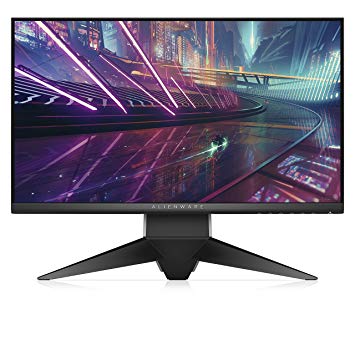
In the review of the Alienware AW2518H, it says that they calibrated the monitor to offer better colors but i can"t seem to find the exact settings that they used.
If someone has the exact setttings pls share them with me.
When you go to custom color you have 4 options that you can modify:
Gain, Offset, Hue, Saturation.
ALIENWARE AW2518HF not showing 240hz but only 144hz with DP 1.2 monitor and my GTX 770 supports it.
Can you download the custom resolution utility, find the 1080p 240 Hz listing, click edit, and show me the settings?
It might be inside the CEA extension block, like this:
EDIT: According to the manual, the 1920 × 1080 @ 240 Hz mode runs at a 594 MHz pixel clock, which is beyond the 540 MHz limit of the GTX 770.