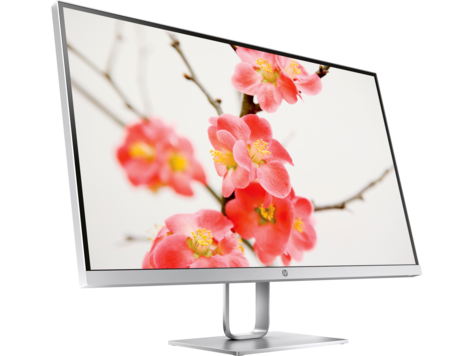
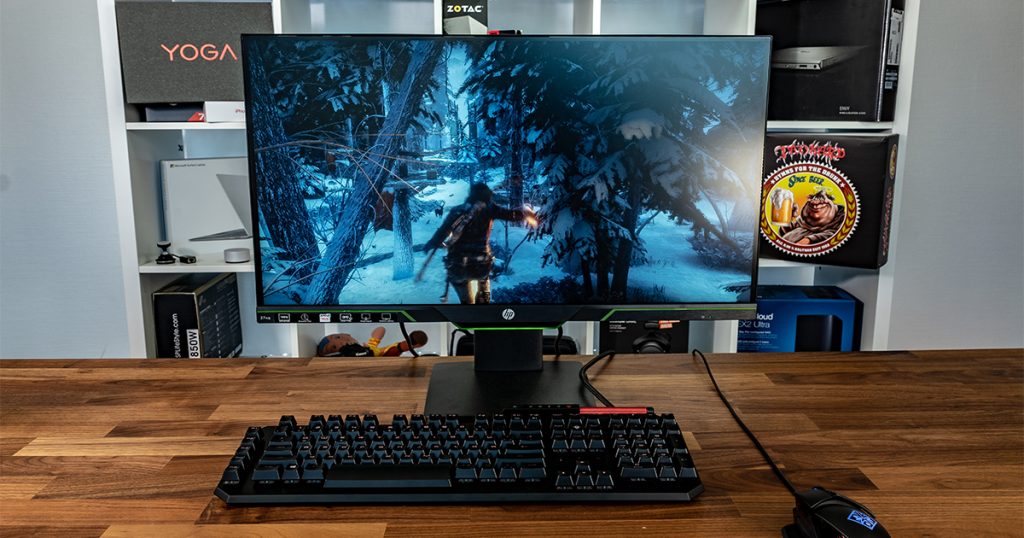
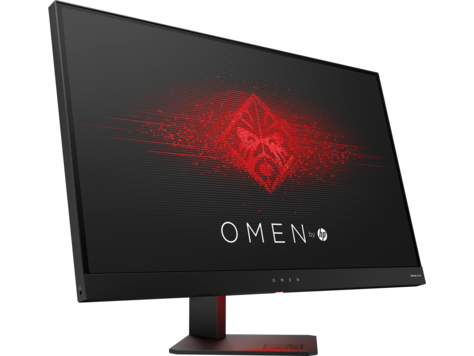
27" HP 27q điểm chuẩn hiệu suất màn hình chơi game
Bảng điều khiển màn hình có góc nhìn tốt và cung cấp độ tương phản và màu sắc tốt hơn so với bảng TN. Về mật độ pixel, HP 27q có mật độ tuyệt vời là 109 pixel trên mỗi inch, dẫn đến chất lượng hình ảnh và văn bản sắc nét hơn. Với sự hỗ trợ AMD FreeSync, màn hình này tương thích với cả card đồ họa AMD và NVIDIA. Đối với chất lượng màu đồ họa, HP 27q có độ sâu màu tuyệt vời là 8 -bit, dẫn đến độ dốc mịn hơn và màu sắc chính xác hơn. HP 27q có Cổng hiển thị và điều này rất cần thiết để thẻ NVIDIA hoạt động với AMD FreeSync. Màn hình có ngàm VESA. HP 27q là một màn hình tương đối mới. Màn hình có tỷ lệ tương phản không ấn tượng là 1000 : 1. HP 27q có tốc độ làm mới tối đa 75 Hz và điều này có thể quá thấp so với tốc độ khung hình cực nhanh trong các trò chơi cạnh tranh. Các trò chơi đòi hỏi đồ họa có thể làm giảm khung hình ngoài tốc độ làm mới quảng cáo 48 Hz. HP 27q có tổng độ trễ đầu vào là 19.5 ms, rất tệ trong cuộc cạnh tranh. Đối với tốc độ phản hồi trung bình, HP 27q điểm 12 ms, có thể gây mờ chuyển động do đồng bộ hóa không hiệu quả với tốc độ làm mới cao. Độ sáng của HP 27q thấp hơn các màn hình khác. Tốc độ phản hồi tối thiểu của HP 27q là 5 ms, có thể gây ra hiệu ứng bóng mờ.
BSMICBCCCCECECPCEL Grade 1CSAEACEEIENERGY STAReStandbyFCC Class BIS 1121ISCKCCMEPSNOMPSBRCMS markSASOTÜV/SUL/CSAVCCI-BWHQL (Windows 10; Windows 8; Windows 7)
27" HP 27q Connectivity
Connectivity
2 x HDMI 1.4, 1 x DisplayPort 1.2, 1 x 3.5 mm Audio Out
27" HP 27q Dimensions, weight and color
Colors
White
Depth
41.9 mm (millimeters) 4.19 cm (centimeters) 1.6496 in (inches) 0.1375 ft (feet)
Depth with stand
154.9 mm (millimeters) 15.49 cm (centimeters) 6.0984 in (inches) 0.5082 ft (feet)
Height
362 mm (millimeters) 36.2 cm (centimeters) 14.252 in (inches) 1.1877 ft (feet)
Height with stand
445.8 mm (millimeters) 44.58 cm (centimeters) 17.5512 in (inches) 1.4626 ft (feet)
Weight
4.25 kg (kilograms) 9.37 lbs (pounds)
Weight with stand
4.85 kg (kilograms) 10.69 lbs (pounds)
Width
613.3 mm (millimeters) 61.33 cm (centimeters) 24.1457 in (inches) 2.0121 ft (feet)
Width with stand
613.3 mm (millimeters) 61.33 cm (centimeters) 24.1457 in (inches) 2.0121 ft (feet)
27" HP 27q Display
Aspect ratio
1.778:116:9
Average response time
12 ms (milliseconds) 0.0120 s (seconds)
Backlight
W-LED
Brightness
350 cd/m² (candela per square meter)
Coating
Anti-glare/Matte
Colors
16777216 colors 24 bits
Diagonal
685.8 mm (millimeters) 68.58 cm (centimeters) 27 in (inches) 2.25 ft (feet)
Display area
90.22 % (percent)
Dynamic contrast
10000000 : 1
FRC
No
Height
335.664 mm (millimeters) 33.5664 cm (centimeters) 13.2151 in (inches) 1.1013 ft (feet)
Horizontal viewing angle
178 ° (degrees)
Minimum response time
5 ms (milliseconds) 0.0050 s (seconds)
Panel bit depth
8 bits
Panel type
PLS
Pixel density
109 ppi (pixels per inch) 42 ppcm (pixels per centimeter)
Pixel pitch
0.233 mm (millimeters) 0.0233 cm (centimeters) 0.0092 in (inches) 0.0008 ft (feet)
Resolution
2560 x 1440 pixels Quad HD (QHD) / 1440p
Size class
27 in (inches)
Static contrast
1000 : 1
Vertical viewing angle
178 ° (degrees)
Width
596.736 mm (millimeters) 59.6736 cm (centimeters) 23.4935 in (inches) 1.9578 ft (feet)
sRGB
100 % (percent)
27" HP 27q Ergonomics
Backward tilt
25 ° (degrees)
Forward tilt
5 ° (degrees)
Forward/backward tilt
Yes
Height adjustment
No
Landscape/portrait pivot
No
Left/right swivel
No
Removable stand
Yes
VESA interface
100 x 100 mm
VESA mount
Yes
27" HP 27q Features
Features
AMD FreeSync technology, HDCP (High-bandwidth Digital Content Protection)
27" HP 27q Frequencies
Horizontal frequency (digital)
30 kHz - 120 kHz (kilohertz)
Vertical frequency (digital)
48 Hz - 75 Hz (hertz)
27" HP 27q Operating and storage conditions
Operating humidity
20 % - 80 % (percent)
Operating temperature
0 °C - 40 °C (degrees Celsius) 32 °F - 104 °F (degrees Fahrenheit)
Storage humidity
10 % - 90 % (percent)
Storage temperature
-20 °C - 65 °C (degrees Celsius) -4 °F - 149 °F (degrees Fahrenheit)
27" HP 27q Power supply and consumption
110V
100 V - 120 V (volts)
220V
220 V - 240 V (volts)
Alternating current frequency
50 Hz - 60 Hz (hertz)
Energy efficiency class
A
Power consumption (average)
30 W (watts)
Power consumption (maximum)
39.8 W (watts)
Power consumption (off)
0.5 W (watts)
Power consumption (sleep)
0.5 W (watts)
27" HP 27q điểm chuẩn hiệu suất màn hình chơi game - List of Max Refresh Rate Compatible GPUs
Designed for everyday tasks like web surfing and reading email, the Lenovo L27q ($299.99) is a sleek-looking 27-inch monitor that uses In-Plane Switching (IPS) technology to deliver a sharp WQHD ...
Just as we're getting acquainted with Ultra HD, HP has upped the ante with a 5K monitor. At 5120x2880 the Z27q puts a whole lotta pixels on the screen, 14,745,600 in fact. Today we check it out in ...
I have had this monitor for 3 of 4 years now and it has recently developed a fault. I have tried google image searching for a screenshot of a similar issue which would in turn direct me to information but had no luck.
On the right side of the screen there is two kind of linked half sausages running vertically down. Is this fixable or should i just get a new monitor as this is incredibly distracting.
Thanks in advance for any help !
Edit : cant see the picture so it may not have worked, ill put the link in
http://imgur.com/FH1vqfc
00
B
brynlds9 years ago
Burtles :
So is there any method of repairing that you know of?
Or is it new monitor time? Excuse to save up for a predator x34 maybe....
I have no idea.... The predator x34 is a great monitor for sure, but I wouldnt spend that kind of money on a monitor..
I just ordered a Crossover 32s, I'm a tightwad.
00
C
Crash5511 years ago
Crossover 27Q LED-P monitor dead - repair or replace?
My Crossover 27Q LED-P monitor just died after almost 3 years. The brightness was flickering / changing in intensity. Then it went black. Changing connectors on the video card brought it back for a while as did turning it off for a while and then turning it back on. Today however none of those approached did anything. I plugged a different monitor into the same port and it works fine so I am sure it is the monitor.
Is there a way to repair it? I saw some listings for a replacement video driver board on eBay but the last one was sold yesterday. Any other source for these boards? What do I need to check to make sure the board is the correct solution?
If it isn't worth repairing what would be a good 4k monitor to get? I was thinking about the Dell P2715Q based on its price and being an IPS panel. I game and do some CAD / Image work. My video card is a GTX690. I was going to wait for my next build for a 4k monitor but if my current monitor is dead I figure I might as well get the 4k monitor now.
Thanks
00
S
Sativapurp11 years ago
In my opinion you have nothing to lose by opening the monitor up and seeing what is wrong with it. I personally just repaired an old one of mine today by replacing a blown capacitor. Works perfect. I'd start by opening it up and checking for bad capacitors (try Google images), pretty easy to spot. If so buy a few online for like 3 bucks and a solder gun for like 12 bucks and solder the new cap in place of the blown one. Seems complicated but very easy really, I'm sure there's videos online of how to do this. Really, we need to know what is wrong with it before making any decisions
Edit: your symptoms aren't the same as mine were, mine would be perfect then out of know where lose all Power (not just signal) but I opened it up and a bad cap on the power supply board was very noticeable. But I still think opening it up is worth a shot, why not?
As a disclaimer, be careful as capacitors and other things can hold a charge, just take your time and make sure it's not plugged in
00
L
luthierwnc11 years ago
problem with Crossover 27Q monitor
Hi All,
We had a power surge and a Crossover 27q went blank. I'd just replaced the power brick a couple of days ago but this seems unrelated. The brick is working fine and so was the monitor until the lights went out. With no load, the green light is solid and I get 24.75VDC on the output side. When it is plugged into the monitor, the green light flashes and the brick makes a clicking sound.
The monitor itself blinks green when first turned on but that changes to a blinking red light after a few seconds. I'm guessing a fried component in the monitor but don't know for sure.
Unfortunately, there doesn't seem to be a manual available in print or online so I can't get an explanation for the blinking LED.
Does anyone:
a) know what it means? or
b) know where to find an English owner's manual?
Thanks, sh
00
D
ducksseason12 years ago
1440P Monitors Crossover 27Q or 27QW? IPS or PLS?
Hi all,
I'm in the market for a 1440P monitor and am looking at the Crossover 27Q. However, I also found they have these 27QW or 27QD for slightly cheaper, about $50 or so. When I look at their specs between the Q and the QW or QD, the only differences besides the case and stand is that the Q has S-IPS panel and the others have AH-IPS panel. I know that AH-IPS is newer tech so why is it cheaper than the older S-IPS? Another differences I missed?
Also, I heard good things about x-star pls panels as well and they are slightly cheaper than the crossovers. What's the main differences between PLS vs the IPS(s)?
Thanks
00
N
ngianos13 years ago
Crossover 27Q flashing w/ mac mini 2012
I recently bought a Crossover 27Q monitor and I'm having issues with my mac mini 2012 and my macbook air 2011. I have a dual link dvi cable and an apple minidisplayport to dual link dvi adapter. I've tried two different adapter cables and all the different usb ports. I've also bought a replacement dual link dvi cable just in case the one the monitor came with was faulty. The crossover simply flashes on and off repeatedly every few seconds but when it's on I can see the desktop on the screen. I keep reading that this setup should be possible but I'm at a loss on what to try next. Considering getting a different monitor but I want to make sure I try everything first.
00
F
frustratedwithmonitor13 years ago
Issues with Crossover 27q
hi everyone
I just got a Crossover 27q monitor, it works well with my old computer running on a M2N32 Asus with a Athlon x2 6000 and a Nvidia N9600GT graphics card, however when i try to use it with my Sabertooth p67 MB and a ATI 6950 graphics card, have tried swamping cables between machines and am about to swap the old graphics card in to new machine to test if that works any other ideas, thinking its something simple I've missed.






























Những điều cần xem xét trước khi mua một card đồ họa
Nếu bạn đã có kế hoạch nâng cấp hệ thống của mình bằng cách mua một card đồ họa mới. Sau đó, có một số yếu tố quan trọng để xem xét.
Độ phân giải VS Chất lượng: Tác động đến Hiệu suất Trò chơi
Điều gì ảnh hưởng đến hiệu suất trò chơi? Rõ ràng hay chi tiết?
Cài đặt chất lượng cao Ultra VS trong trò chơi PC
Mỗi người chơi có một quan niệm khác nhau về cài đặt lý tưởng cho các trò chơi trên PC. Nhưng trong hầu hết các trường hợp, lựa chọn cấu hình đồ họa chất lượng cao là cách tốt nhất.
Tắc nghẽn CPU hoặc GPU là gì?
Bạn đang nhận được giảm khung đột ngột? bạn có thể có một nút cổ chai.
Tốc độ FPS chấp nhận được đối với tôi là gì?
Đối với một số trò chơi, bạn vẫn có thể thưởng thức những bộ phim tuyệt vời với tốc độ khung hình thấp hơn.
GPU Hierarchy
GPU Compare
CPU Compare
Gaming Laptops
Gaming Monitors
Gaming Headsets
Thảo luận và bình luận
Chia sẻ ý kiến của bạn
Hello folks!
I have had this monitor for 3 of 4 years now and it has recently developed a fault. I have tried google image searching for a screenshot of a similar issue which would in turn direct me to information but had no luck.
On the right side of the screen there is two kind of linked half sausages running vertically down. Is this fixable or should i just get a new monitor as this is incredibly distracting.
Thanks in advance for any help !
Edit : cant see the picture so it may not have worked, ill put the link in
http://imgur.com/FH1vqfc
Burtles :
So is there any method of repairing that you know of?
Or is it new monitor time? Excuse to save up for a predator x34 maybe....
I have no idea.... The predator x34 is a great monitor for sure, but I wouldnt spend that kind of money on a monitor..
I just ordered a Crossover 32s, I'm a tightwad.
My Crossover 27Q LED-P monitor just died after almost 3 years. The brightness was flickering / changing in intensity. Then it went black. Changing connectors on the video card brought it back for a while as did turning it off for a while and then turning it back on. Today however none of those approached did anything. I plugged a different monitor into the same port and it works fine so I am sure it is the monitor.
Is there a way to repair it? I saw some listings for a replacement video driver board on eBay but the last one was sold yesterday. Any other source for these boards? What do I need to check to make sure the board is the correct solution?
If it isn't worth repairing what would be a good 4k monitor to get? I was thinking about the Dell P2715Q based on its price and being an IPS panel. I game and do some CAD / Image work. My video card is a GTX690. I was going to wait for my next build for a 4k monitor but if my current monitor is dead I figure I might as well get the 4k monitor now.
Thanks
In my opinion you have nothing to lose by opening the monitor up and seeing what is wrong with it. I personally just repaired an old one of mine today by replacing a blown capacitor. Works perfect. I'd start by opening it up and checking for bad capacitors (try Google images), pretty easy to spot. If so buy a few online for like 3 bucks and a solder gun for like 12 bucks and solder the new cap in place of the blown one. Seems complicated but very easy really, I'm sure there's videos online of how to do this. Really, we need to know what is wrong with it before making any decisions
Edit: your symptoms aren't the same as mine were, mine would be perfect then out of know where lose all Power (not just signal) but I opened it up and a bad cap on the power supply board was very noticeable. But I still think opening it up is worth a shot, why not?
As a disclaimer, be careful as capacitors and other things can hold a charge, just take your time and make sure it's not plugged in
Hi All,
We had a power surge and a Crossover 27q went blank. I'd just replaced the power brick a couple of days ago but this seems unrelated. The brick is working fine and so was the monitor until the lights went out. With no load, the green light is solid and I get 24.75VDC on the output side. When it is plugged into the monitor, the green light flashes and the brick makes a clicking sound.
The monitor itself blinks green when first turned on but that changes to a blinking red light after a few seconds. I'm guessing a fried component in the monitor but don't know for sure.
Unfortunately, there doesn't seem to be a manual available in print or online so I can't get an explanation for the blinking LED.
Does anyone:
a) know what it means? or
b) know where to find an English owner's manual?
Thanks, sh
Hi all,
I'm in the market for a 1440P monitor and am looking at the Crossover 27Q. However, I also found they have these 27QW or 27QD for slightly cheaper, about $50 or so. When I look at their specs between the Q and the QW or QD, the only differences besides the case and stand is that the Q has S-IPS panel and the others have AH-IPS panel. I know that AH-IPS is newer tech so why is it cheaper than the older S-IPS? Another differences I missed?
Also, I heard good things about x-star pls panels as well and they are slightly cheaper than the crossovers. What's the main differences between PLS vs the IPS(s)?
Thanks
I recently bought a Crossover 27Q monitor and I'm having issues with my mac mini 2012 and my macbook air 2011. I have a dual link dvi cable and an apple minidisplayport to dual link dvi adapter. I've tried two different adapter cables and all the different usb ports. I've also bought a replacement dual link dvi cable just in case the one the monitor came with was faulty. The crossover simply flashes on and off repeatedly every few seconds but when it's on I can see the desktop on the screen. I keep reading that this setup should be possible but I'm at a loss on what to try next. Considering getting a different monitor but I want to make sure I try everything first.
hi everyone
I just got a Crossover 27q monitor, it works well with my old computer running on a M2N32 Asus with a Athlon x2 6000 and a Nvidia N9600GT graphics card, however when i try to use it with my Sabertooth p67 MB and a ATI 6950 graphics card, have tried swamping cables between machines and am about to swap the old graphics card in to new machine to test if that works any other ideas, thinking its something simple I've missed.
thanks
Craig