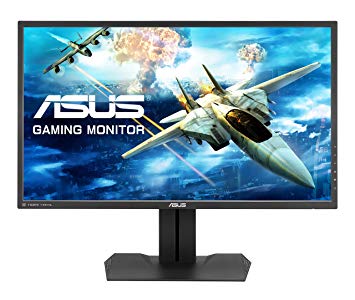
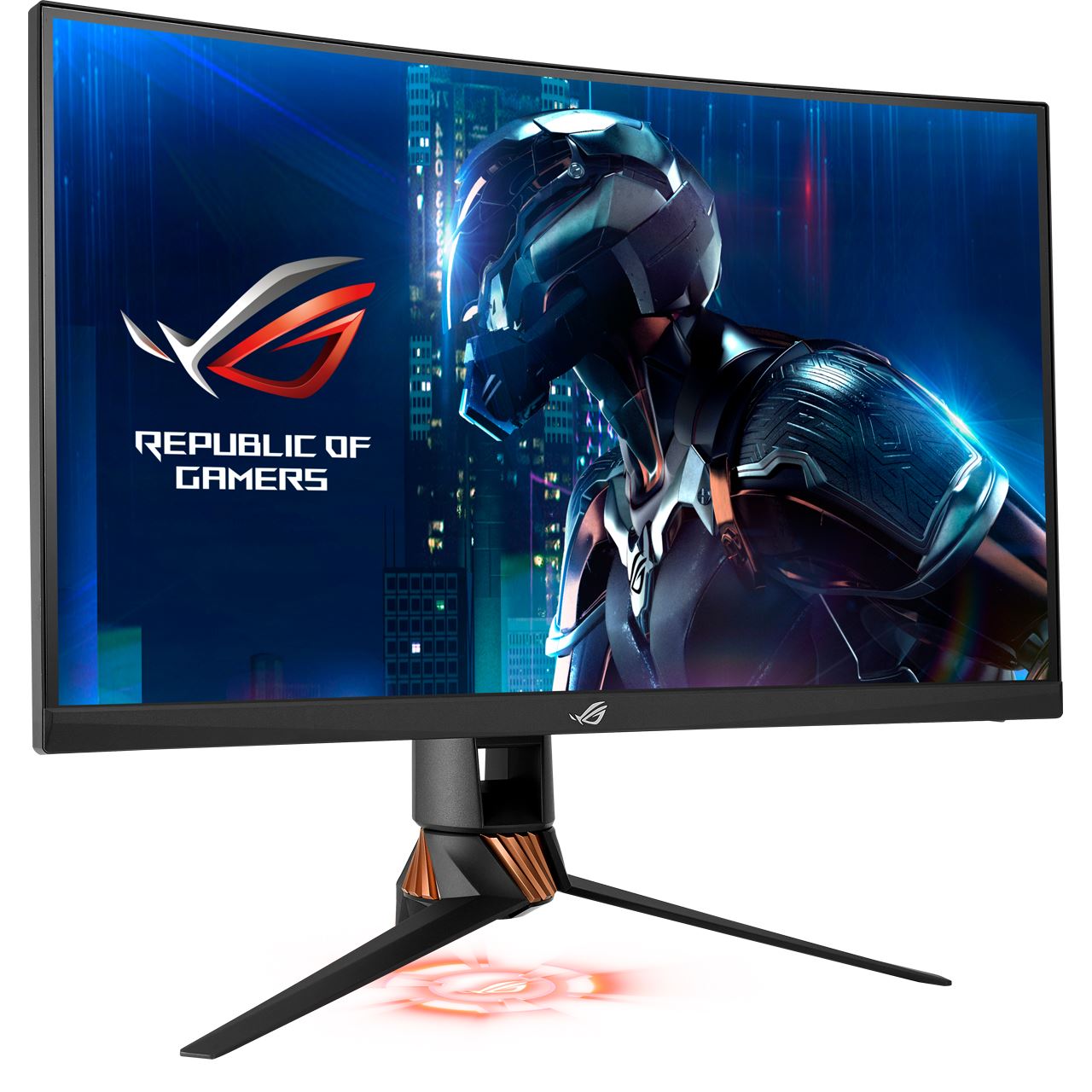
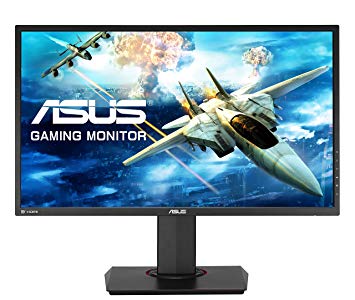
27" Asus MG279Q điểm chuẩn hiệu suất màn hình chơi game
Đối với tốc độ khung hình cực nhanh, Asus MG279Q có tốc độ làm mới tối đa 144 Hz cho phép chơi trò chơi mượt mà hơn. Đối với tốc độ phản hồi trung bình, Asus MG279Q điểm 6.5 ms, đảm bảo đồng bộ hóa hiệu quả với tốc độ làm mới cao. Về mật độ pixel, Asus MG279Q có mật độ tuyệt vời là 109 pixel trên mỗi inch, dẫn đến chất lượng hình ảnh và văn bản sắc nét hơn. Đối với chất lượng màu đồ họa, Asus MG279Q có độ sâu màu tuyệt vời là 8 -bit, dẫn đến độ dốc mịn hơn và màu sắc chính xác hơn. Asus MG279Q có Cổng hiển thị và điều này rất cần thiết để thẻ NVIDIA hoạt động với AMD FreeSync. Với sự hỗ trợ AMD FreeSync, màn hình này tương thích với cả card đồ họa AMD và NVIDIA. Bảng điều khiển màn hình có góc nhìn tốt và cung cấp độ tương phản và màu sắc tốt hơn so với bảng TN. Màn hình có ngàm VESA. Để bù cho các trò chơi đòi hỏi đồ họa, Asus MG279Q có tốc độ làm mới thích ứng thấp rất tốt là 35 Hz có thể thích ứng với việc giảm tốc độ khung hình thấp hơn. Màn hình có tỷ lệ tương phản không ấn tượng là 1000 : 1. Điều đáng chú ý là Asus MG279Q là một màn hình tương đối cũ. Tốc độ phản hồi tối thiểu của Asus MG279Q là 4 ms, có thể gây ra hiệu ứng bóng mờ. Độ sáng của Asus MG279Q thấp hơn các màn hình khác. Asus MG279Q có tổng độ trễ đầu vào là 16 ms, rất tệ trong cuộc cạnh tranh.
Page 2 Image Quality, Screen Modes, Uniformity and Verdict Review Asus MG279Q – Image Quality Factory tests indicate that the Asus impresses with its image quality as well as its features.
Asus MG279Q Review Mike Jennings October 4, 2016 4:30 pm BST. 1 of 6 Sections. ... Related: Our Updated Verdict on 2015’s Greatest Games. Asus MG279Q – Setup.
Asus MG279Q Review. ... Comments; Shares. Our Verdict. An excellent IPS display that's a great choice for AMD/FreeSync users. ... For more trusted reviews and feature stories, subscribe here.
Today we're reviewing Asus' MG279Q FreeSync gaming monitor, looking at how well it compares to Acer's XB270HU IPS G-Sync monitor? ... Verdict. While we didn't find the 90Hz FreeSync limit to be a ...
Asus MG279Q Review. ... Shares. Our Verdict. An excellent IPS display that's a great choice for AMD/FreeSync users. at a glance (+) Messiah ... For more trusted reviews and feature stories ...
The MG279Q has a useable minimum brightness of 43.8515cd/m 2. Why Acer chose to go down so low is a mystery to us. Why Acer chose to go down so low is a mystery to us.
Conclusion The Asus MG279Q is a solid choice for gamers who prefer the wide viewing angles and rich colors that you get with an IPS panel. The 2,560-by-1,440 resolution panel delivers sharp image ...
HotHardware takes an in depth look at the ASUS MG279Q gaming monitor, with a 144Hz refresh rate, IPS panel, and support for FreeSync. - Page 4
HotHardware takes an in depth look at the ASUS MG279Q gaming monitor, with a 144Hz refresh rate, IPS panel, and support for FreeSync.
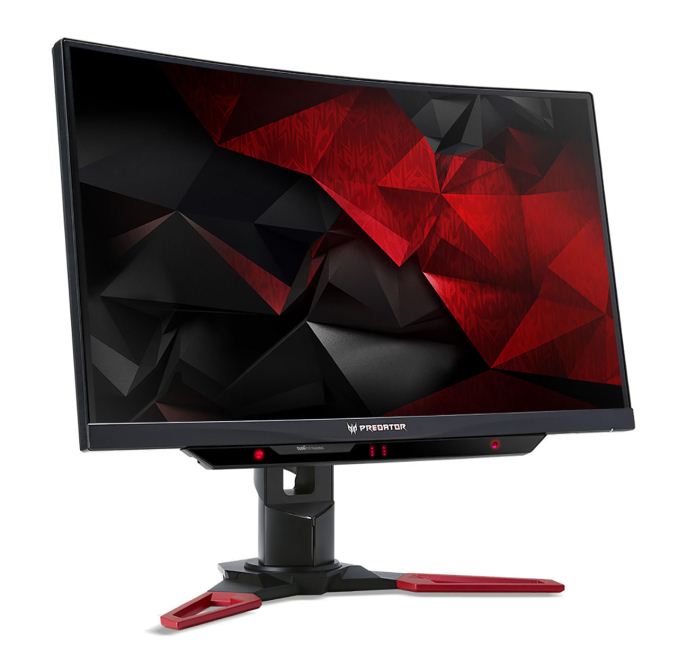
Asus MG279Q vs Acer Predator XB271HU
Pretty much the title explains it. I'm looking for a new monitor and these are the 2 options. My requirements are 1440p, 24-27'', 144hz, IPS. The GPU I am using is GTX 970.
I couldn't find really any comparisons of these 2 so maybe someone from here might know something? The price for Asus is 600€ and for Acer it's 650€ (Sale until 20.11.2016).
Now, I also have misunderstanding that does the Acer one have AHVA IPS or just IPS panel. Some sites say AHVA IPS some just IPS. I think it is just IPS but I'd like to be sure before purchasing anything. Also I don't know which manufacturer is generally better with quality.
I also know that the G-SYNC is for Nvidia and FreeSync for AMD. Since I use Nvidia card it makes sense to get G-SYNC right? Well to be honest, it is not so important. I can live without it. The FreeSync ranges from 35 to 90Hz on Asus, but how about G-SYNC on Acer?
Any advice, tips or anything that might help is appreciated!
00
F
frank_hnd9 years ago
at 1440p Gsync would be very useful for a GTX970.
AHVA/IPS are terms made by different manufacturers but they are similar tech, anything that is not TN is pretty much IPS or IPS-like.
you could also take a look at the Asus PG279Q, I like the bezel more. they both have the same panel with the Acer so get the cheaper of the two.
00
D
Diogo castro9 years ago
Asus pg279q vs mg279q
hi just wated to ask if it is worth to pay 215 euros more for g-sync with the pg279q going for 815 euros or it would be better to go for the mg279q for 600 euros.this ofcouse being a question of value for what you pay.
Thanks
diogo
00
G
guanyu2103799 years ago
If you are using GTX1080 and if you want to use the most of it, you should use only only PG279Q.
MG279Q is only for AMD's FreeSync.
ALternatively, if PG279Q is a bit too expensive, take a look at Acer XB270HU or XB271HU. Perhaps, they are cheaper.
00
B
burbee9 years ago
Very confused on FreeSync with nVidia, Asus MG279Q
Hi guys,
I have been looking into monitors recently, and I know I want a 27 inch 1440p monitor with an IPS panel. (I have been using IPS panel for years now and I am too scared to go back to TN lol).
I'm a casual gamer, although I have 2xGTX970 in SLI just because I've always wanted to try that.. Lately I have been very busy anyway, the only thing I play is Smite and some CSGO casually in the evenings.
So I stumbled upon this Asus MG279Q (570€) which looks VERY good, but it has FreeSync.. Will it cause issues? My budget is really MAX 600€ on this.. I cannot seem to find an appropriate answer for this FreeSync/GTX topic..
There is also the Asus MX27AQ, which is a 60Hz monitor with a gorgeous screen at 5ms AH IPS. Very color accurate etc. Around the 500€ mark.
Any suggestions? G sync seems way too expensive even at this budget... Ridiculous..
00
R
Rogue Leader9 years ago
Crap, I clicked the wrong thing. Sorry
If you're worried about screen tearing however, then G-sync should be the most important feature to you, it was specifically made to prevent it.
00
M
Militia89010 years ago
Asus PG278Q vs MG279Q
I'm having a lot of trouble deciding between these two monitors. I use my computer mostly for gaming, having a 980ti and a 3770k processor.
I'm leaning slightly towards the mg279q. I went to a store and saw them both side by side and the mg had nicer colors in general. The only problem is that the mg doesn't have g-sync, where the pg (swift) does.
What it really boils down to is if g-sync is worth losing some of the color reproduction offered by the other monitor? Would g-sync make enough of a difference with my setup to justify its purchase?
00
C
chenw10 years ago
I have never seen 270 in person, but from what I gather, 270's performance is roughly on par with PG279Q, which I have seen, and I have also seen XB271HU (there was a ITmonth Exhibition a few weeks ago that Acer was showing their new monitors, specifically X34 and XB271HU).
XB271HU's chassis is different design to 270, and from what I have seen, and all accounts of the monitor so far, the IPS glow on 271 has improved over 270.
Basically, for the units I have seen, the IPS glow of the 271 was less visible on a completely black background (which would make the glow more visible due to the inner black bezel) than the 279's black that is surrounded by white (which should make the glow less visible). So all things considered, I consider 271 to be the first monitor that edges out TN in every metric, which before I always found IPS's glow makes black content look worse. However I am rather picky about the IPS glow, because I generally use dark content to compare monitors, and IPS is a rather poor performer in that regard IMO.
However if you are not bothered by the IPS glow, the 270HU should already be significantly better than TN's in most other metric.
And you are correct about response times. I saw someone playing a racing game on the PG279Q, there is no visible blur, at the very least it doesn't distract.
00
U
Unstable Spider10 years ago
ASUS PG279Q vs MG279Q
Hi guys I am soon to buy a GTX 980Ti, with a new 2560x1440 IPS monitor.
My question is, is the ASUS PG279Q worth the 360 Dollars more than the MG279Q?
Is 165Hz, G-Sync and the slightly better IPS panel, worth the extra price?
00
U
Unstable Spider10 years ago
Think I'll just be patient, and save up for the PG279Q. I will probably regret in the future if I compromise on the monitor


































Những điều cần xem xét trước khi mua một card đồ họa
Nếu bạn đã có kế hoạch nâng cấp hệ thống của mình bằng cách mua một card đồ họa mới. Sau đó, có một số yếu tố quan trọng để xem xét.
Độ phân giải VS Chất lượng: Tác động đến Hiệu suất Trò chơi
Điều gì ảnh hưởng đến hiệu suất trò chơi? Rõ ràng hay chi tiết?
Cài đặt chất lượng cao Ultra VS trong trò chơi PC
Mỗi người chơi có một quan niệm khác nhau về cài đặt lý tưởng cho các trò chơi trên PC. Nhưng trong hầu hết các trường hợp, lựa chọn cấu hình đồ họa chất lượng cao là cách tốt nhất.
Tắc nghẽn CPU hoặc GPU là gì?
Bạn đang nhận được giảm khung đột ngột? bạn có thể có một nút cổ chai.
Tốc độ FPS chấp nhận được đối với tôi là gì?
Đối với một số trò chơi, bạn vẫn có thể thưởng thức những bộ phim tuyệt vời với tốc độ khung hình thấp hơn.
GPU Hierarchy
GPU Compare
CPU Compare
Gaming Laptops
Gaming Monitors
Gaming Headsets
Thảo luận và bình luận
Chia sẻ ý kiến của bạn
Pretty much the title explains it. I'm looking for a new monitor and these are the 2 options. My requirements are 1440p, 24-27'', 144hz, IPS. The GPU I am using is GTX 970.
I couldn't find really any comparisons of these 2 so maybe someone from here might know something? The price for Asus is 600€ and for Acer it's 650€ (Sale until 20.11.2016).
Now, I also have misunderstanding that does the Acer one have AHVA IPS or just IPS panel. Some sites say AHVA IPS some just IPS. I think it is just IPS but I'd like to be sure before purchasing anything. Also I don't know which manufacturer is generally better with quality.
I also know that the G-SYNC is for Nvidia and FreeSync for AMD. Since I use Nvidia card it makes sense to get G-SYNC right? Well to be honest, it is not so important. I can live without it. The FreeSync ranges from 35 to 90Hz on Asus, but how about G-SYNC on Acer?
Any advice, tips or anything that might help is appreciated!
at 1440p Gsync would be very useful for a GTX970.
AHVA/IPS are terms made by different manufacturers but they are similar tech, anything that is not TN is pretty much IPS or IPS-like.
you could also take a look at the Asus PG279Q, I like the bezel more. they both have the same panel with the Acer so get the cheaper of the two.
hi just wated to ask if it is worth to pay 215 euros more for g-sync with the pg279q going for 815 euros or it would be better to go for the mg279q for 600 euros.this ofcouse being a question of value for what you pay.
Thanks
diogo
If you are using GTX1080 and if you want to use the most of it, you should use only only PG279Q.
MG279Q is only for AMD's FreeSync.
ALternatively, if PG279Q is a bit too expensive, take a look at Acer XB270HU or XB271HU. Perhaps, they are cheaper.
Hi guys,
I have been looking into monitors recently, and I know I want a 27 inch 1440p monitor with an IPS panel. (I have been using IPS panel for years now and I am too scared to go back to TN lol).
I'm a casual gamer, although I have 2xGTX970 in SLI just because I've always wanted to try that.. Lately I have been very busy anyway, the only thing I play is Smite and some CSGO casually in the evenings.
So I stumbled upon this Asus MG279Q (570€) which looks VERY good, but it has FreeSync.. Will it cause issues? My budget is really MAX 600€ on this.. I cannot seem to find an appropriate answer for this FreeSync/GTX topic..
There is also the Asus MX27AQ, which is a 60Hz monitor with a gorgeous screen at 5ms AH IPS. Very color accurate etc. Around the 500€ mark.
Any suggestions? G sync seems way too expensive even at this budget... Ridiculous..
Crap, I clicked the wrong thing. Sorry
If you're worried about screen tearing however, then G-sync should be the most important feature to you, it was specifically made to prevent it.
I'm having a lot of trouble deciding between these two monitors. I use my computer mostly for gaming, having a 980ti and a 3770k processor.
I'm leaning slightly towards the mg279q. I went to a store and saw them both side by side and the mg had nicer colors in general. The only problem is that the mg doesn't have g-sync, where the pg (swift) does.
What it really boils down to is if g-sync is worth losing some of the color reproduction offered by the other monitor? Would g-sync make enough of a difference with my setup to justify its purchase?
I have never seen 270 in person, but from what I gather, 270's performance is roughly on par with PG279Q, which I have seen, and I have also seen XB271HU (there was a ITmonth Exhibition a few weeks ago that Acer was showing their new monitors, specifically X34 and XB271HU).
XB271HU's chassis is different design to 270, and from what I have seen, and all accounts of the monitor so far, the IPS glow on 271 has improved over 270.
Basically, for the units I have seen, the IPS glow of the 271 was less visible on a completely black background (which would make the glow more visible due to the inner black bezel) than the 279's black that is surrounded by white (which should make the glow less visible). So all things considered, I consider 271 to be the first monitor that edges out TN in every metric, which before I always found IPS's glow makes black content look worse. However I am rather picky about the IPS glow, because I generally use dark content to compare monitors, and IPS is a rather poor performer in that regard IMO.
However if you are not bothered by the IPS glow, the 270HU should already be significantly better than TN's in most other metric.
And you are correct about response times. I saw someone playing a racing game on the PG279Q, there is no visible blur, at the very least it doesn't distract.
Hi guys I am soon to buy a GTX 980Ti, with a new 2560x1440 IPS monitor.
My question is, is the ASUS PG279Q worth the 360 Dollars more than the MG279Q?
Is 165Hz, G-Sync and the slightly better IPS panel, worth the extra price?
Think I'll just be patient, and save up for the PG279Q. I will probably regret in the future if I compromise on the monitor