Compara cu
Select..
23.6" AOC C24G1 - lei 775 23.8" AOC 24V2H - lei 1,020 23.8" AOC 24V2Q - lei 510 23.8" AOC AGON AG241QG - lei 668 23.8" AOC AGON AG241QX - lei 1,346 24" AOC 24G2 - lei 1,044 24" AOC G2460PF - lei 816 24" AOC G2460PG - lei 668 24" AOC G2460PG-2 - lei 668 24" AOC G2460VQ6 - lei 612 24.5" AOC AGON AG251FG - lei 2,652 24.5" AOC AGON AG251FZ - lei 2,652 24.5" AOC G2590FX - lei 816 24.5" AOC G2590PX - lei 510 24.5" AOC G2590PX/G2 - lei 934 24.5" AOC G2590VXQ - lei 915 27" AOC 27V2H - lei 628 27" AOC 27V2Q - lei 538 27" AOC AGON AG271QG - lei 1,387 27" AOC AGON AG272FCX - lei 4,072 27" AOC AGON AG272FCX6 - lei 4,072 27" AOC AGON AG273QCG - lei 4,072 27" AOC AGON AG273QCX - lei 2,040 27" AOC C2789FH8 - lei 1,220 27" AOC C27G1 - lei 1,053 27" AOC CQ27G1 - lei 1,061 27" AOC CQ27G2 - lei 1,061 27" AOC G2770PF - lei 1,236 27" AOC G2778VQ - lei 538 27" AOC G2790PX - lei 1,694 28" AOC G2868PQU - lei 979 28" AOC U2879VF - lei 1,714 31.5" AOC AGON AG322FCX - lei 449 31.5" AOC AGON AG322QC4 - lei 2,244 31.5" AOC AGON AG322QCX - lei 1,835 31.5" AOC C32G1 - lei 1,020 31.5" AOC CQ32G1 - lei 2,183 31.5" AOC Q3279VWF - lei 938 31.5" AOC Q3279VWFD8 - lei 938 32" AOC CQ32G1 - lei 1,632 34" AOC CU34G2X - lei 1,632 35" AOC AGON AG352QCX - lei 1,632 35" AOC AGON AG352UCG - lei 3,263 35" AOC AGON AG352UCG6 - lei 3,019 35" AOC C3583FQ - lei 2,380 23.6" AOpen 24HC1QR P - lei 522 23.6" AOpen 24HX2Q P - lei 714 23.8" AOpen 24ML1Y - lei 714 23.8" AOpen 24ML2Y - lei 1,224 24" AOpen 24MX1 - lei 490 27" AOpen 27HC1R P - lei 898 27" AOpen 27ML1 - lei 967 27" AOpen 27ML1U - lei 967 27" AOpen 27ML2 - lei 828 27" AOpen 27MX1 - lei 828 27" AOpen 27MX1U - lei 828 31.5" AOpen 32HC1QUR P - lei 1,465 14" ASUS ProArt PA148CTV - lei 1,628 14" ASUS ZenScreen MB14AC - lei 816 15" ASUS ZenScreen Go MB16AHP - lei 1,220 15" ASUS ZenScreen Touch MB16AMT - lei 1,510 16" ASUS ROG Strix XG16AHPE - lei 1,424 17" ASUS ROG Strix XG17AHPE - lei 1,914 24" ASUS TUF Gaming VG249Q1A - lei 690 24" ASUS VG245H - lei 1,346 24" ASUS VG246H - lei 522 24" ASUS VG248QE - lei 932 24" ASUS VG248QG - lei 769 25" ASUS ROG Swift 360Hz PG259QN - lei 1,626 25" ASUS TUF Gaming VG258QM - lei 1,255 25" ASUS TUF Gaming VG259QM - lei 1,465 27" ASUS TUF VG27VQ - lei 1,624 27" ASUS MX279HS - lei 934 27" ASUS ProArt Display PA278CV - lei 1,799 27" ASUS ProArt Display PA278QV - lei 1,179 27" ASUS ROG Strix XG279Q - lei 2,897 27" ASUS ROG Strix XG27AQ - lei 1,839 27" ASUS ROG Strix XG27UQ - lei 2,725 27" ASUS ROG Swift PG279Q - lei 2,897 27" ASUS ROG Swift PG279QM - lei 3,260 27" ASUS ROG Swift PG279QZ - lei 4,076 27" ASUS TUF Gaming VG27AQL1A - lei 1,722 27" ASUS TUF Gaming VG27WQ1B - lei 1,408 27" ASUS TUF VG27AQ - lei 1,624 27" ASUS VG279Q - lei 1,057 27" ASUS VG279QM - lei 1,393 32" ASUS TUF VG32VQ - lei 1,880 34" ASUS TUF Gaming VG34VQL1B - lei 1,872 42" ASUS ROG Swift OLED PG42UQ - lei 6,640 23" Acer SA230Аbi - lei 449 23.6" Acer ED242Q - lei 734 23.6" Acer ED242QR - lei 734 23.6" Acer ED242QRbi - lei 449 23.6" Acer KG241Q - lei 567 23.6" Acer KG241QA - lei 530 23.8" Acer B247Y - lei 580 23.8" Acer B247Y bmiprx - lei 592 23.8" Acer HA240Y - lei 530 23.8" Acer Nitro VG240 - lei 653 23.8" Acer Nitro VG240Y - lei 653 23.8" Acer Nitro VG240YU - lei 530 23.8" Acer Predator XB1 XB241YU - lei 1,142 23.8" Acer RG240 - lei 530 23.8" Acer SA240YA - lei 530 23.8" Acer V247Y bmipx - lei 542 23.8" Acer V247Ybi - lei 530 23.8" Acer V247Ybip - lei 530 23.8" Acer XF240YU - lei 1,346 24" Acer B247W - lei 838 24" Acer GF246 - lei 530 24" Acer Nitro RG241Y Pbiipx - lei 639 24" Acer Nitro XF243Y Pbmiiprx - lei 745 24" Acer Predator XB1 XB241H - lei 2,040 24" Acer XB240HA - lei 449 24" Acer XF240H - lei 918 24.5" Acer KG251Q - lei 530 24.5" Acer KG251QD - lei 800 24.5" Acer KG251QF - lei 800 24.5" Acer KG251QG - lei 800 24.5" Acer KG251QH - lei 800 24.5" Acer KG251QI - lei 800 24.5" Acer KG251Qbiix - lei 800 24.5" Acer Predator XB2 XB252Q - lei 2,020 24.5" Acer XF250Q - lei 1,016 24.5" Acer XF250QA - lei 530 24.5" Acer XF250QB - lei 530 24.5" Acer XF250QD - lei 530 24.5" Acer XF251Q - lei 530 24.5" Acer XF252QX - lei 530 25" Acer Nitro XF252Q Xbmiiprzx - lei 1,663 25" Acer Nitro XV252Q Fbmiiprx - lei 1,110 25" Acer Predator X25 bmiiprzx - lei 1,636 27" Acer B277 - lei 1,244 27" Acer B277 bmiprczx - lei 801 27" Acer B277 bmiprx - lei 741 27" Acer B277U - lei 1,099 27" Acer B277Ubmiipprczx - lei 1,020 27" Acer ED273 Awidpx - lei 816 27" Acer ED273UR - lei 1,110 27" Acer GF276 - lei 490 27" Acer GF276A - lei 612 27" Acer HA270 - lei 612 27" Acer KG271 - lei 1,041 27" Acer KG271A - lei 1,057 27" Acer KG271B - lei 490 27" Acer KG271D - lei 490 27" Acer KG271E - lei 490 27" Acer KG271F - lei 612 27" Acer KG271U - lei 938 27" Acer KG271U Abmiipx - lei 1,053 27" Acer Nitro VG270 - lei 1,008 27" Acer Nitro VG270U - lei 1,008 27" Acer Nitro VG270UP - lei 1,008 27" Acer Nitro VG271 Pbmiipx - lei 1,359 27" Acer Nitro VG271UP Pbmiipx - lei 530 27" Acer Nitro XF272U - lei 1,020 27" Acer Nitro XV272U - lei 1,020 27" Acer Nitro XV272U KVbmiiprzx - lei 1,020 27" Acer Nitro XV273 Xbmiiprzx - lei 1,020 27" Acer Nitro XV3 XV273K - lei 3,260 27" Acer PE270K - lei 1,306 27" Acer Predator Z1 Z271U - lei 1,142 27" Acer Predator X27 - lei 6,728 27" Acer Predator X27 bmiphzx - lei 6,952 27" Acer Predator XB1 XB271H - lei 1,926 27" Acer Predator XB1 XB271HU - lei 2,240 27" Acer Predator XB1 XB271HUA - lei 1,142 27" Acer Predator XB1 XB271HUT - lei 1,142 27" Acer Predator XB270H - lei 1,697 27" Acer Predator XB271HU Bmiprz - lei 1,142 27" Acer Predator XB273K - lei 4,076 27" Acer Predator XB273K Pbmiphzx - lei 4,896 27" Acer Predator XB273U GXbmiipruzx - lei 1,710 27" Acer Predator Z1 Z271 - lei 1,142 27" Acer Predator Z1 Z271T - lei 1,424 27" Acer Predator Z271UV - lei 1,697 27" Acer RG270 - lei 677 27" Acer RG270 bmipx - lei 816 27" Acer V277 - lei 612 27" Acer V277bi - lei 490 27" Acer V277bip - lei 937 27" Acer VG271P - lei 490 27" Acer VG271UP - lei 1,538 27" Acer XB270HA - lei 490 27" Acer XB270HU - lei 2,162 27" Acer XB270HUD - lei 1,624 27" Acer XF270HA - lei 1,183 27" Acer XF270HB - lei 490 27" Acer XF270HBbmiiprx - lei 1,020 27" Acer XF270HC - lei 490 27" Acer XF270HU - lei 1,020 27" Acer XF270HUA - lei 1,424 27" Acer XG270HU - lei 1,535 27" Acer XN253QP - lei 1,836 27" Acer XN253QX - lei 490 27" Acer XZ271 - lei 490 27" Acer XZ271U - lei 1,995 28" Acer Nitro XV282K KVbmiipruzx - lei 2,648 28" Acer RT280K - lei 449 28" Acer XB280HK - lei 1,624 29" Acer XF290CB - lei 449 30" Acer Predator Z301CT - lei 612 31.5" Acer ED323QUR Abidpx - lei 1,428 31.5" Acer ED323QUR widpx - lei 449 31.5" Acer ET322QK - lei 1,632 31.5" Acer ET322QK Abmiipx - lei 1,224 31.5" Acer ET322QK Bbmiiprx - lei 1,632 31.5" Acer ET322QU - lei 1,428 31.5" Acer ET322QUAbmiprx - lei 934 31.5" Acer Predator XZ1 XZ321QU - lei 1,995 31.5" Acer Predator Z1 Z321Q - lei 449 31.5" Acer Predator Z1 Z321QU - lei 2,444 31.5" Acer XZ321Q - lei 1,995 34" Acer BX340C - lei 530 34" Acer BX340CK - lei 530 34" Acer ED347CKR - lei 530 34" Acer Nitro XV340CK Pbmiipphzx - lei 1,681 34" Acer Predator X34 - lei 5,263 34" Acer Predator X34P - lei 3,346 34" Acer XR341CK - lei 428 34" Acer XR342CK - lei 3,750 34" Acer XR342CKP - lei 1,179 35" Acer CZ350CK - lei 428 35" Acer Predator Z35 - lei 3,060 35" Acer Predator Z35P - lei 3,060 35" Acer XZ350CUbmijphz - lei 530 37.5" Acer XR382CQK - lei 3,548 49" Acer EI491CR - lei 3,219 27" Apple Studio Display - lei 5,912 23.6" Asus VP247QG - lei 551 23.8" Asus XG248Q - lei 1,424 24" Asus MG248QE - lei 1,575 24" Asus MG248QR - lei 1,044 24" Asus PG248Q - lei 1,428 24" Asus VG245H - lei 734 24" Asus VG245HE - lei 734 24" Asus VG245Q - lei 1,145 24" Asus VG248QG - lei 1,020 24" Asus VP248H - lei 934 24" Asus VP248HL - lei 934 24" Asus VP248QG - lei 612 24" Asus VP248QGL - lei 612 24" Asus VP248QGL-P - lei 934 24.5" Asus RoG Strix XG258Q - lei 1,632 24.5" Asus RoG Swift PG258Q - lei 1,958 24.5" Asus VG255H - lei 612 24.5" Asus VG258Q - lei 1,138 24.5" Asus VG258QR - lei 857 27" Asus MG278Q - lei 1,632 27" Asus MG279Q - lei 1,632 27" Asus MX27UQ - lei 1,142 27" Asus PB27UQ - lei 571 27" Asus RoG Strix XG27VQ - lei 1,342 27" Asus RoG Swift PG278Q - lei 2,203 27" Asus RoG Swift PG278QE - lei 2,852 27" Asus RoG Swift PG278QR - lei 2,203 27" Asus RoG Swift PG279Q - lei 2,253 27" Asus RoG Swift PG27UQ - lei 7,340 27" Asus RoG Swift PG27VQ - lei 2,856 27" Asus TUF Gaming VG27AQE - lei 1,624 27" Asus VG275Q - lei 1,061 27" Asus VG278Q - lei 1,175 27" Asus VG278QF - lei 1,408 27" Asus VG278QR - lei 1,550 27" Asus VG279Q - lei 1,369 27" Asus VL278H - lei 934 27" Asus VL278HE - lei 934 27" Asus VP278QG - lei 857 27" Asus VP278QGL - lei 857 27" Asus VP279QG - lei 934 27" Asus VP279QGL - lei 571 31.5" Asus MX32VQ - lei 1,681 31.5" Asus RoG Strix XG32VQ - lei 2,240 31.5" Asus RoG Strix XG32VQR - lei 2,240 34" Asus MX34VQ - lei 530 34" Asus ProArt PA34V - lei 4,298 34" Asus ProArt PA34VC - lei 4,298 34" Asus RoG Swift PG348Q - lei 3,060 34" Asus RoG Swift PG349Q - lei 4,076 35" Asus RoG Strix XG35VQ - lei 530 35" Asus RoG Swift PG35VQ - lei 530 37.5" Asus MX38VC - lei 4,993 49" Asus VG49V - lei 3,668 49" Asus XG49VQ - lei 3,668 24" BenQ XL2420G - lei 490 24" BenQ ZOWIE XL2411P - lei 1,428 25" BenQ ZOWIE XL2540 - lei 975 25" BenQ ZOWIE XL2546K - lei 1,750 25" BenQ ZOWIE XL2566K - lei 3,037 27" BenQ EX2780Q - lei 2,036 27" BenQ PD2700U - lei 2,203 27" BenQ XL2720G - lei 612 27" BenQ XL2730Z - lei 612 27" BenQ ZOWIE XL2735 - lei 812 28" BenQ EL2870U - lei 1,428 31.5" BenQ EW3270U - lei 1,972 31.5" BenQ EX3203R - lei 2,444 32" BenQ EW3270U - lei 1,632 35" BenQ EX3501R - lei 3,056 27" Cooler Master Tempest GP27U - lei 4,296 32" Corsair XENEON 32QHD165 - lei 3,876 14" Dell C1422H - lei 1,102 22" Dell E2220H - lei 527 23.8" Dell InfinityEdge S2418HN - lei 649 23.8" Dell InfinityEdge S2418HX - lei 510 23.8" Dell S2417DG - lei 1,510 24" Dell S2417DG - lei 1,428 24" Dell S2419HGF - lei 693 24" Dell S2419HGF - lei 1,531 24" Dell S2421H - lei 612 24.5" Dell Alienware AW2518H - lei 1,347 24.5" Dell Alienware AW2518HF - lei 1,347 25" Dell Alienware AW2521H - lei 1,930 25" Dell Alienware AW2521HF - lei 1,710 25" Dell Alienware AW2523HF - lei 1,224 25" Dell U2518D - lei 2,244 25" Dell UltraSharp U2520D - lei 1,489 27" Dell Alienware AW2720HF - lei 2,856 27" Dell Alienware AW2721D - lei 4,504 27" Dell Alienware AW2723DF - lei 2,652 27" Dell D2719HGF - lei 734 27" Dell G2722HS - lei 796 27" Dell S2716DG - lei 1,824 27" Dell S2716DG - lei 2,652 27" Dell S2718H - lei 985 27" Dell S2718HN - lei 2,154 27" Dell S2718HX - lei 2,154 27" Dell S2718NX - lei 2,154 27" Dell S2719DGF - lei 1,224 27" Dell S2719DGF - lei 1,538 27" Dell S2721D - lei 1,166 27" Dell S2721DGF - lei 1,791 27" Dell S2721HGF - lei 1,167 27" Dell S2721QS - lei 1,020 27" Dell S2722DGM - lei 1,224 27" Dell S2722QC - lei 1,632 27" Dell SE2717H - lei 685 27" Dell U2718Q - lei 2,730 27" Dell U2723QE - lei 2,113 27" Dell UltraSharp U2720Q - lei 2,154 27" Dell UltraSharp U2721DE - lei 1,387 27" Dell UltraThin S2719DM - lei 1,020 32" Dell G3223Q - lei 3,668 32" Dell P3223DE - lei 2,036 32" Dell S3219D - lei 1,200 32" Dell S3220DGF - lei 2,036 32" Dell S3221QS - lei 1,469 32" Dell S3222DGM - lei 1,836 32" Dell U3219Q - lei 3,815 32" Dell U3223QE - lei 3,386 34" Dell Alienware AW3418DW - lei 11,828 34" Dell Alienware AW3420DW - lei 2,917 34" Dell Alienware AW3423DW - lei 4,859 34" Dell Alienware AW3423DWF - lei 4,859 34" Dell S3422DWG - lei 1,632 34.13" Dell Alienware AW3418HW - lei 1,632 34.14" Dell Alienware AW3418DW - lei 3,464 38" Dell Alienware AW3821DW - lei 4,504 38" Dell U3818DW - lei 5,712 40" Dell UltraSharp U4021QW - lei 7,752 27" EIZO Foris FS2735 - lei 1,224 27" Gamemax GMX27C144 - lei 647 31.5" Gamemax GMX32CEWQ - lei 449 24.5" Gigabyte AORUS KD25F - lei 1,836 27" Gigabyte AORUS AD27QD - lei 2,374 27" Gigabyte AORUS CV27F - lei 2,374 27" Gigabyte AORUS FI27Q - lei 2,374 27" Gigabyte AORUS FI27Q-X - lei 2,374 27" Gigabyte Aorus AD27QD - lei 2,448 27" Gigabyte G27Q - lei 1,632 27" Gigabyte G27QC - lei 1,142 27" Gigabyte M27Q - lei 1,224 27" Gigabyte M27Q X - lei 1,754 28" Gigabyte M28U - lei 2,040 32" Gigabyte AORUS FI32U - lei 3,060 32" Gigabyte G32QC - lei 1,224 32" Gigabyte M32Q - lei 2,040 32" Gigabyte M32U - lei 2,668 32" Gigabyte M32UC - lei 2,570 34" Gigabyte G34WQC - lei 1,550 34" Gigabyte M34WQ - lei 1,714 43" Gigabyte AORUS FV43U - lei 2,856 48" Gigabyte AORUS FO48U OLED - lei 4,488 23" HP 23f - lei 917 23.8" HP 24f - lei 1,129 23.8" HP 24fh - lei 647 23.8" HP 24fw - lei 734 23.8" HP 24fwа - lei 505 24" HP X24ih - lei 734 24.5" HP 25mx - lei 996 24.5" HP 25x - lei 1,836 24.5" HP Omen 25 - lei 889 25" HP 25f - lei 571 27" HP 27F - lei 759 27" HP 27f - lei 734 27" HP 27fh - lei 4,076 27" HP 27fw - lei 1,306 27" HP 27mx - lei 647 27" HP 27q - lei 2,448 27" HP 27x - lei 1,220 27" HP 27xq - lei 1,632 27" HP OMEN 27c - lei 1,571 27" HP OMEN 27i - lei 1,803 27" HP OMEN X 27 - lei 3,956 27" HP Omen 27 - lei 2,448 27" HP X27q - lei 857 32" HP Omen 32 - lei 1,546 32" HP Pavilion 32 QHD - lei 11,665 32" HP Pavilion 32 QHD - lei 11,665 32" HP Pavilion 32 QHD - lei 11,665 32" HP Pavilion 32 QHD - lei 11,665 32" HP Pavilion 32 QHD - lei 11,665 32" HP Pavilion 32 QHD - lei 11,665 32" HP Pavilion 32 QHD - lei 11,665 32" HP Pavilion 32 QHD - lei 11,665 32" HP Pavilion Gaming 32 HDR - lei 1,270 34" HP Envy 34 - lei 13,460 35.03" HP Omen X 35 - lei 3,084 24" Hanns.G HG244PJB - lei 693 31.5" Hanns.G HG324QJB - lei 571 24" Iiyama G-Master GB2488HSU-B2 - lei 1,062 24" Iiyama G-Master GB2488HSU-B3 - lei 490 24" Iiyama G-Master GE2488HS-B2 - lei 422 24.5" Iiyama G-Master G2530HSU-B1 - lei 490 24.5" Iiyama G-Master GB2530HSU-B1 - lei 7,711 24.5" Iiyama G-Master GB2560HSU-B1 - lei 490 24.5" Iiyama ProLite E2591HSU-B1 - lei 873 24.95" Iiyama ProLite XU2595WSU-B1 - lei 1,416 24.95" Iiyama ProLite XUB2595WSU-B1 - lei 1,563 27" Iiyama G-Master G2730HSU-B1 - lei 828 27" Iiyama G-Master GB2730HSU-B1 - lei 979 27" Iiyama G-Master GB2730QSU-B1 - lei 1,240 27" Iiyama G-Master GB2760HSU-B1 - lei 1,387 27" Iiyama G-Master GB2760QSU-B1 - lei 828 27" Iiyama G-Master GB2783QSU - lei 934 27" Iiyama G-Master GB2788HS-B1 - lei 490 27" Iiyama G-Master GB2788HS-B2 - lei 490 27" Iiyama ProLite B2783QSU - lei 1,314 27" Iiyama ProLite B2791HSU - lei 828 27" Iiyama ProLite E2783QSU - lei 1,224 27" Iiyama ProLite X2788QS-B1 - lei 7,711 27" Iiyama ProLite XB2788QS-B1 - lei 7,711 27" Iiyama ProLite XUB2792QSU - lei 1,314 28" Iiyama G-Master GB2888UHSU - lei 490 28" Iiyama ProLite B2875UHSU-B1 - lei 1,416 31.5" Iiyama G-Master G3266HS-B1 - lei 449 23.6" LG 24GL600F - lei 714 23.8" LG 24MK400H - lei 490 23.8" LG 24MK430H - lei 571 23.8" LG 24MK600M - lei 677 23.8" LG 24MP59G - lei 557 23.8" LG 24MP68VQ - lei 756 24" LG 24GL600F - lei 653 24" LG 24GM79G - lei 1,018 27" LG 27GK750F - lei 1,390 27" LG 27GL650F-B - lei 1,179 27" LG 27GL83A-B - lei 1,224 27" LG 27GL850-B - lei 1,754 27" LG 27GN650-B - lei 1,066 27" LG 27GN750-B - lei 1,748 27" LG 27GN800-B - lei 1,212 27" LG 27GN850-B - lei 1,754 27" LG 27GN880-B - lei 2,529 27" LG 27GN950-B - lei 2,778 27" LG 27GP83B-B - lei 1,754 27" LG 27GP850-B - lei 1,754 27" LG 27GP950-B - lei 3,264 27" LG 27MK400H - lei 612 27" LG 27MK430H - lei 567 27" LG 27MK600M - lei 690 27" LG 27MK60TM - lei 600 27" LG 27MN60T-W - lei 449 27" LG 27MP59G - lei 1,016 27" LG 27MP89HM - lei 449 27" LG 27UK650-W - lei 1,346 27" LG UltraGear 27GL850G - lei 2,778 29" LG 29UM50 - lei 449 29" LG 29UM59 - lei 877 29" LG 29UM60 - lei 5,178 29" LG 29UM67 - lei 1,836 29" LG 29UM68-P - lei 1,224 29" LG 29UM69G - lei 938 29" LG 29WK500 - lei 903 29" LG 29WK50S - lei 835 29" LG 29WK600 - lei 1,546 31.5" LG 32GK650F - lei 1,342 31.5" LG 32GK850F - lei 1,694 31.5" LG 32GK850G - lei 2,334 31.5" LG 32QK500 - lei 1,200 32" LG 32GK650F-B - lei 1,130 32" LG 32GK850G-B - lei 1,261 32" LG 32GN50T-B - lei 734 32" LG 32GN600-B - lei 888 32" LG 32GN63T-B - lei 857 32" LG 32GN650-B - lei 1,538 32" LG 32GP850-B - lei 3,138 32" LG 32GQ950-B - lei 4,068 32" LG 32QN55T-B - lei 816 32" LG 32UD99-W - lei 4,251 32" LG 32UL500-W - lei 1,200 32" LG 32UL950-W - lei 4,251 34" LG 34CB88 - lei 530 34" LG 34CB88-A - lei 530 34" LG 34GK950F-B - lei 2,881 34" LG 34GN850-B - lei 2,856 34" LG 34GP83A-B - lei 2,881 34" LG 34GP950G-B - lei 3,660 34" LG 34UC79G - lei 2,080 34" LG 34UC88 - lei 2,366 34" LG 34UC89G - lei 2,434 34" LG 34UC98 - lei 3,223 34" LG 34UC99 - lei 530 34" LG 34UM59 - lei 1,299 34" LG 34UM60 - lei 1,220 34" LG 34UM61 - lei 1,346 34" LG 34UM67 - lei 2,403 34" LG 34UM68-P - lei 1,420 34" LG 34UM69G - lei 1,420 34" LG 34WK500 - lei 1,420 34" LG 34WK650 - lei 1,550 34" LG UltraGear 34GK950F - lei 3,223 34" LG UltraGear 34GK950G - lei 530 35" LG 35WN65C-B - lei 1,224 37.5" LG 38UC99 - lei 4,076 37.5" LG 38WK95C - lei 5,929 37.5" LG UltraGear 38GL950G - lei 5,604 38" LG 38GL950G-B - lei 4,080 38" LG 38GN950-B - lei 3,060 38" LG 38WN95C-W - lei 4,993 40" LG 40WP95C-W - lei 6,800 42" LG 42 C2 OLED - lei 3,386 48" LG 48 C1 OLED - lei 5,717 48" LG 48 CX OLED - lei 4,361 48" LG 48GQ900-B - lei 3,221 49" LG 49WL95C-W - lei 4,080 14" Lenovo ThinkVision M14 - lei 1,016 23.8" Lenovo ThinkVision L24e-20 - lei 592 24.5" Lenovo Legion Y25F-10 - lei 1,307 27" Lenovo D27-30 - lei 510 27" Lenovo L27i-28 - lei 571 27" Lenovo L27m-28 - lei 871 27" Lenovo Legion Y27gq-25 - lei 1,836 27" Lenovo Legion Y27q-20 - lei 1,750 27" Lenovo Q27q-10 - lei 1,191 27" Lenovo Y27f - lei 1,754 27" Lenovo Y27g - lei 510 43.4" Lenovo Legion Y44w-10 - lei 1,062 43.4" Lenovo ThinkVision P44w-10 - lei 4,484 15" Lepow Z1 - lei 816 15" Lepow Z1 Gamut - lei 816 15" MSI Optix MAG161V - lei 1,065 23.6" MSI Optix G24C - lei 816 23.6" MSI Optix MAG240VC - lei 857 23.6" MSI Optix MAG241C - lei 812 23.6" MSI Optix MAG241CR - lei 588 23.6" MSI Optix MAG24C - lei 894 24.5" MSI Oculux NXG251R - lei 1,550 25" MSI Oculux NXG253R - lei 1,795 27" MSI Optix G272 - lei 1,061 27" MSI Optix G273 - lei 612 27" MSI Optix G273QF - lei 1,414 27" MSI Optix G27C - lei 979 27" MSI Optix G27C2 - lei 979 27" MSI Optix G27C4 - lei 912 27" MSI Optix G27C5 - lei 1,224 27" MSI Optix G27C6 - lei 912 27" MSI Optix G27CQ4 - lei 978 27" MSI Optix MAG270VC - lei 1,545 27" MSI Optix MAG271C - lei 1,632 27" MSI Optix MAG271CQR - lei 1,632 27" MSI Optix MAG271CQR - lei 1,603 27" MSI Optix MAG271CR - lei 1,224 27" MSI Optix MAG271R - lei 1,271 27" MSI Optix MAG273R - lei 1,412 27" MSI Optix MAG274QRF-QD - lei 1,664 27" MSI Optix MAG27C - lei 1,614 27" MSI Optix MAG27CQ - lei 1,614 27" MSI Optix MPG27C - lei 1,852 27" MSI Optix MPG27CQ - lei 1,836 31.5" MSI Optix AG32C - lei 1,264 31.5" MSI Optix AG32CQ - lei 449 31.5" MSI Optix AG32CV - lei 449 31.5" MSI Optix MAG321CQR - lei 1,731 34" MSI Optix MAG341CQ - lei 1,750 27" Medion Erazer X57425 - lei 1,233 31.5" Medion Erazer X58426 - lei 449 34" Medion Akoya X58434 - lei 530 13" Mobile Pixels DUEX Plus - lei 913 13" Mobile Pixels TRIO - lei 2,346 24" Nixeus VUE 24 - lei 592 24" Nixeus VUE 24B - lei 422 27" Nixeus EDG 27 - lei 1,632 27" Nixeus EDG 27 v2 - lei 2,774 27" Nixeus EDG 27240 - lei 2,774 27" Nixeus EDG 27240S - lei 2,774 27" Nixeus EDG 27S - lei 1,726 27" Nixeus EDG 27S v2 - lei 1,224 34" Nixeus EDG 34 - lei 1,898 24" Ozone DSP24 - lei 422 27" Ozone DSP27 - lei 828 23.6" Philips 248E9QHSB - lei 505 23.6" Philips 248E9QSB - lei 934 23.8" Philips 245E1S - lei 6,528 23.8" Philips 246E9QDSB - lei 490 23.8" Philips 246E9QJAB - lei 422 27" Philips 276E9QDSB - lei 585 27" Philips 276E9QJAB - lei 828 27" Philips 278E8QJAB - lei 1,061 27" Philips 278E8QJAW - lei 1,061 27" Philips 278E9QHSB - lei 1,061 27" Philips 278E9QJAB - lei 808 31.5" Philips 322E1C - lei 449 31.5" Philips 325E1C - lei 449 31.5" Philips 326E8FJSB - lei 1,146 31.5" Philips 328E1CA - lei 449 31.5" Philips 328E9FJAB - lei 571 31.5" Philips 328E9FJSB - lei 449 31.5" Philips 328E9QJAB - lei 938 31.5" Philips 328M6FJMB - lei 1,020 34" Philips 349P7FUBEB - lei 530 34" Philips 349X7FJEW - lei 530 34.6" Philips 356M6QJAB - lei 530 42.5" Philips Momentum 436M6VBPAB - lei 4,080 43" Philips Momentum 436M6VBPAB - lei 2,423 27" Pixio PX7 Prime - lei 1,061 27" Razer Raptor 27 - lei 2,040 27" Razer Raptor 27 144Hz - lei 2,366 27" Razer Raptor 27 165Hz - lei 2,040 23.5" Samsung S24F350F - lei 608 23.5" Samsung S24F356FHU - lei 490 23.5" Samsung U24E850R - lei 490 23.6" Samsung C24FG70 - lei 1,129 23.6" Samsung C24FG73 - lei 490 23.6" Samsung C24RG50 - lei 490 23.6" Samsung S24E370D - lei 1,220 23.6" Samsung U24E590D - lei 1,542 23.8" Samsung S24H850 - lei 1,205 23.8" Samsung S24H850QFI - lei 2,644 24" Samsung Odyssey G3 S24AG30 - lei 1,726 24.5" Samsung S25HG50 - lei 1,542 27" Samsung C27FG70 - lei 1,425 27" Samsung C27FG73 - lei 1,265 27" Samsung C27H711QEU - lei 885 27" Samsung C27HG70 - lei 1,877 27" Samsung C27RG5 - lei 5,263 27" Samsung CHG70 - lei 7,711 27" Samsung JG50 - lei 1,836 27" Samsung Odyssey G3 F27G35T - lei 871 27" Samsung Odyssey G4/G40B S27BG40 - lei 1,126 27" Samsung Odyssey G5 C27G55T - lei 1,836 27" Samsung Odyssey G5 S27AG50 - lei 1,726 27" Samsung Odyssey G5/G55A S27AG55 - lei 985 27" Samsung S27E370D - lei 938 27" Samsung S27F350F - lei 836 27" Samsung S27F358F - lei 2,032 27" Samsung S27H850 - lei 828 27" Samsung S27H850QFI - lei 1,828 28" Samsung Odyssey G7 S28AG70 - lei 2,448 28" Samsung U28E570D - lei 1,224 28" Samsung U28E590D - lei 1,342 28" Samsung U28E850R - lei 2,428 28" Samsung UE590 - lei 1,791 31.5" Samsung C32H711QEU - lei 2,032 31.5" Samsung C32HG70 - lei 2,203 31.5" Samsung U32E850R - lei 449 31.5" Samsung U32J590 - lei 1,510 32" Samsung Odyssey G6 S32BG65 - lei 2,793 32" Samsung Odyssey G7 C32G75T - lei 2,793 32" Samsung Odyssey G7/G70B S32BG70 - lei 2,856 32" Samsung Odyssey Neo G7 S32BG75 - lei 5,304 32" Samsung Odyssey Neo G8 S32BG85 - lei 5,161 32" Samsung Smart Monitor M8 S32BM80 - lei 2,100 32" Samsung T55 - lei 938 32" Samsung U32J590 - lei 1,224 34" Samsung C34F791 - lei 3,106 34" Samsung C34H890 - lei 2,813 34" Samsung C34J791 - lei 2,566 34" Samsung Odyssey G5 C34G55T - lei 1,836 34" Samsung S34J55W - lei 1,062 43" Samsung 43 QN90B QLED - lei 3,664 43" Samsung Smart Monitor M7 S43BM70 - lei 1,224 48.5" Samsung QN49Q70R - lei 4,480 49" Samsung C49HG90 - lei 4,080 49" Samsung C49RG9/CRG9 - lei 3,672 49" Samsung C49RG90 - lei 8,119 49" Samsung Odyssey G9 - lei 5,422 49" Samsung Odyssey Neo G9 - lei 7,711 27" Sony INZONE M3 - lei 2,032 27" Sony INZONE M9 - lei 3,664 42" Sony 42 A90K OLED - lei 4,684 15" ViewSonic VG1655 - lei 816 23.6" ViewSonic VX2457-mhd - lei 514 23.6" ViewSonic VX2458-C-mhd - lei 963 23.6" ViewSonic VX2458-mhd - lei 661 24" ViewSonic XG2401 - lei 815 24" ViewSonic XG2402 - lei 979 24" ViewSonic XG2402 - lei 539 24" ViewSonic XG240R - lei 955 24" ViewSonic XG2431 - lei 1,914 24.5" ViewSonic XG2530 - lei 1,179 24.5" ViewSonic XG2560 - lei 2,392 27" ViewSonic Elite XG270 - lei 1,754 27" ViewSonic Elite XG270QG - lei 1,918 27" ViewSonic VX2757 - lei 690 27" ViewSonic VX2758-2KP-MHD - lei 1,628 27" ViewSonic VX2758-C-mh - lei 845 27" ViewSonic XG2701 - lei 1,142 27" ViewSonic XG2702 - lei 1,122 27" ViewSonic XG2703-GS - lei 4,001 27" ViewSonic XG2730 - lei 571 27" ViewSonic XG2760 - lei 1,224 31.5" ViewSonic VX3258-2KC-mhd - lei 1,395 31.5" ViewSonic VX3258-PC-mhd - lei 449 31.5" ViewSonic XG3202-C - lei 449 31.5" ViewSonic XG3240C - lei 449 35" ViewSonic XG350R-C - lei 2,570 27" Yashi YZ2707 - lei 522 27" Yashi YZ2709 - lei 1,624 27" Yashi YZ2717 - lei 1,224 35" Yashi YZ3521 - lei 530





















Ce să ia în considerare înainte de a cumpăra o placă grafică
Dacă ați plănuit să vă actualizați sistemul achiziționând o nouă placă grafică. Apoi, există câțiva factori importanți de luat în considerare.
Rezoluția calității VS: impactul asupra performanței jocului
Ce afectează performanța jocului? Claritate sau Detalii?
Ultra VS Setări de înaltă calitate în jocurile pe calculator
Fiecare jucator are o notiune diferita despre setarea ideala pentru jocurile pe calculator. În majoritatea cazurilor, alegerea unei configurații grafice de înaltă calitate este calea de urmat.
Ce sunt CPU-ul sau GPU-urile?
Obțineți picături bruște de cadre? s-ar putea să aveți o strangulare.
Care este viteza acceptabilă pentru FPS?
Pentru unele jocuri, vă puteți bucura în continuare de garfele grozave la rate mai mici de cadre.
GPU Hierarchy
GPU Compare
CPU Compare
Gaming Laptops
Gaming Monitors
Gaming Headsets
Discuții și comentarii
Distribuiți comentariile dvs.
My computer:
Ryzen 5 2600x cpu
Radeon RX 580 8gig gpu
16 gig 3000hz ram
Rog Strix B-350f motherboard
Windows 10 os
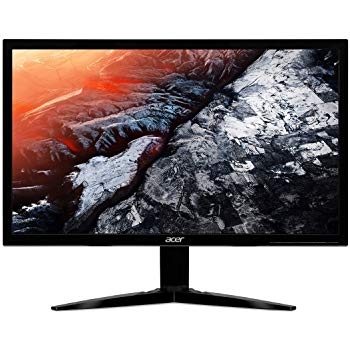
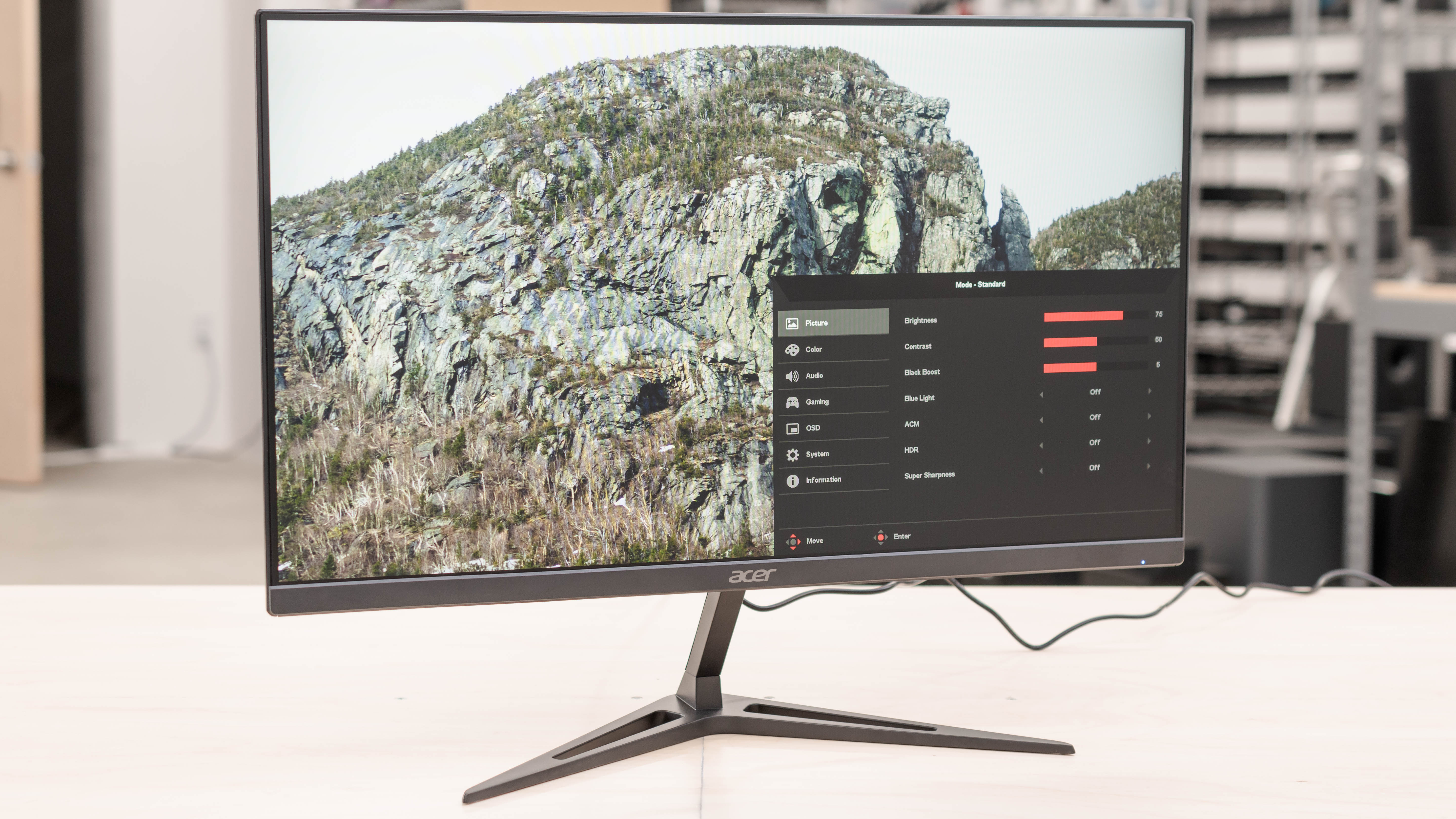
I recently purchased an Acer KG241 monitor because I wanted a refresh rate higher than 60hz. I connected the monitor via dvi cable and although the documentation says the monitor will support 120hz at 1920x1080 on dvi it will not let me set the refresh rate above 60hz. When I try the screen goes black for a few seconds then a grey box pops up that says "input not supported". When I look at the advanced display settings it shows Acer KG241 as the display, but if I look at the adapter properties for display 1 it shows up as generic pnp monitor. I've made sure all my drivers for my gpu are up to date, and windows 10 is up to date. I've tried manually installing drivers and downloading drivers from Acer, uninstalling the display in the device manager and detecting hardware changes, uninstalling the display and restarting my computer, tried multiple cables/connections, and the acer rep suggested unplugging everything from the monitor and holding the power button for 30 seconds and nothing, I mean NOTHING, is making it so I can set the refresh rate to what it's supposed to be capable of. Also Acer has the most unhelpful customer service reps I've ever encountered. Been at it for hours trying to figure this crap out and I'm at the end of my rope. Please help.