24" Asus PG248Q spillovervåkingsprestasjons-benchmarks
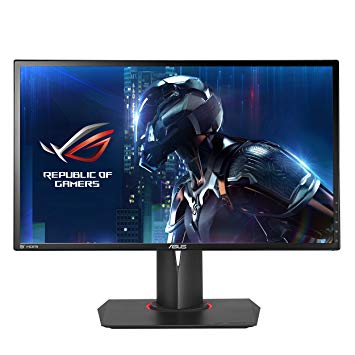
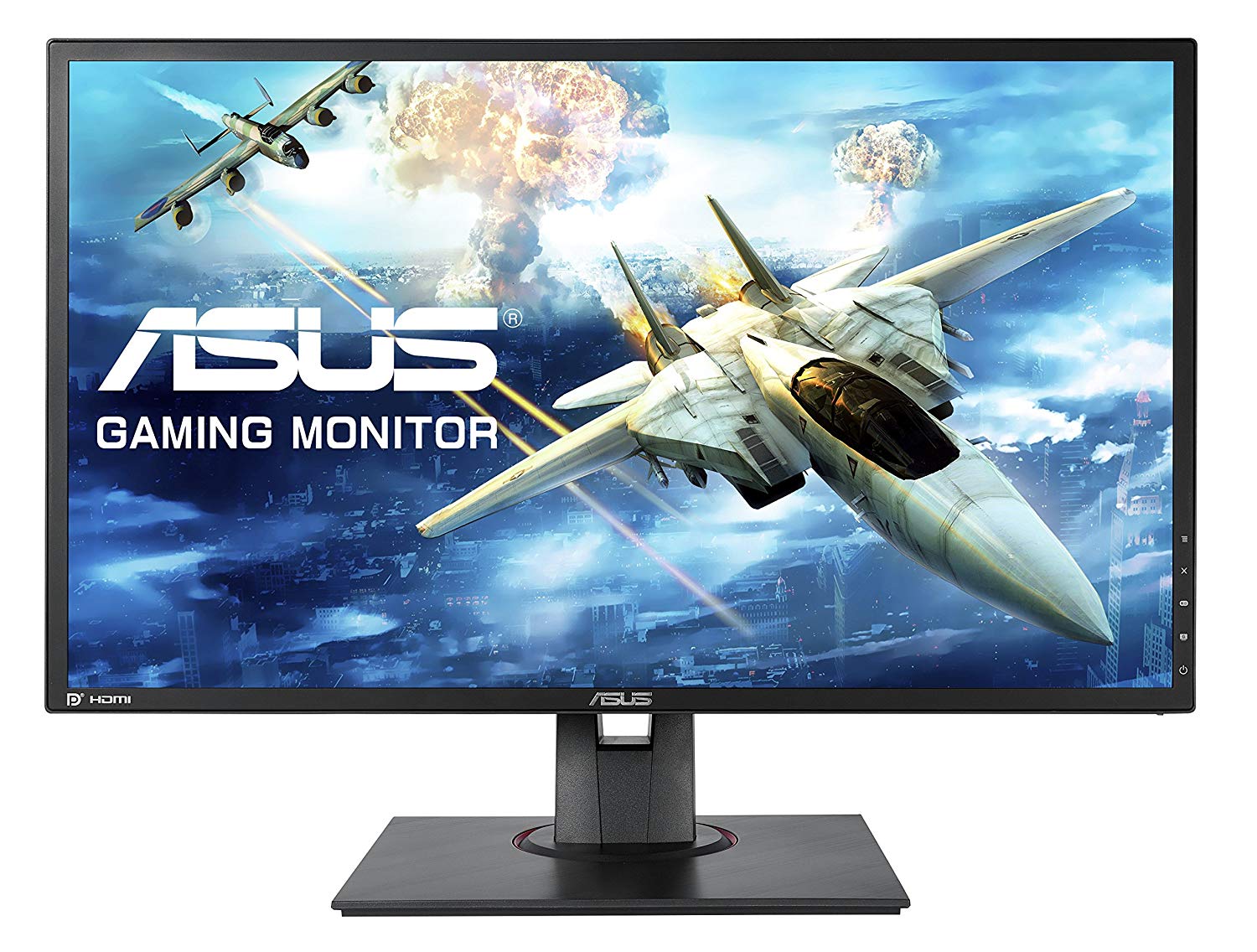
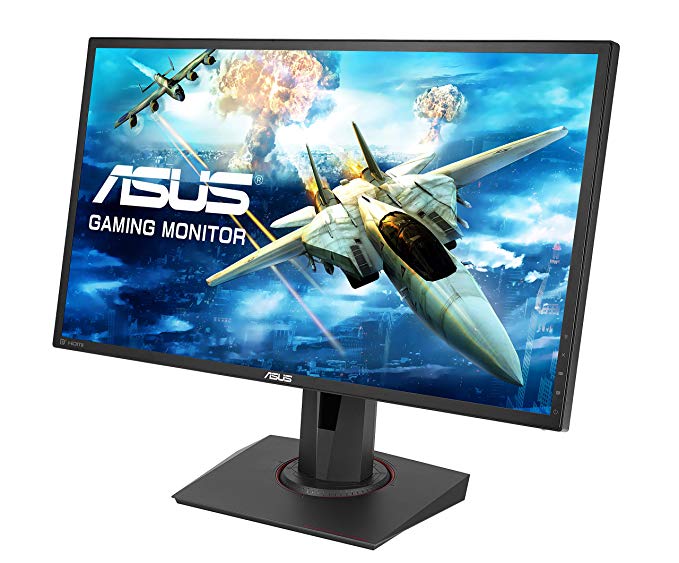
For den gjennomsnittlige svarsfrekvensen, er Asus PG248Q resultatene 3 ms, som sikrer effektiv synkronisering med høy oppdateringsfrekvens. Asus PG248Q har skjermporten, og dette er avgjørende for at NVIDIA-kort skal fungere med AMD FreeSync. For å kompensere for grafisk krevende spill, har Asus PG248Q en veldig god lav end adaptiv oppdateringshastighet på 30 Hz som kan tilpasse seg mer lavere bildefrekvensdråper. Minste svarsraten på Asus PG248Q er 1 ms, som eliminerer spøkelseseffekter. Med hensyn til pixeldensitet har Asus PG248Q en utmerket tetthet på 91 piksler per tomme, noe som resulterer i skarpere tekst- og bildekvalitet. Skjermen har en VESA-montering. For de ekstremt raske rammene har Asus PG248Q en maksimal oppdateringshastighet på 180 Hz som gir jevnere spilling. For grafikkfargekvalitet har Asus PG248Q en utmerket fargedybde på 8 -bit, noe som resulterer i jevnere gradienter og mer nøyaktige farger. Asus PG248Q har et totalt innspilt lag på 12.5 ms, som er utmerket blant konkurransen. Uten AMD FreeSync-støtten, er denne skjermen ikke kompatibel med AMD-grafikkort. Det er verdt å merke seg at Asus PG248Q er en relativt gammel skjerm. Skjermen bruker et TN-panel som lider av fargeskift når det ses fra horisontale og vertikale vinkler, og har litt vasket farger i forhold til IPS- og VA-paneler. Skjermen har et unimpressivt kontrastforhold på 1000 : 1. Lysstyrken på Asus PG248Q er lavere enn andre skjermer.
24" Asus PG248Q Certificates, standards and licenses
Certificates, standards and licenses
BSMICBCCCCEcTickCUENERGY STAR 6.0ErPeStandbyFCC Class BJ-MOSSKCCPCBPSERCMRoHSTCO Certified Displays 6.0TÜV Low Blue LightTÜV Flicker-freeUL/cULVCCIWEEEWHQL (Windows 10; Windows 8.1; Windows 7)
24" Asus PG248Q Connectivity
Connectivity
2 x USB 3.0 (downstream) , 1 x USB 3.0 (upstream) , 1 x HDMI 1.4, 1 x DisplayPort 1.2, 1 x 3.5 mm Audio Out
24" Asus PG248Q Dimensions, weight and color
Colors
Black
Depth
70 mm (millimeters) 7 cm (centimeters) 2.7559 in (inches) 0.2297 ft (feet)
Depth with stand
237.9 mm (millimeters) 23.79 cm (centimeters) 9.3661 in (inches) 0.7805 ft (feet)
Height
329 mm (millimeters) 32.9 cm (centimeters) 12.9528 in (inches) 1.0794 ft (feet)
Height with stand
418.2 mm (millimeters) 41.82 cm (centimeters) 16.4646 in (inches) 1.372 ft (feet)
Weight with stand
6.6 kg (kilograms) 14.55 lbs (pounds)
Width
561.6 mm (millimeters) 56.16 cm (centimeters) 22.1102 in (inches) 1.8425 ft (feet)
Width with stand
561.6 mm (millimeters) 56.16 cm (centimeters) 22.1102 in (inches) 1.8425 ft (feet)
24" Asus PG248Q Display
Adobe RGB (1998)
68 % (percent)
Aspect ratio
1.778:116:9
Backlight
W-LED
Brightness
350 cd/m² (candela per square meter)
Coating
Anti-glare/Matte
Colors
16777216 colors 24 bits
Diagonal
609.7 mm (millimeters) 60.97 cm (centimeters) 24.0039 in (inches) 2.0003 ft (feet)
Display area
85.99 % (percent)
Dynamic contrast
100000000 : 1
Height
298.944 mm (millimeters) 29.8944 cm (centimeters) 11.7694 in (inches) 0.9808 ft (feet)
Horizontal viewing angle
170 ° (degrees)
Input lag
3 ms (milliseconds) 0.0030 s (seconds)
Minimum response time
1 ms (milliseconds) 0.0010 s (seconds)
Panel bit depth
8 bits
Panel manufacturer
AU Optronics
Panel model
M240Q007 V0
Panel type
TN
Pixel density
91 ppi (pixels per inch) 36 ppcm (pixels per centimeter)
Pixel pitch
0.277 mm (millimeters) 0.0277 cm (centimeters) 0.0109 in (inches) 0.0009 ft (feet)
Resolution
1920 x 1080 pixels Full HD / 1080p
Size class
24 in (inches)
Static contrast
1000 : 1
Vertical viewing angle
160 ° (degrees)
Width
531.456 mm (millimeters) 53.1456 cm (centimeters) 20.9235 in (inches) 1.7436 ft (feet)
sRGB
95 % (percent)
24" Asus PG248Q Ergonomics
Backward tilt
20 ° (degrees)
Forward tilt
5 ° (degrees)
Forward/backward tilt
Yes
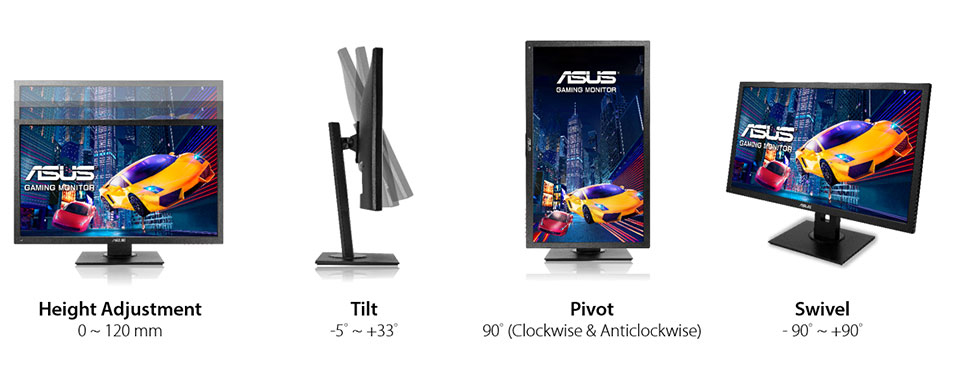
Height adjustment
Yes
Height adjustment range
120 mm (millimeters) 12 cm (centimeters) 4.7244 in (inches) 0.3937 ft (feet)
Landscape/portrait pivot
Yes
Left pivot
90 ° (degrees)
Left swivel
60 ° (degrees)
Left/right swivel
Yes
Removable stand
Yes
Right pivot
90 ° (degrees)
Right swivel
60 ° (degrees)
VESA interface
100 x 100 mm
VESA mount
Yes
24" Asus PG248Q Features
Features
5-way OSD joystickFlicker-free technology, GamePlus (Crosshair/Timer) GameVisualHDCP (High-bandwidth Digital Content Protection) NVidia 3D LightBoostNVidia 3D VisionNVidia G-SYNC TechnologyLow Blue LightTrace Free Technology
24" Asus PG248Q Frequencies
Horizontal frequency (digital)
67 kHz - 212 kHz (kilohertz)
Vertical frequency (digital)
30 Hz - 180 Hz (hertz)
24" Asus PG248Q Operating and storage conditions
Operating temperature
0 °C - 40 °C (degrees Celsius) 32 °F - 104 °F (degrees Fahrenheit)
Storage temperature
-20 °C - 60 °C (degrees Celsius) -4 °F - 140 °F (degrees Fahrenheit)
24" Asus PG248Q Power supply and consumption
110V
100 V - 120 V (volts)
220V
220 V - 240 V (volts)
Alternating current frequency
50 Hz - 60 Hz (hertz)
Power consumption (maximum)
65 W (watts)
Power consumption (off)
0.5 W (watts)
Power consumption (sleep)
0.5 W (watts)
24" Asus PG248Q spillovervåkingsprestasjons-benchmarks - List of Max Refresh Rate Compatible GPUs
Verdict Our Verdict. ... Focusing on the remaining aspects of the ROG Swift PG248Q, you might get a sense of deja-vu if you've already checked out the MG248Q. ... Get the best tech deals, reviews ...
Asus ROG Swift PG248Q review The latest Republic of Gamers Swift monitor is in town to prove its quickdraw credentials as the fastest panel in the west. And the east.
Asus ROG Swift PG248Q Review: Pro Performer for High Price. by Michael Andronico Apr 12, 2017, 12:18 PM. Asus ROG Swift PG248Q ... Verdict. The Asus PG248Q is a sharp, bright and responsive ...
Verdict. Like an exotic sports car, the PG248Q is not without a few challenges in ownership. But when you make the right tweaks during setup, you’ll be rewarded with one of the finest gaming ...
Calibration. We’ve reviewed a few Asus monitors in the past that were pretty good out of the box in Racing mode. The PG248Q requires a few tweaks to achieve optimal quality.
Asus ROG Swift PG248Q review. ... Experience a momentous conclusion in Guild Wars 2’s latest Living World episode. Five essential tips to help you master Splitgate: Arena Warfare.
Asus reveal new PG258Q & PG248Q G-Sync panels with 180Hz and 240Hz refresh rates. ... Experience a momentous conclusion in Guild Wars 2’s latest Living World episode.
ASUS pg248q OCing to 180hz Problems
I've just tried to overclock my asus pg248q to 180hz and after setting it I'm getting pale discolorations on some parts of the right side of the screen. Should I worry about this and is there anything I can do to stop it?
00
K
keenwads7 years ago
have you put it back to its default clock yet
00
R
RavenRM8 years ago
Asus PG248Q 144hz
Could anybody tell me Why does my asus pg248q display 143.98hz instead of 144hz in games? Its set to 144hz in nvidia control panel even if I overclock the screen to say 160hz it shows 159.98 in Battlefield 4 for example. Please do not tell me thats just the way it is because all my friends 144hz monitors displays 144hz in battlefield 4. Any help would be appreciated.
00
E
Eximo8 years ago
That is just the way it is. Not all PCs are created equal some have slightly different frequencies.
A common example would be a base clock on the system like 99.97Mhz rather than 100Mhz exactly. When you apply the CPU multiplier of say 40, you get 3998.8Mhz rather than exactly 4Ghz.
Since all the rest of the computers timing will be based on this. The PCIe bus which runs the GPU, the GPU which runs the monitor etc. The reported value may show up like that. Or it could be the crystal on the GPU which is slightly off, doesn't really matter what it is as long as everything keeps the same time so that digital communication is possible.
00
J
JasonJJJ8 years ago
BenQ XL2430 vs. Asus PG248Q?
Is the BenQ XL2430 vs. Asus PG248Q better?
If you could have either one, which would you choose and why?
Pg248q vs pg258q
I bought the Asus rog swift pg248q (180hz) and there is a problem that when i overclock it to 180hz i can see some strange lines so i am returning it.
But the question is should i replace it with another one or is it worth waiting for the new pg258q which is 240hz?
00
F
fungfung9 years ago
ASUS PG248Q Displayport problem
I'm using ASUS PG248q for 144hz gaming. When i browse the internet, its completely fine. But when it comes to playing games, the displayport randomly has no signal. When I'm in a game, the screen will suddenly turned into black screen with "Displayport no signal" on it. The problem is still here after building a new pc. I was using a i5-4440 gtx760 and now i bought a i7 6700 gtx 1070 but it still has this problem? can anyone help me?
is it the monitor's problem or is it the displayport problem?
EDIT: i used the HDMI cable and it works fine in games as well as browsing the internet. So, i think it should be the displayport problem. Where can i buy a displayport cable?
00
F
ffg79 years ago
can buy at any computer store.
00
F
fungfung9 years ago
How to enable 180hz on ASUS PG248Q
I bought the PG248Q but I am only able to use 144hz atm. When I try to use the option "overclock monitor" to 180hz, it will direct me to the default windows waiting screen without all the shortcuts, mouse cursor, etc.. Only the default waiting screen with the Windows icon. How can I enable 180hz? Thanks
























Hva du bør vurdere før du kjøper et grafikkort
Hvis du har planlagt å oppgradere systemet ved å kjøpe et nytt grafikkort. Deretter er det noen viktige faktorer å vurdere.
Oppløsning VS Kvalitet: Påvirkning på spillytelse
Hva påvirker spillytelsen? Klarhet eller detaljer?
Ultra VS høy kvalitet innstillinger i PC-spill
Hver spiller har et annet begrep om den ideelle innstillingen for PC-spill. Men i de fleste tilfeller velger du en grafikkkonfigurasjon av høy kvalitet.
Hva er CPU eller GPU flaskehalser?
Får du plutselige rammedråper? du kan ha en flaskehals.
Hva er akseptabel FPS-hastighet for meg?
For noen spill kan du fortsatt nyte flotte gaver ved lavere rammepriser.
GPU Hierarchy
GPU Compare
CPU Compare
Gaming Laptops
Gaming Monitors
Gaming Headsets
Diskusjon og kommentarer
Del dine kommentarer
I've just tried to overclock my asus pg248q to 180hz and after setting it I'm getting pale discolorations on some parts of the right side of the screen. Should I worry about this and is there anything I can do to stop it?
have you put it back to its default clock yet
Could anybody tell me Why does my asus pg248q display 143.98hz instead of 144hz in games? Its set to 144hz in nvidia control panel even if I overclock the screen to say 160hz it shows 159.98 in Battlefield 4 for example. Please do not tell me thats just the way it is because all my friends 144hz monitors displays 144hz in battlefield 4. Any help would be appreciated.
That is just the way it is. Not all PCs are created equal some have slightly different frequencies.
A common example would be a base clock on the system like 99.97Mhz rather than 100Mhz exactly. When you apply the CPU multiplier of say 40, you get 3998.8Mhz rather than exactly 4Ghz.
Since all the rest of the computers timing will be based on this. The PCIe bus which runs the GPU, the GPU which runs the monitor etc. The reported value may show up like that. Or it could be the crystal on the GPU which is slightly off, doesn't really matter what it is as long as everything keeps the same time so that digital communication is possible.
Is the BenQ XL2430 vs. Asus PG248Q better?
If you could have either one, which would you choose and why?
http://www.displayspecifications.com/en/comparison/deba2c37
-
I bought the Asus rog swift pg248q (180hz) and there is a problem that when i overclock it to 180hz i can see some strange lines so i am returning it.
But the question is should i replace it with another one or is it worth waiting for the new pg258q which is 240hz?
I'm using ASUS PG248q for 144hz gaming. When i browse the internet, its completely fine. But when it comes to playing games, the displayport randomly has no signal. When I'm in a game, the screen will suddenly turned into black screen with "Displayport no signal" on it. The problem is still here after building a new pc. I was using a i5-4440 gtx760 and now i bought a i7 6700 gtx 1070 but it still has this problem? can anyone help me?
is it the monitor's problem or is it the displayport problem?
EDIT: i used the HDMI cable and it works fine in games as well as browsing the internet. So, i think it should be the displayport problem. Where can i buy a displayport cable?
can buy at any computer store.
I bought the PG248Q but I am only able to use 144hz atm. When I try to use the option "overclock monitor" to 180hz, it will direct me to the default windows waiting screen without all the shortcuts, mouse cursor, etc.. Only the default waiting screen with the Windows icon. How can I enable 180hz? Thanks