비교를
Select..
23.6" AOC C24G1 - ₩ 214,632 23.8" AOC 24V2H - ₩ 282,414 23.8" AOC 24V2Q - ₩ 141,201 23.8" AOC AGON AG241QG - ₩ 185,079 23.8" AOC AGON AG241QX - ₩ 372,790 24" AOC 24G2 - ₩ 289,147 24" AOC G2460PF - ₩ 225,929 24" AOC G2460PG - ₩ 185,079 24" AOC G2460PG-2 - ₩ 185,079 24" AOC G2460VQ6 - ₩ 169,444 24.5" AOC AGON AG251FG - ₩ 734,294 24.5" AOC AGON AG251FZ - ₩ 734,294 24.5" AOC G2590FX - ₩ 225,929 24.5" AOC G2590PX - ₩ 141,201 24.5" AOC G2590PX/G2 - ₩ 258,701 24.5" AOC G2590VXQ - ₩ 253,279 27" AOC 27V2H - ₩ 173,737 27" AOC 27V2Q - ₩ 148,974 27" AOC AGON AG271QG - ₩ 384,098 27" AOC AGON AG272FCX - ₩ 1,127,441 27" AOC AGON AG272FCX6 - ₩ 1,127,441 27" AOC AGON AG273QCG - ₩ 1,127,441 27" AOC AGON AG273QCX - ₩ 564,839 27" AOC C2789FH8 - ₩ 337,713 27" AOC C27G1 - ₩ 291,463 27" AOC CQ27G1 - ₩ 293,711 27" AOC CQ27G2 - ₩ 293,711 27" AOC G2770PF - ₩ 342,299 27" AOC G2778VQ - ₩ 148,974 27" AOC G2790PX - ₩ 469,164 28" AOC G2868PQU - ₩ 271,117 28" AOC U2879VF - ₩ 474,700 31.5" AOC AGON AG322FCX - ₩ 124,256 31.5" AOC AGON AG322QC4 - ₩ 621,324 31.5" AOC AGON AG322QCX - ₩ 508,105 31.5" AOC C32G1 - ₩ 282,425 31.5" AOC CQ32G1 - ₩ 604,378 31.5" AOC Q3279VWF - ₩ 259,820 31.5" AOC Q3279VWFD8 - ₩ 259,820 32" AOC CQ32G1 - ₩ 451,869 34" AOC CU34G2X - ₩ 451,869 35" AOC AGON AG352QCX - ₩ 451,869 35" AOC AGON AG352UCG - ₩ 903,500 35" AOC AGON AG352UCG6 - ₩ 835,978 35" AOC C3583FQ - ₩ 658,909 23.6" AOpen 24HC1QR P - ₩ 144,602 23.6" AOpen 24HX2Q P - ₩ 197,641 23.8" AOpen 24ML1Y - ₩ 197,641 23.8" AOpen 24ML2Y - ₩ 338,899 24" AOpen 24MX1 - ₩ 135,553 27" AOpen 27HC1R P - ₩ 248,523 27" AOpen 27ML1 - ₩ 267,728 27" AOpen 27ML1U - ₩ 267,728 27" AOpen 27ML2 - ₩ 229,273 27" AOpen 27MX1 - ₩ 229,273 27" AOpen 27MX1U - ₩ 229,273 31.5" AOpen 32HC1QUR P - ₩ 405,562 14" ASUS ProArt PA148CTV - ₩ 450,750 14" ASUS ZenScreen MB14AC - ₩ 225,929 15" ASUS ZenScreen Go MB16AHP - ₩ 337,780 15" ASUS ZenScreen Touch MB16AMT - ₩ 417,978 16" ASUS ROG Strix XG16AHPE - ₩ 394,265 17" ASUS ROG Strix XG17AHPE - ₩ 529,829 24" ASUS TUF Gaming VG249Q1A - ₩ 190,919 24" ASUS VG245H - ₩ 372,778 24" ASUS VG246H - ₩ 144,590 24" ASUS VG248QE - ₩ 258,012 24" ASUS VG248QG - ₩ 212,982 25" ASUS ROG Swift 360Hz PG259QN - ₩ 450,129 25" ASUS TUF Gaming VG258QM - ₩ 347,383 25" ASUS TUF Gaming VG259QM - ₩ 405,562 27" ASUS TUF VG27VQ - ₩ 449,621 27" ASUS MX279HS - ₩ 258,701 27" ASUS ProArt Display PA278CV - ₩ 498,186 27" ASUS ProArt Display PA278QV - ₩ 326,483 27" ASUS ROG Strix XG279Q - ₩ 802,076 27" ASUS ROG Strix XG27AQ - ₩ 509,258 27" ASUS ROG Strix XG27UQ - ₩ 754,628 27" ASUS ROG Swift PG279Q - ₩ 802,076 27" ASUS ROG Swift PG279QM - ₩ 902,630 27" ASUS ROG Swift PG279QZ - ₩ 1,128,570 27" ASUS TUF Gaming VG27AQL1A - ₩ 476,767 27" ASUS TUF Gaming VG27WQ1B - ₩ 389,747 27" ASUS TUF VG27AQ - ₩ 449,621 27" ASUS VG279Q - ₩ 292,581 27" ASUS VG279QM - ₩ 385,781 32" ASUS TUF VG32VQ - ₩ 520,498 34" ASUS TUF Gaming VG34VQL1B - ₩ 518,442 42" ASUS ROG Swift OLED PG42UQ - ₩ 1,838,564 23" Acer SA230Аbi - ₩ 124,256 23.6" Acer ED242Q - ₩ 203,233 23.6" Acer ED242QR - ₩ 203,233 23.6" Acer ED242QRbi - ₩ 124,256 23.6" Acer KG241Q - ₩ 157,017 23.6" Acer KG241QA - ₩ 146,850 23.8" Acer B247Y - ₩ 160,451 23.8" Acer B247Y bmiprx - ₩ 163,795 23.8" Acer HA240Y - ₩ 146,850 23.8" Acer Nitro VG240 - ₩ 180,741 23.8" Acer Nitro VG240Y - ₩ 180,741 23.8" Acer Nitro VG240YU - ₩ 146,850 23.8" Acer Predator XB1 XB241YU - ₩ 316,305 23.8" Acer RG240 - ₩ 146,850 23.8" Acer SA240YA - ₩ 146,850 23.8" Acer V247Y bmipx - ₩ 150,148 23.8" Acer V247Ybi - ₩ 146,850 23.8" Acer V247Ybip - ₩ 146,850 23.8" Acer XF240YU - ₩ 372,790 24" Acer B247W - ₩ 231,882 24" Acer GF246 - ₩ 146,850 24" Acer KG241 - ₩ 237,214 24" Acer Nitro RG241Y Pbiipx - ₩ 176,787 24" Acer Nitro XF243Y Pbmiiprx - ₩ 206,328 24" Acer Predator XB1 XB241H - ₩ 564,839 24" Acer XB240HA - ₩ 124,256 24" Acer XF240H - ₩ 254,171 24.5" Acer KG251Q - ₩ 146,850 24.5" Acer KG251QD - ₩ 221,410 24.5" Acer KG251QF - ₩ 221,410 24.5" Acer KG251QG - ₩ 221,410 24.5" Acer KG251QH - ₩ 221,410 24.5" Acer KG251QI - ₩ 221,410 24.5" Acer KG251Qbiix - ₩ 221,410 24.5" Acer Predator XB2 XB252Q - ₩ 559,190 24.5" Acer XF250Q - ₩ 281,295 24.5" Acer XF250QA - ₩ 146,850 24.5" Acer XF250QB - ₩ 146,850 24.5" Acer XF250QD - ₩ 146,850 24.5" Acer XF251Q - ₩ 146,850 24.5" Acer XF252QX - ₩ 146,850 25" Acer Nitro XF252Q Xbmiiprzx - ₩ 460,353 25" Acer Nitro XV252Q Fbmiiprx - ₩ 307,278 25" Acer Predator X25 bmiiprzx - ₩ 452,998 27" Acer B277 - ₩ 344,559 27" Acer B277 bmiprczx - ₩ 221,907 27" Acer B277 bmiprx - ₩ 205,086 27" Acer B277U - ₩ 304,251 27" Acer B277Ubmiipprczx - ₩ 282,425 27" Acer ED273 Awidpx - ₩ 225,929 27" Acer ED273UR - ₩ 307,278 27" Acer GF276 - ₩ 135,553 27" Acer GF276A - ₩ 169,444 27" Acer HA270 - ₩ 169,444 27" Acer KG271 - ₩ 288,209 27" Acer KG271A - ₩ 292,592 27" Acer KG271B - ₩ 135,553 27" Acer KG271D - ₩ 135,553 27" Acer KG271E - ₩ 135,553 27" Acer KG271F - ₩ 169,444 27" Acer KG271U - ₩ 259,820 27" Acer KG271U Abmiipx - ₩ 291,451 27" Acer Nitro VG270 - ₩ 279,036 27" Acer Nitro VG270U - ₩ 279,036 27" Acer Nitro VG270UP - ₩ 279,036 27" Acer Nitro VG271 Pbmiipx - ₩ 376,190 27" Acer Nitro VG271UP Pbmiipx - ₩ 146,850 27" Acer Nitro XF272U - ₩ 282,414 27" Acer Nitro XV272U - ₩ 282,414 27" Acer Nitro XV272U KVbmiiprzx - ₩ 282,414 27" Acer Nitro XV273 Xbmiiprzx - ₩ 282,414 27" Acer Nitro XV3 XV273K - ₩ 902,630 27" Acer PE270K - ₩ 361,493 27" Acer Predator Z1 Z271U - ₩ 316,305 27" Acer Predator X27 - ₩ 1,862,875 27" Acer Predator X27 bmiphzx - ₩ 1,924,998 27" Acer Predator XB1 XB271H - ₩ 533,218 27" Acer Predator XB1 XB271HU - ₩ 620,205 27" Acer Predator XB1 XB271HUA - ₩ 316,305 27" Acer Predator XB1 XB271HUT - ₩ 316,305 27" Acer Predator XB270H - ₩ 469,899 27" Acer Predator XB271HU Bmiprz - ₩ 316,305 27" Acer Predator XB273K - ₩ 1,128,570 27" Acer Predator XB273K Pbmiphzx - ₩ 1,355,640 27" Acer Predator XB273U GXbmiipruzx - ₩ 473,344 27" Acer Predator Z1 Z271 - ₩ 316,305 27" Acer Predator Z1 Z271T - ₩ 394,265 27" Acer Predator Z271UV - ₩ 469,899 27" Acer RG270 - ₩ 187,530 27" Acer RG270 bmipx - ₩ 225,929 27" Acer V277 - ₩ 169,444 27" Acer V277bi - ₩ 135,553 27" Acer V277bip - ₩ 259,481 27" Acer VG271P - ₩ 135,553 27" Acer VG271UP - ₩ 425,908 27" Acer XB270HA - ₩ 135,553 27" Acer XB270HU - ₩ 598,730 27" Acer XB270HUD - ₩ 449,621 27" Acer XF270HA - ₩ 327,613 27" Acer XF270HB - ₩ 135,553 27" Acer XF270HBbmiiprx - ₩ 282,414 27" Acer XF270HC - ₩ 135,553 27" Acer XF270HU - ₩ 282,414 27" Acer XF270HUA - ₩ 394,254 27" Acer XG270HU - ₩ 424,880 27" Acer XN253QP - ₩ 508,354 27" Acer XN253QX - ₩ 135,553 27" Acer XZ271 - ₩ 135,553 27" Acer XZ271U - ₩ 552,423 28" Acer Nitro XV282K KVbmiipruzx - ₩ 733,119 28" Acer RT280K - ₩ 124,256 28" Acer XB280HK - ₩ 449,621 29" Acer XF290CB - ₩ 124,256 30" Acer Predator Z301CT - ₩ 169,444 31.5" Acer ED323QUR Abidpx - ₩ 395,384 31.5" Acer ED323QUR widpx - ₩ 124,256 31.5" Acer ET322QK - ₩ 451,869 31.5" Acer ET322QK Abmiipx - ₩ 338,899 31.5" Acer ET322QK Bbmiiprx - ₩ 451,869 31.5" Acer ET322QU - ₩ 395,384 31.5" Acer ET322QUAbmiprx - ₩ 258,543 31.5" Acer Predator XZ1 XZ321QU - ₩ 552,423 31.5" Acer Predator Z1 Z321Q - ₩ 124,256 31.5" Acer Predator Z1 Z321QU - ₩ 676,690 31.5" Acer XZ321Q - ₩ 552,423 34" Acer BX340C - ₩ 146,850 34" Acer BX340CK - ₩ 146,850 34" Acer ED347CKR - ₩ 146,838 34" Acer Nitro XV340CK Pbmiipphzx - ₩ 465,425 34" Acer Predator X34 - ₩ 1,457,313 34" Acer Predator X34P - ₩ 926,354 34" Acer XR341CK - ₩ 118,619 34" Acer XR342CK - ₩ 1,038,432 34" Acer XR342CKP - ₩ 326,472 35" Acer CZ350CK - ₩ 118,619 35" Acer Predator Z35 - ₩ 847,264 35" Acer Predator Z35P - ₩ 847,264 35" Acer XZ350CUbmijphz - ₩ 146,850 37.5" Acer XR382CQK - ₩ 982,466 49" Acer EI491CR - ₩ 891,277 27" Apple Studio Display - ₩ 1,636,935 23.6" Asus VP247QG - ₩ 152,498 23.8" Asus XG248Q - ₩ 394,265 24" Asus MG248QE - ₩ 436,064 24" Asus MG248QR - ₩ 289,147 24" Asus PG248Q - ₩ 395,384 24" Asus VG245H - ₩ 203,335 24" Asus VG245HE - ₩ 203,335 24" Asus VG245Q - ₩ 317,073 24" Asus VG248QG - ₩ 282,414 24" Asus VP248H - ₩ 258,701 24" Asus VP248HL - ₩ 258,701 24" Asus VP248QG - ₩ 169,444 24" Asus VP248QGL - ₩ 169,444 24" Asus VP248QGL-P - ₩ 258,701 24.5" Asus RoG Strix XG258Q - ₩ 451,869 24.5" Asus RoG Swift PG258Q - ₩ 542,245 24.5" Asus VG255H - ₩ 169,455 24.5" Asus VG258Q - ₩ 315,186 24.5" Asus VG258QR - ₩ 237,226 27" Asus MG278Q - ₩ 451,869 27" Asus MG279Q - ₩ 451,869 27" Asus MX27UQ - ₩ 316,305 27" Asus PB27UQ - ₩ 158,147 27" Asus RoG Strix XG27VQ - ₩ 371,671 27" Asus RoG Swift PG278Q - ₩ 610,027 27" Asus RoG Swift PG278QE - ₩ 789,660 27" Asus RoG Swift PG278QR - ₩ 610,027 27" Asus RoG Swift PG279Q - ₩ 623,753 27" Asus RoG Swift PG27UQ - ₩ 2,032,330 27" Asus RoG Swift PG27VQ - ₩ 790,779 27" Asus TUF Gaming VG27AQE - ₩ 449,621 27" Asus VG275Q - ₩ 293,711 27" Asus VG278Q - ₩ 325,354 27" Asus VG278QF - ₩ 389,747 27" Asus VG278QR - ₩ 429,286 27" Asus VG279Q - ₩ 378,913 27" Asus VL278H - ₩ 258,701 27" Asus VL278HE - ₩ 258,701 27" Asus VP278QG - ₩ 237,226 27" Asus VP278QGL - ₩ 237,226 27" Asus VP279QG - ₩ 258,701 27" Asus VP279QGL - ₩ 158,147 31.5" Asus MX32VQ - ₩ 465,414 31.5" Asus RoG Strix XG32VQ - ₩ 620,205 31.5" Asus RoG Strix XG32VQR - ₩ 620,205 34" Asus MX34VQ - ₩ 146,850 34" Asus ProArt PA34V - ₩ 1,189,970 34" Asus ProArt PA34VC - ₩ 1,189,970 34" Asus RoG Swift PG348Q - ₩ 847,264 34" Asus RoG Swift PG349Q - ₩ 1,128,570 35" Asus RoG Strix XG35VQ - ₩ 146,850 35" Asus RoG Swift PG35VQ - ₩ 146,850 37.5" Asus MX38VC - ₩ 1,382,391 49" Asus VG49V - ₩ 1,015,600 49" Asus XG49VQ - ₩ 1,015,600 24" BenQ XL2420G - ₩ 135,553 24" BenQ ZOWIE XL2411P - ₩ 395,384 25" BenQ ZOWIE XL2540 - ₩ 269,998 25" BenQ ZOWIE XL2546K - ₩ 484,641 25" BenQ ZOWIE XL2566K - ₩ 841,017 27" BenQ EX2780Q - ₩ 563,675 27" BenQ PD2700U - ₩ 610,027 27" BenQ XL2720G - ₩ 169,444 27" BenQ XL2730Z - ₩ 169,444 27" BenQ ZOWIE XL2735 - ₩ 224,810 28" BenQ EL2870U - ₩ 395,361 31.5" BenQ EW3270U - ₩ 546,097 31.5" BenQ EX3203R - ₩ 676,690 32" BenQ EW3270U - ₩ 451,869 35" BenQ EX3501R - ₩ 846,145 27" Cooler Master Tempest GP27U - ₩ 1,189,461 32" Corsair XENEON 32QHD165 - ₩ 1,073,204 14" Dell C1422H - ₩ 305,008 22" Dell E2220H - ₩ 145,810 23.8" Dell InfinityEdge S2418HN - ₩ 179,600 23.8" Dell InfinityEdge S2418HX - ₩ 141,190 23.8" Dell S2417DG - ₩ 417,978 24" Dell S2417DG - ₩ 395,384 24" Dell S2419HGF - ₩ 191,993 24" Dell S2419HGF - ₩ 423,784 24" Dell S2421H - ₩ 169,444 24.5" Dell Alienware AW2518H - ₩ 372,993 24.5" Dell Alienware AW2518HF - ₩ 372,993 25" Dell Alienware AW2521H - ₩ 534,348 25" Dell Alienware AW2521HF - ₩ 473,344 25" Dell Alienware AW2523HF - ₩ 338,899 25" Dell U2518D - ₩ 621,324 25" Dell UltraSharp U2520D - ₩ 412,386 27" Dell Alienware AW2720HF - ₩ 790,779 27" Dell Alienware AW2721D - ₩ 1,247,110 27" Dell Alienware AW2723DF - ₩ 734,294 27" Dell D2719HGF - ₩ 203,335 27" Dell G2722HS - ₩ 220,292 27" Dell S2716DG - ₩ 505,078 27" Dell S2716DG - ₩ 734,294 27" Dell S2718H - ₩ 272,856 27" Dell S2718HN - ₩ 596,470 27" Dell S2718HX - ₩ 596,470 27" Dell S2718NX - ₩ 596,470 27" Dell S2719DGF - ₩ 338,899 27" Dell S2719DGF - ₩ 425,886 27" Dell S2721D - ₩ 322,755 27" Dell S2721DGF - ₩ 495,938 27" Dell S2721HGF - ₩ 323,049 27" Dell S2721QS - ₩ 282,414 27" Dell S2722DGM - ₩ 338,899 27" Dell S2722QC - ₩ 451,869 27" Dell SE2717H - ₩ 189,790 27" Dell U2718Q - ₩ 755,769 27" Dell U2723QE - ₩ 585,185 27" Dell UltraSharp U2720Q - ₩ 596,470 27" Dell UltraSharp U2721DE - ₩ 384,087 27" Dell UltraThin S2719DM - ₩ 282,414 32" Dell G3223Q - ₩ 1,015,600 32" Dell P3223DE - ₩ 563,720 32" Dell S3219D - ₩ 332,132 32" Dell S3220DGF - ₩ 563,720 32" Dell S3221QS - ₩ 406,681 32" Dell S3222DGM - ₩ 508,365 32" Dell U3219Q - ₩ 1,056,270 32" Dell U3223QE - ₩ 937,640 34" Dell Alienware AW3418DW - ₩ 3,275,000 34" Dell Alienware AW3420DW - ₩ 807,736 34" Dell Alienware AW3423DW - ₩ 1,345,450 34" Dell Alienware AW3423DWF - ₩ 1,345,450 34" Dell S3422DWG - ₩ 451,869 34.13" Dell Alienware AW3418HW - ₩ 451,869 34.14" Dell Alienware AW3418DW - ₩ 959,115 38" Dell Alienware AW3821DW - ₩ 1,247,110 38" Dell U3818DW - ₩ 1,581,569 40" Dell UltraSharp U4021QW - ₩ 2,146,419 27" EIZO Foris FS2735 - ₩ 338,899 27" Gamemax GMX27C144 - ₩ 179,058 31.5" Gamemax GMX32CEWQ - ₩ 124,244 24.5" Gigabyte AORUS KD25F - ₩ 508,354 27" Gigabyte AORUS AD27QD - ₩ 657,395 27" Gigabyte AORUS CV27F - ₩ 657,395 27" Gigabyte AORUS FI27Q - ₩ 657,395 27" Gigabyte AORUS FI27Q-X - ₩ 657,395 27" Gigabyte Aorus AD27QD - ₩ 677,809 27" Gigabyte G27Q - ₩ 451,869 27" Gigabyte G27QC - ₩ 316,305 27" Gigabyte M27Q - ₩ 338,899 27" Gigabyte M27Q X - ₩ 485,760 28" Gigabyte M28U - ₩ 564,839 32" Gigabyte AORUS FI32U - ₩ 847,264 32" Gigabyte G32QC - ₩ 338,899 32" Gigabyte M32Q - ₩ 564,839 32" Gigabyte M32U - ₩ 738,813 32" Gigabyte M32UC - ₩ 711,700 34" Gigabyte G34WQC - ₩ 429,275 34" Gigabyte M34WQ - ₩ 474,463 43" Gigabyte AORUS FV43U - ₩ 790,779 48" Gigabyte AORUS FO48U OLED - ₩ 1,242,659 23" HP 23f - ₩ 254,024 23.8" HP 24f - ₩ 312,565 23.8" HP 24fh - ₩ 179,058 23.8" HP 24fw - ₩ 203,335 23.8" HP 24fwа - ₩ 139,767 24" HP X24ih - ₩ 203,335 24.5" HP 25mx - ₩ 275,647 24.5" HP 25x - ₩ 508,354 24.5" HP Omen 25 - ₩ 246,275 25" HP 25f - ₩ 158,147 27" HP 27F - ₩ 210,011 27" HP 27f - ₩ 203,335 27" HP 27fh - ₩ 1,128,570 27" HP 27fw - ₩ 361,493 27" HP 27mx - ₩ 179,058 27" HP 27q - ₩ 677,809 27" HP 27x - ₩ 337,780 27" HP 27xq - ₩ 451,880 27" HP OMEN 27c - ₩ 434,923 27" HP OMEN 27i - ₩ 499,339 27" HP OMEN X 27 - ₩ 1,095,255 27" HP Omen 27 - ₩ 677,809 27" HP X27q - ₩ 237,226 32" HP Omen 32 - ₩ 428,156 32" HP Pavilion 32 QHD - ₩ 3,229,812 32" HP Pavilion 32 QHD - ₩ 3,229,812 32" HP Pavilion 32 QHD - ₩ 3,229,812 32" HP Pavilion 32 QHD - ₩ 3,229,812 32" HP Pavilion 32 QHD - ₩ 3,229,812 32" HP Pavilion 32 QHD - ₩ 3,229,812 32" HP Pavilion 32 QHD - ₩ 3,229,812 32" HP Pavilion 32 QHD - ₩ 3,229,812 32" HP Pavilion Gaming 32 HDR - ₩ 351,766 34" HP Envy 34 - ₩ 3,726,880 35.03" HP Omen X 35 - ₩ 854,042 24" Hanns.G HG244PJB - ₩ 191,936 31.5" Hanns.G HG324QJB - ₩ 158,147 24" Iiyama G-Master GB2488HSU-B2 - ₩ 294,151 24" Iiyama G-Master GB2488HSU-B3 - ₩ 135,553 24" Iiyama G-Master GE2488HS-B2 - ₩ 116,743 24.5" Iiyama G-Master G2530HSU-B1 - ₩ 135,553 24.5" Iiyama G-Master GB2530HSU-B1 - ₩ 2,135,133 24.5" Iiyama G-Master GB2560HSU-B1 - ₩ 135,553 24.5" Iiyama ProLite E2591HSU-B1 - ₩ 241,745 24.95" Iiyama ProLite XU2595WSU-B1 - ₩ 391,995 24.95" Iiyama ProLite XUB2595WSU-B1 - ₩ 432,675 27" Iiyama G-Master G2730HSU-B1 - ₩ 229,273 27" Iiyama G-Master GB2730HSU-B1 - ₩ 271,004 27" Iiyama G-Master GB2730QSU-B1 - ₩ 343,429 27" Iiyama G-Master GB2760HSU-B1 - ₩ 384,098 27" Iiyama G-Master GB2760QSU-B1 - ₩ 229,273 27" Iiyama G-Master GB2783QSU - ₩ 258,701 27" Iiyama G-Master GB2788HS-B1 - ₩ 135,553 27" Iiyama G-Master GB2788HS-B2 - ₩ 135,553 27" Iiyama ProLite B2783QSU - ₩ 363,865 27" Iiyama ProLite B2791HSU - ₩ 229,273 27" Iiyama ProLite E2783QSU - ₩ 338,899 27" Iiyama ProLite X2788QS-B1 - ₩ 2,135,133 27" Iiyama ProLite XB2788QS-B1 - ₩ 2,135,133 27" Iiyama ProLite XUB2792QSU - ₩ 363,865 28" Iiyama G-Master GB2888UHSU - ₩ 135,553 28" Iiyama ProLite B2875UHSU-B1 - ₩ 391,995 31.5" Iiyama G-Master G3266HS-B1 - ₩ 124,256 23.6" LG 24GL600F - ₩ 197,698 23.8" LG 24MK400H - ₩ 135,553 23.8" LG 24MK430H - ₩ 158,147 23.8" LG 24MK600M - ₩ 187,462 23.8" LG 24MP59G - ₩ 154,193 23.8" LG 24MP68VQ - ₩ 209,187 24" LG 24GL600F - ₩ 180,741 24" LG 24GM79G - ₩ 281,747 27" LG 27GK750F - ₩ 384,945 27" LG 27GL650F-B - ₩ 326,483 27" LG 27GL83A-B - ₩ 338,899 27" LG 27GL850-B - ₩ 485,726 27" LG 27GN650-B - ₩ 295,112 27" LG 27GN750-B - ₩ 484,077 27" LG 27GN800-B - ₩ 335,510 27" LG 27GN850-B - ₩ 485,726 27" LG 27GN880-B - ₩ 700,109 27" LG 27GN950-B - ₩ 769,179 27" LG 27GP83B-B - ₩ 485,726 27" LG 27GP850-B - ₩ 485,726 27" LG 27GP950-B - ₩ 903,749 27" LG 27MK400H - ₩ 169,444 27" LG 27MK430H - ₩ 156,893 27" LG 27MK600M - ₩ 190,919 27" LG 27MK60TM - ₩ 166,055 27" LG 27MN60T-W - ₩ 124,256 27" LG 27MP59G - ₩ 281,295 27" LG 27MP89HM - ₩ 124,256 27" LG 27UK650-W - ₩ 372,790 27" LG UltraGear 27GL850G - ₩ 769,179 29" LG 29UM50 - ₩ 124,256 29" LG 29UM59 - ₩ 242,874 29" LG 29UM60 - ₩ 1,433,589 29" LG 29UM67 - ₩ 508,252 29" LG 29UM68-P - ₩ 338,899 29" LG 29UM69G - ₩ 259,605 29" LG 29WK500 - ₩ 249,991 29" LG 29WK50S - ₩ 231,317 29" LG 29WK600 - ₩ 428,156 31.5" LG 32GK650F - ₩ 371,671 31.5" LG 32GK850F - ₩ 469,063 31.5" LG 32GK850G - ₩ 646,188 31.5" LG 32QK500 - ₩ 332,121 32" LG 32GK650F-B - ₩ 312,916 32" LG 32GK850G-B - ₩ 349,077 32" LG 32GN50T-B - ₩ 203,335 32" LG 32GN600-B - ₩ 245,845 32" LG 32GN63T-B - ₩ 237,226 32" LG 32GN650-B - ₩ 425,886 32" LG 32GP850-B - ₩ 868,739 32" LG 32GQ950-B - ₩ 1,126,300 32" LG 32QN55T-B - ₩ 225,929 32" LG 32UD99-W - ₩ 1,177,136 32" LG 32UL500-W - ₩ 332,121 32" LG 32UL950-W - ₩ 1,177,136 34" LG 34CB88 - ₩ 146,850 34" LG 34CB88-A - ₩ 146,850 34" LG 34GK950F-B - ₩ 797,805 34" LG 34GN850-B - ₩ 790,779 34" LG 34GP83A-B - ₩ 797,805 34" LG 34GP950G-B - ₩ 1,013,330 34" LG 34UC79G - ₩ 575,808 34" LG 34UC88 - ₩ 655,215 34" LG 34UC89G - ₩ 673,821 34" LG 34UC98 - ₩ 892,463 34" LG 34UC99 - ₩ 146,850 34" LG 34UM59 - ₩ 359,776 34" LG 34UM60 - ₩ 337,780 34" LG 34UM61 - ₩ 372,711 34" LG 34UM67 - ₩ 665,393 34" LG 34UM68-P - ₩ 393,136 34" LG 34UM69G - ₩ 393,136 34" LG 34WK500 - ₩ 393,090 34" LG 34WK650 - ₩ 429,275 34" LG UltraGear 34GK950F - ₩ 892,463 34" LG UltraGear 34GK950G - ₩ 146,850 35" LG 35WN65C-B - ₩ 338,899 37.5" LG 38UC99 - ₩ 1,128,570 37.5" LG 38WK95C - ₩ 1,641,770 37.5" LG UltraGear 38GL950G - ₩ 1,551,722 38" LG 38GL950G-B - ₩ 1,129,689 38" LG 38GN950-B - ₩ 847,264 38" LG 38WN95C-W - ₩ 1,382,391 40" LG 40WP95C-W - ₩ 1,882,860 42" LG 42 C2 OLED - ₩ 937,640 48" LG 48 C1 OLED - ₩ 1,583,060 48" LG 48 CX OLED - ₩ 1,207,615 48" LG 48GQ900-B - ₩ 891,853 49" LG 49WL95C-W - ₩ 1,129,689 14" Lenovo ThinkVision M14 - ₩ 281,295 23.8" Lenovo ThinkVision L24e-20 - ₩ 163,795 24.5" Lenovo Legion Y25F-10 - ₩ 361,877 27" Lenovo D27-30 - ₩ 141,201 27" Lenovo L27i-28 - ₩ 158,147 27" Lenovo L27m-28 - ₩ 241,101 27" Lenovo Legion Y27gq-25 - ₩ 508,354 27" Lenovo Legion Y27q-20 - ₩ 484,415 27" Lenovo Q27q-10 - ₩ 329,703 27" Lenovo Y27f - ₩ 485,760 27" Lenovo Y27g - ₩ 141,201 43.4" Lenovo Legion Y44w-10 - ₩ 294,151 43.4" Lenovo ThinkVision P44w-10 - ₩ 1,241,540 15" Lepow Z1 - ₩ 225,929 15" Lepow Z1 Gamut - ₩ 225,929 15" MSI Optix MAG161V - ₩ 294,840 23.6" MSI Optix G24C - ₩ 225,884 23.6" MSI Optix MAG240VC - ₩ 237,226 23.6" MSI Optix MAG241C - ₩ 224,810 23.6" MSI Optix MAG241CR - ₩ 162,666 23.6" MSI Optix MAG24C - ₩ 247,404 24.5" MSI Oculux NXG251R - ₩ 429,275 25" MSI Oculux NXG253R - ₩ 497,057 27" MSI Optix G272 - ₩ 293,711 27" MSI Optix G273 - ₩ 169,331 27" MSI Optix G273QF - ₩ 391,599 27" MSI Optix G27C - ₩ 271,117 27" MSI Optix G27C4 - ₩ 252,533 27" MSI Optix G27C5 - ₩ 338,899 27" MSI Optix G27C6 - ₩ 252,533 27" MSI Optix G27CQ4 - ₩ 270,868 27" MSI Optix MAG270VC - ₩ 427,829 27" MSI Optix MAG271C - ₩ 451,869 27" MSI Optix MAG271CQR - ₩ 451,869 27" MSI Optix MAG271CQR - ₩ 443,916 27" MSI Optix MAG271CR - ₩ 338,899 27" MSI Optix MAG271R - ₩ 351,856 27" MSI Optix MAG273R - ₩ 390,854 27" MSI Optix MAG274QRF-QD - ₩ 460,861 27" MSI Optix MAG27C - ₩ 447,000 27" MSI Optix MAG27CQ - ₩ 447,000 27" MSI Optix MPG27C - ₩ 512,816 27" MSI Optix MPG27CQ - ₩ 508,354 31.5" MSI Optix AG32C - ₩ 349,947 31.5" MSI Optix AG32CQ - ₩ 124,256 31.5" MSI Optix AG32CV - ₩ 124,256 31.5" MSI Optix MAG321CQR - ₩ 479,196 34" MSI Optix MAG341CQ - ₩ 484,641 27" Medion Erazer X57425 - ₩ 341,441 31.5" Medion Erazer X58426 - ₩ 124,256 34" Medion Akoya X58434 - ₩ 146,850 13" Mobile Pixels DUEX Plus - ₩ 252,917 13" Mobile Pixels TRIO - ₩ 649,679 24" Nixeus VUE 24 - ₩ 163,807 24" Nixeus VUE 24B - ₩ 116,743 27" Nixeus EDG 27 - ₩ 451,869 27" Nixeus EDG 27 v2 - ₩ 768,185 27" Nixeus EDG 27240 - ₩ 768,185 27" Nixeus EDG 27240S - ₩ 768,185 27" Nixeus EDG 27S - ₩ 477,852 27" Nixeus EDG 27S v2 - ₩ 338,899 34" Nixeus EDG 34 - ₩ 525,638 24" Ozone DSP24 - ₩ 116,743 27" Ozone DSP27 - ₩ 229,273 23.6" Philips 248E9QHSB - ₩ 139,767 23.6" Philips 248E9QSB - ₩ 258,701 23.8" Philips 245E1S - ₩ 1,807,509 23.8" Philips 246E9QDSB - ₩ 135,564 23.8" Philips 246E9QJAB - ₩ 116,743 27" Philips 276E9QDSB - ₩ 161,920 27" Philips 276E9QJAB - ₩ 229,273 27" Philips 278E8QJAB - ₩ 293,711 27" Philips 278E8QJAW - ₩ 293,711 27" Philips 278E9QHSB - ₩ 293,711 27" Philips 278E9QJAB - ₩ 223,602 31.5" Philips 322E1C - ₩ 124,256 31.5" Philips 325E1C - ₩ 124,244 31.5" Philips 326E8FJSB - ₩ 317,434 31.5" Philips 328E1CA - ₩ 124,256 31.5" Philips 328E9FJAB - ₩ 158,147 31.5" Philips 328E9FJSB - ₩ 124,256 31.5" Philips 328E9QJAB - ₩ 259,820 31.5" Philips 328M6FJMB - ₩ 282,414 34" Philips 349P7FUBEB - ₩ 146,838 34" Philips 349X7FJEW - ₩ 146,850 34.6" Philips 356M6QJAB - ₩ 146,838 42.5" Philips Momentum 436M6VBPAB - ₩ 1,129,689 43" Philips Momentum 436M6VBPAB - ₩ 671,019 27" Pixio PX7 Prime - ₩ 293,711 27" Razer Raptor 27 - ₩ 564,839 27" Razer Raptor 27 144Hz - ₩ 655,170 27" Razer Raptor 27 165Hz - ₩ 564,839 23.5" Samsung S24F350F - ₩ 168,325 23.5" Samsung S24F356FHU - ₩ 135,553 23.5" Samsung U24E850R - ₩ 135,553 23.6" Samsung C24FG70 - ₩ 312,565 23.6" Samsung C24FG73 - ₩ 135,553 23.6" Samsung C24RG50 - ₩ 135,553 23.6" Samsung S24E370D - ₩ 337,656 23.6" Samsung U24E590D - ₩ 427,015 23.8" Samsung S24H850 - ₩ 333,510 23.8" Samsung S24H850QFI - ₩ 732,034 24" Samsung Odyssey G3 S24AG30 - ₩ 477,863 24.5" Samsung S25HG50 - ₩ 427,015 27" Samsung C27FG70 - ₩ 394,559 27" Samsung C27FG73 - ₩ 350,196 27" Samsung C27H711QEU - ₩ 245,088 27" Samsung C27HG70 - ₩ 519,651 27" Samsung C27RG5 - ₩ 1,457,245 27" Samsung CHG70 - ₩ 2,135,133 27" Samsung JG50 - ₩ 508,354 27" Samsung Odyssey G3 F27G35T - ₩ 241,112 27" Samsung Odyssey G4/G40B S27BG40 - ₩ 311,786 27" Samsung Odyssey G5 C27G55T - ₩ 508,354 27" Samsung Odyssey G5 S27AG50 - ₩ 477,863 27" Samsung Odyssey G5/G55A S27AG55 - ₩ 272,811 27" Samsung S27E370D - ₩ 259,820 27" Samsung S27F350F - ₩ 231,476 27" Samsung S27F358F - ₩ 562,579 27" Samsung S27H850 - ₩ 229,273 27" Samsung S27H850QFI - ₩ 506,094 28" Samsung Odyssey G7 S28AG70 - ₩ 677,809 28" Samsung U28E570D - ₩ 338,899 28" Samsung U28E590D - ₩ 371,671 28" Samsung U28E850R - ₩ 672,160 28" Samsung UE590 - ₩ 495,938 31.5" Samsung C32H711QEU - ₩ 562,579 31.5" Samsung C32HG70 - ₩ 610,027 31.5" Samsung U32E850R - ₩ 124,256 31.5" Samsung U32J590 - ₩ 417,978 32" Samsung Odyssey G6 S32BG65 - ₩ 773,438 32" Samsung Odyssey G7 C32G75T - ₩ 773,438 32" Samsung Odyssey G7/G70B S32BG70 - ₩ 790,779 32" Samsung Odyssey Neo G7 S32BG75 - ₩ 1,468,599 32" Samsung Odyssey Neo G8 S32BG85 - ₩ 1,429,071 32" Samsung Smart Monitor M8 S32BM80 - ₩ 581,558 32" Samsung T55 - ₩ 259,820 32" Samsung U32J590 - ₩ 338,899 34" Samsung C34F791 - ₩ 860,052 34" Samsung C34H890 - ₩ 778,939 34" Samsung C34J791 - ₩ 710,581 34" Samsung Odyssey G5 C34G55T - ₩ 508,354 34" Samsung S34J55W - ₩ 294,151 43" Samsung 43 QN90B QLED - ₩ 1,014,459 43" Samsung Smart Monitor M7 S43BM70 - ₩ 338,899 48.5" Samsung QN49Q70R - ₩ 1,240,399 49" Samsung C49HG90 - ₩ 1,129,689 49" Samsung C49RG9/CRG9 - ₩ 1,016,719 49" Samsung C49RG90 - ₩ 2,248,103 49" Samsung Odyssey G9 - ₩ 1,501,349 49" Samsung Odyssey Neo G9 - ₩ 2,135,133 27" Sony INZONE M3 - ₩ 562,591 27" Sony INZONE M9 - ₩ 1,014,471 42" Sony 42 A90K OLED - ₩ 1,296,896 15" ViewSonic VG1655 - ₩ 225,929 23.6" ViewSonic VX2457-mhd - ₩ 142,331 23.6" ViewSonic VX2458-C-mhd - ₩ 266,609 23.6" ViewSonic VX2458-mhd - ₩ 183,000 24" ViewSonic XG2401 - ₩ 225,646 24" ViewSonic XG2402 - ₩ 271,117 24" ViewSonic XG2402 - ₩ 149,109 24" ViewSonic XG240R - ₩ 264,339 24" ViewSonic XG2431 - ₩ 529,841 24.5" ViewSonic XG2530 - ₩ 326,483 24.5" ViewSonic XG2560 - ₩ 662,208 27" ViewSonic Elite XG270 - ₩ 485,760 27" ViewSonic Elite XG270QG - ₩ 530,948 27" ViewSonic VX2757 - ₩ 190,919 27" ViewSonic VX2758-2KP-MHD - ₩ 450,750 27" ViewSonic VX2758-C-mh - ₩ 233,837 27" ViewSonic XG2701 - ₩ 316,305 27" ViewSonic XG2702 - ₩ 310,656 27" ViewSonic XG2703-GS - ₩ 1,107,897 27" ViewSonic XG2730 - ₩ 158,147 27" ViewSonic XG2760 - ₩ 338,899 31.5" ViewSonic VX3258-2KC-mhd - ₩ 386,346 31.5" ViewSonic VX3258-PC-mhd - ₩ 124,256 31.5" ViewSonic XG3202-C - ₩ 124,256 31.5" ViewSonic XG3240C - ₩ 124,256 35" ViewSonic XG350R-C - ₩ 711,700 27" Yashi YZ2707 - ₩ 144,602 27" Yashi YZ2709 - ₩ 449,621 27" Yashi YZ2717 - ₩ 338,899 35" Yashi YZ3521 - ₩ 146,850
























































































































그래픽 카드를 구입하기 전에 고려해야 할 사항
새 그래픽 카드를 구입하여 시스템을 업그레이드하려는 경우. 그런 다음 고려해야 할 몇 가지 중요한 요소가 있습니다.
해상도 VS 품질 : 게임 성능에 미치는 영향
게임 성능에 영향을주는 것은 무엇입니까? 선명도 또는 세부 사항?
PC 게임의 울트라 VS 고품질 설정
모든 플레이어는 PC 게임을위한 이상적인 설정에 대해 다른 생각을 가지고 있습니다. 그러나 대부분의 경우 고품질 그래픽 구성을 선택하는 것이 좋습니다.
CPU 또는 GPU 병목 현상이란 무엇입니까?
갑자기 프레임이 떨어지는거야? 병목 현상이있을 수 있습니다.
나에게 적합한 FPS 속도는 얼마인가?
일부 게임의 경우 더 낮은 프레임 속도로 멋진 문고리를 즐길 수 있습니다.
GPU Hierarchy
GPU Compare
CPU Compare
Gaming Laptops
Gaming Monitors
Gaming Headsets
토론 및 의견
귀하의 의견을 공유하십시오
I bought this monitor and I'm having an issue when connected via displayport. Everything works fine when I connect with HDMI @ 120hz however as soon as I connect it using displayport the screen will start freezing every second. The mouse will be completely frozen on the desktop for around a second and then jump across the screen when it becomes unfrozen. Does this sound like a faulty cable? I'm using the displayport cable that was provided with the monitor.
I'm on windows 10
GPU is MSI Armor RX 480 8gb
I've done a clean install of my AMD drivers and have the latest software version.
Any help is appreciated
18.x.x is the culprit. I installed an older driver from guru3d.com (17.8.1, i believe) and everything works fine.
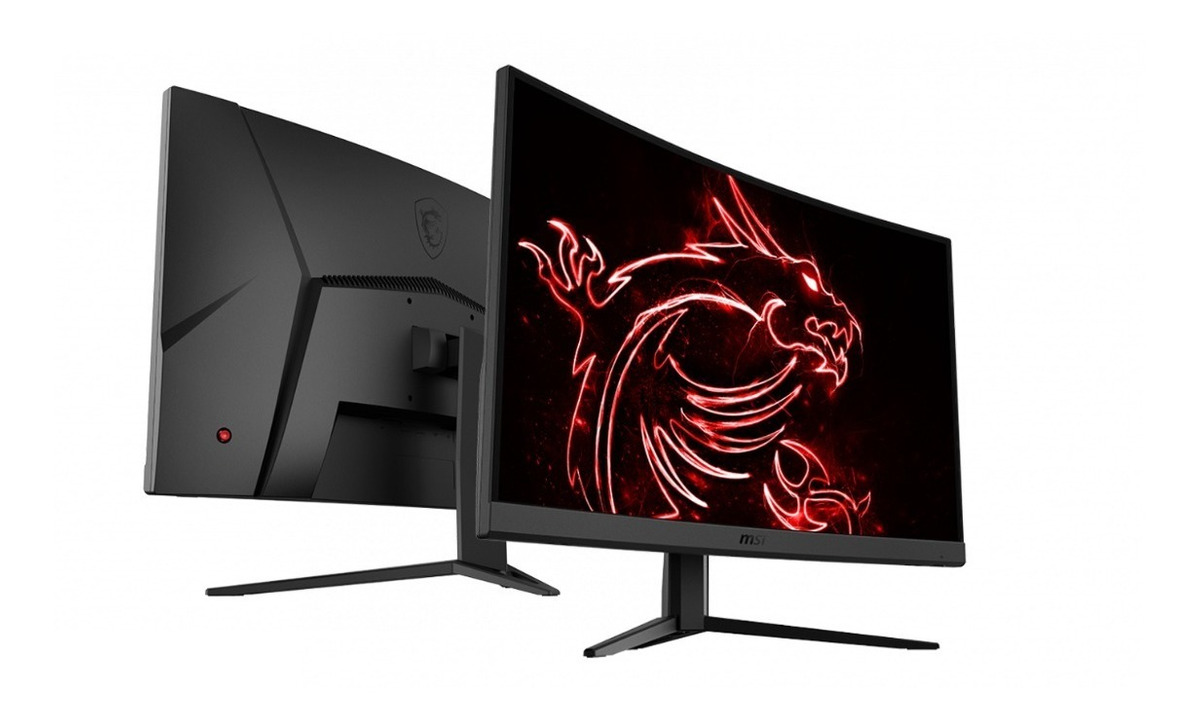
Whats the review on this monitor? MSI 27" Optix G27C2 Full HD 144Hz 1ms Curved Gaming Monitor? I will only use it for Gaming. How is the picture quality in games and so on?
I'm also looking at these monitors
Samsung 24" C24FG73 Full HD Freesync 144Hz 1ms Curved Gaming Monitor which one would be better?
That depends a lot on what you are used to. Some in game text might be difficult to read. Some HUDs will look rough or pixelated. In terms of being able to see a picture it will be effective enough.
I wouldn't do it today, when 27" monitors were new it was the only option, well that and 16:10. Given your GPU I would either go 24" 1920x1080 or 25" 2560x1080. Or spend on a 1440p display and plan on a GPU upgrade in the future. People tend to keep monitors a long time, more so than GPUs.
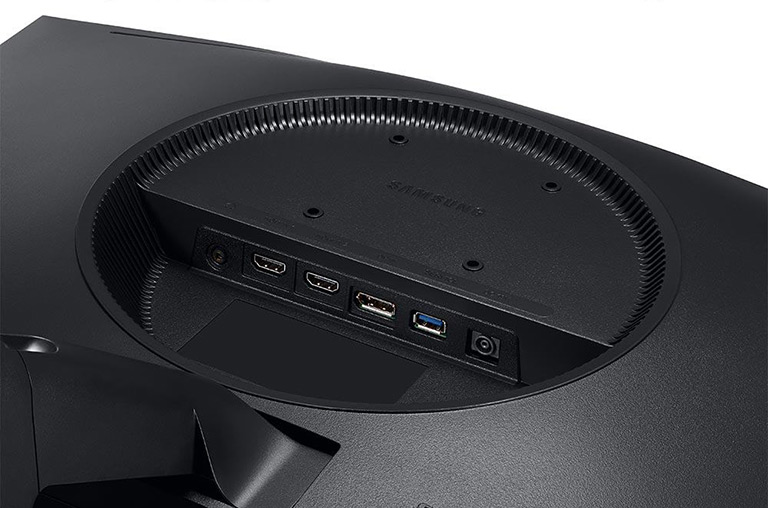
I haven't bought a monitor in 10 years so i don't know a lot about how freesync works so i wanted too ask what cable i should use with my MSI Optix G27C2 27" to get 144hz and freesync to work
harleylawson29 :
Glenwing :
harleylawson29 :
I haven't bought a monitor in 10 years so i don't know a lot about how freesync works so i wanted too ask what cable i should use with my MSI Optix G27C2 27" to get 144hz and freesync to work
DisplayPort
Any specific displayport cable link have bad experience buying cables i always seem to pick bad ones
https://www.amazon.com/dp/B00CD1FB3A/?tag=linus21-20
https://www.amazon.com/dp/B01JKH6LQK/?tag=linus21-20