と比較
Select..
23.6" AOC C24G1 - ¥ 21,477 23.8" AOC 24V2H - ¥ 28,259 23.8" AOC 24V2Q - ¥ 14,129 23.8" AOC AGON AG241QG - ¥ 18,519 23.8" AOC AGON AG241QX - ¥ 37,302 24" AOC 24G2 - ¥ 28,933 24" AOC G2460PF - ¥ 22,607 24" AOC G2460PG - ¥ 18,519 24" AOC G2460PG-2 - ¥ 18,519 24" AOC G2460VQ6 - ¥ 16,955 24.5" AOC AGON AG251FG - ¥ 73,475 24.5" AOC AGON AG251FZ - ¥ 73,475 24.5" AOC G2590FX - ¥ 22,607 24.5" AOC G2590PX - ¥ 14,129 24.5" AOC G2590PX/G2 - ¥ 25,886 24.5" AOC G2590VXQ - ¥ 25,344 27" AOC 27V2H - ¥ 17,384 27" AOC 27V2Q - ¥ 14,907 27" AOC AGON AG271QG - ¥ 38,434 27" AOC AGON AG272FCX - ¥ 112,814 27" AOC AGON AG272FCX6 - ¥ 112,814 27" AOC AGON AG273QCG - ¥ 112,814 27" AOC AGON AG273QCX - ¥ 56,519 27" AOC C2789FH8 - ¥ 33,792 27" AOC C27G1 - ¥ 29,164 27" AOC CQ27G1 - ¥ 29,389 27" AOC CQ27G2 - ¥ 29,389 27" AOC G2770PF - ¥ 34,251 27" AOC G2778VQ - ¥ 14,907 27" AOC G2790PX - ¥ 46,946 28" AOC G2868PQU - ¥ 27,129 28" AOC U2879VF - ¥ 47,499 31.5" AOC AGON AG322FCX - ¥ 12,433 31.5" AOC AGON AG322QC4 - ¥ 62,171 31.5" AOC AGON AG322QCX - ¥ 50,842 31.5" AOC C32G1 - ¥ 28,260 31.5" AOC CQ32G1 - ¥ 60,475 31.5" AOC Q3279VWF - ¥ 25,998 31.5" AOC Q3279VWFD8 - ¥ 25,998 32" AOC CQ32G1 - ¥ 45,215 34" AOC CU34G2X - ¥ 45,215 35" AOC AGON AG352QCX - ¥ 45,215 35" AOC AGON AG352UCG - ¥ 90,406 35" AOC AGON AG352UCG6 - ¥ 83,650 35" AOC C3583FQ - ¥ 65,932 23.6" AOpen 24HC1QR P - ¥ 14,469 23.6" AOpen 24HX2Q P - ¥ 19,776 23.8" AOpen 24ML1Y - ¥ 19,776 23.8" AOpen 24ML2Y - ¥ 33,911 24" AOpen 24MX1 - ¥ 13,564 27" AOpen 27HC1R P - ¥ 24,868 27" AOpen 27ML1 - ¥ 26,789 27" AOpen 27ML1U - ¥ 26,789 27" AOpen 27ML2 - ¥ 22,942 27" AOpen 27MX1 - ¥ 22,942 27" AOpen 27MX1U - ¥ 22,942 31.5" AOpen 32HC1QUR P - ¥ 40,581 14" ASUS ProArt PA148CTV - ¥ 45,103 14" ASUS ZenScreen MB14AC - ¥ 22,607 15" ASUS ZenScreen Go MB16AHP - ¥ 33,799 15" ASUS ZenScreen Touch MB16AMT - ¥ 41,824 16" ASUS ROG Strix XG16AHPE - ¥ 39,451 17" ASUS ROG Strix XG17AHPE - ¥ 53,016 24" ASUS TUF Gaming VG249Q1A - ¥ 19,104 24" ASUS VG245H - ¥ 37,301 24" ASUS VG246H - ¥ 14,468 24" ASUS VG248QE - ¥ 25,817 24" ASUS VG248QG - ¥ 21,311 25" ASUS ROG Swift 360Hz PG259QN - ¥ 45,041 25" ASUS TUF Gaming VG258QM - ¥ 34,760 25" ASUS TUF Gaming VG259QM - ¥ 40,581 27" ASUS TUF VG27VQ - ¥ 44,990 27" ASUS MX279HS - ¥ 25,886 27" ASUS ProArt Display PA278CV - ¥ 49,850 27" ASUS ProArt Display PA278QV - ¥ 32,669 27" ASUS ROG Strix XG279Q - ¥ 80,257 27" ASUS ROG Strix XG27AQ - ¥ 50,957 27" ASUS ROG Strix XG27UQ - ¥ 75,510 27" ASUS ROG Swift PG279Q - ¥ 80,257 27" ASUS ROG Swift PG279QM - ¥ 90,319 27" ASUS ROG Swift PG279QZ - ¥ 112,927 27" ASUS TUF Gaming VG27AQL1A - ¥ 47,706 27" ASUS TUF Gaming VG27WQ1B - ¥ 38,999 27" ASUS TUF VG27AQ - ¥ 44,990 27" ASUS VG279Q - ¥ 29,276 27" ASUS VG279QM - ¥ 38,602 32" ASUS TUF VG32VQ - ¥ 52,082 34" ASUS TUF Gaming VG34VQL1B - ¥ 51,876 42" ASUS ROG Swift OLED PG42UQ - ¥ 183,970 23" Acer SA230Аbi - ¥ 12,433 23.6" Acer ED242Q - ¥ 20,336 23.6" Acer ED242QR - ¥ 20,336 23.6" Acer ED242QRbi - ¥ 12,433 23.6" Acer KG241Q - ¥ 15,711 23.6" Acer KG241QA - ¥ 14,694 23.8" Acer B247Y - ¥ 16,055 23.8" Acer B247Y bmiprx - ¥ 16,390 23.8" Acer HA240Y - ¥ 14,694 23.8" Acer Nitro VG240 - ¥ 18,085 23.8" Acer Nitro VG240Y - ¥ 18,085 23.8" Acer Nitro VG240YU - ¥ 14,694 23.8" Acer Predator XB1 XB241YU - ¥ 31,650 23.8" Acer RG240 - ¥ 14,694 23.8" Acer SA240YA - ¥ 14,694 23.8" Acer V247Y bmipx - ¥ 15,024 23.8" Acer V247Ybi - ¥ 14,694 23.8" Acer V247Ybip - ¥ 14,694 23.8" Acer XF240YU - ¥ 37,302 24" Acer B247W - ¥ 23,203 24" Acer GF246 - ¥ 14,694 24" Acer KG241 - ¥ 23,736 24" Acer Nitro RG241Y Pbiipx - ¥ 17,690 24" Acer Nitro XF243Y Pbmiiprx - ¥ 20,646 24" Acer Predator XB1 XB241H - ¥ 56,519 24" Acer XB240HA - ¥ 12,433 24" Acer XF240H - ¥ 25,433 24.5" Acer KG251QD - ¥ 22,155 24.5" Acer KG251QF - ¥ 22,155 24.5" Acer KG251QG - ¥ 22,155 24.5" Acer KG251QH - ¥ 22,155 24.5" Acer KG251QI - ¥ 22,155 24.5" Acer KG251Qbiix - ¥ 22,155 24.5" Acer Predator XB2 XB252Q - ¥ 55,954 24.5" Acer XF250Q - ¥ 28,147 24.5" Acer XF250QA - ¥ 14,694 24.5" Acer XF250QB - ¥ 14,694 24.5" Acer XF250QD - ¥ 14,694 24.5" Acer XF251Q - ¥ 14,694 24.5" Acer XF252QX - ¥ 14,694 25" Acer Nitro XF252Q Xbmiiprzx - ¥ 46,064 25" Acer Nitro XV252Q Fbmiiprx - ¥ 30,747 25" Acer Predator X25 bmiiprzx - ¥ 45,328 27" Acer B277 - ¥ 34,477 27" Acer B277 bmiprczx - ¥ 22,204 27" Acer B277 bmiprx - ¥ 20,521 27" Acer B277U - ¥ 30,444 27" Acer B277Ubmiipprczx - ¥ 28,260 27" Acer ED273 Awidpx - ¥ 22,607 27" Acer ED273UR - ¥ 30,747 27" Acer GF276 - ¥ 13,564 27" Acer GF276A - ¥ 16,955 27" Acer HA270 - ¥ 16,955 27" Acer KG271 - ¥ 28,839 27" Acer KG271A - ¥ 29,277 27" Acer KG271B - ¥ 13,564 27" Acer KG271D - ¥ 13,564 27" Acer KG271E - ¥ 13,564 27" Acer KG271F - ¥ 16,955 27" Acer KG271U - ¥ 25,998 27" Acer KG271U Abmiipx - ¥ 29,163 27" Acer Nitro VG270 - ¥ 27,921 27" Acer Nitro VG270U - ¥ 27,921 27" Acer Nitro VG270UP - ¥ 27,921 27" Acer Nitro VG271 Pbmiipx - ¥ 37,642 27" Acer Nitro VG271UP Pbmiipx - ¥ 14,694 27" Acer Nitro XF272U - ¥ 28,259 27" Acer Nitro XV272U - ¥ 28,259 27" Acer Nitro XV272U KVbmiiprzx - ¥ 28,259 27" Acer Nitro XV273 Xbmiiprzx - ¥ 28,259 27" Acer Nitro XV3 XV273K - ¥ 90,319 27" Acer PE270K - ¥ 36,172 27" Acer Predator Z1 Z271U - ¥ 31,650 27" Acer Predator X27 - ¥ 186,403 27" Acer Predator X27 bmiphzx - ¥ 192,619 27" Acer Predator XB1 XB271H - ¥ 53,355 27" Acer Predator XB1 XB271HU - ¥ 62,059 27" Acer Predator XB1 XB271HUA - ¥ 31,650 27" Acer Predator XB1 XB271HUT - ¥ 31,650 27" Acer Predator XB270H - ¥ 47,019 27" Acer Predator XB271HU Bmiprz - ¥ 31,650 27" Acer Predator XB273K - ¥ 112,927 27" Acer Predator XB273K Pbmiphzx - ¥ 135,648 27" Acer Predator XB273U GXbmiipruzx - ¥ 47,364 27" Acer Predator Z1 Z271 - ¥ 31,650 27" Acer Predator Z1 Z271T - ¥ 39,451 27" Acer Predator Z271UV - ¥ 47,019 27" Acer RG270 - ¥ 18,765 27" Acer RG270 bmipx - ¥ 22,607 27" Acer V277 - ¥ 16,955 27" Acer V277bi - ¥ 13,564 27" Acer V277bip - ¥ 25,964 27" Acer VG271P - ¥ 13,564 27" Acer VG271UP - ¥ 42,617 27" Acer XB270HA - ¥ 13,564 27" Acer XB270HU - ¥ 59,910 27" Acer XB270HUD - ¥ 44,990 27" Acer XF270HA - ¥ 32,782 27" Acer XF270HB - ¥ 13,564 27" Acer XF270HBbmiiprx - ¥ 28,259 27" Acer XF270HC - ¥ 13,564 27" Acer XF270HU - ¥ 28,259 27" Acer XF270HUA - ¥ 39,450 27" Acer XG270HU - ¥ 42,514 27" Acer XN253QP - ¥ 50,867 27" Acer XN253QX - ¥ 13,564 27" Acer XZ271 - ¥ 13,564 27" Acer XZ271U - ¥ 55,277 28" Acer Nitro XV282K KVbmiipruzx - ¥ 73,357 28" Acer RT280K - ¥ 12,433 28" Acer XB280HK - ¥ 44,990 29" Acer XF290CB - ¥ 12,433 30" Acer Predator Z301CT - ¥ 16,955 31.5" Acer ED323QUR Abidpx - ¥ 39,563 31.5" Acer ED323QUR widpx - ¥ 12,433 31.5" Acer ET322QK - ¥ 45,215 31.5" Acer ET322QK Abmiipx - ¥ 33,911 31.5" Acer ET322QK Bbmiiprx - ¥ 45,215 31.5" Acer ET322QU - ¥ 39,563 31.5" Acer ET322QUAbmiprx - ¥ 25,870 31.5" Acer Predator XZ1 XZ321QU - ¥ 55,277 31.5" Acer Predator Z1 Z321Q - ¥ 12,433 31.5" Acer Predator Z1 Z321QU - ¥ 67,711 31.5" Acer XZ321Q - ¥ 55,277 34" Acer BX340C - ¥ 14,694 34" Acer BX340CK - ¥ 14,694 34" Acer ED347CKR - ¥ 14,693 34" Acer Nitro XV340CK Pbmiipphzx - ¥ 46,571 34" Acer Predator X34 - ¥ 145,822 34" Acer Predator X34P - ¥ 92,693 34" Acer XR341CK - ¥ 11,869 34" Acer XR342CK - ¥ 103,908 34" Acer XR342CKP - ¥ 32,667 35" Acer CZ350CK - ¥ 11,869 35" Acer Predator Z35 - ¥ 84,779 35" Acer Predator Z35P - ¥ 84,779 35" Acer XZ350CUbmijphz - ¥ 14,694 37.5" Acer XR382CQK - ¥ 98,308 49" Acer EI491CR - ¥ 89,183 27" Apple Studio Display - ¥ 163,795 23.6" Asus VP247QG - ¥ 15,259 23.8" Asus XG248Q - ¥ 39,451 24" Asus MG248QE - ¥ 43,633 24" Asus MG248QR - ¥ 28,933 24" Asus PG248Q - ¥ 39,563 24" Asus VG245H - ¥ 20,346 24" Asus VG245HE - ¥ 20,346 24" Asus VG245Q - ¥ 31,727 24" Asus VG248QG - ¥ 28,259 24" Asus VP248H - ¥ 25,886 24" Asus VP248HL - ¥ 25,886 24" Asus VP248QG - ¥ 16,955 24" Asus VP248QGL - ¥ 16,955 24" Asus VP248QGL-P - ¥ 25,886 24.5" Asus RoG Strix XG258Q - ¥ 45,215 24.5" Asus RoG Swift PG258Q - ¥ 54,258 24.5" Asus VG255H - ¥ 16,956 24.5" Asus VG258Q - ¥ 31,538 24.5" Asus VG258QR - ¥ 23,737 27" Asus MG278Q - ¥ 45,215 27" Asus MG279Q - ¥ 45,215 27" Asus MX27UQ - ¥ 31,650 27" Asus PB27UQ - ¥ 15,825 27" Asus RoG Strix XG27VQ - ¥ 37,190 27" Asus RoG Swift PG278Q - ¥ 61,041 27" Asus RoG Swift PG278QE - ¥ 79,015 27" Asus RoG Swift PG278QR - ¥ 61,041 27" Asus RoG Swift PG279Q - ¥ 62,414 27" Asus RoG Swift PG27UQ - ¥ 203,359 27" Asus RoG Swift PG27VQ - ¥ 79,127 27" Asus TUF Gaming VG27AQE - ¥ 44,990 27" Asus VG275Q - ¥ 29,389 27" Asus VG278Q - ¥ 32,556 27" Asus VG278QF - ¥ 38,999 27" Asus VG278QR - ¥ 42,955 27" Asus VG279Q - ¥ 37,915 27" Asus VL278H - ¥ 25,886 27" Asus VL278HE - ¥ 25,886 27" Asus VP278QG - ¥ 23,737 27" Asus VP278QGL - ¥ 23,737 27" Asus VP279QG - ¥ 25,886 27" Asus VP279QGL - ¥ 15,825 31.5" Asus MX32VQ - ¥ 46,570 31.5" Asus RoG Strix XG32VQ - ¥ 62,059 31.5" Asus RoG Strix XG32VQR - ¥ 62,059 34" Asus MX34VQ - ¥ 14,694 34" Asus ProArt PA34V - ¥ 119,071 34" Asus ProArt PA34VC - ¥ 119,071 34" Asus RoG Swift PG348Q - ¥ 84,779 34" Asus RoG Swift PG349Q - ¥ 112,927 35" Asus RoG Strix XG35VQ - ¥ 14,694 35" Asus RoG Swift PG35VQ - ¥ 14,694 37.5" Asus MX38VC - ¥ 138,325 49" Asus VG49V - ¥ 101,623 49" Asus XG49VQ - ¥ 101,623 24" BenQ XL2420G - ¥ 13,564 24" BenQ ZOWIE XL2411P - ¥ 39,563 25" BenQ ZOWIE XL2540 - ¥ 27,017 25" BenQ ZOWIE XL2546K - ¥ 48,494 25" BenQ ZOWIE XL2566K - ¥ 84,154 27" BenQ EX2780Q - ¥ 56,402 27" BenQ PD2700U - ¥ 61,041 27" BenQ XL2720G - ¥ 16,955 27" BenQ XL2730Z - ¥ 16,955 27" BenQ ZOWIE XL2735 - ¥ 22,495 28" BenQ EL2870U - ¥ 39,561 31.5" BenQ EW3270U - ¥ 54,644 31.5" BenQ EX3203R - ¥ 67,711 32" BenQ EW3270U - ¥ 45,215 35" BenQ EX3501R - ¥ 84,667 27" Cooler Master Tempest GP27U - ¥ 119,020 32" Corsair XENEON 32QHD165 - ¥ 107,387 14" Dell C1422H - ¥ 30,520 22" Dell E2220H - ¥ 14,590 23.8" Dell InfinityEdge S2418HN - ¥ 17,971 23.8" Dell InfinityEdge S2418HX - ¥ 14,128 23.8" Dell S2417DG - ¥ 41,824 24" Dell S2417DG - ¥ 39,563 24" Dell S2419HGF - ¥ 19,211 24" Dell S2419HGF - ¥ 42,405 24" Dell S2421H - ¥ 16,955 24.5" Dell Alienware AW2518H - ¥ 37,322 24.5" Dell Alienware AW2518HF - ¥ 37,322 25" Dell Alienware AW2521H - ¥ 53,468 25" Dell Alienware AW2521HF - ¥ 47,364 25" Dell Alienware AW2523HF - ¥ 33,911 25" Dell U2518D - ¥ 62,171 25" Dell UltraSharp U2520D - ¥ 41,264 27" Dell Alienware AW2720HF - ¥ 79,127 27" Dell Alienware AW2721D - ¥ 124,788 27" Dell Alienware AW2723DF - ¥ 73,475 27" Dell D2719HGF - ¥ 20,346 27" Dell G2722HS - ¥ 22,043 27" Dell S2716DG - ¥ 50,539 27" Dell S2716DG - ¥ 73,475 27" Dell S2718H - ¥ 27,303 27" Dell S2718HN - ¥ 59,684 27" Dell S2718HX - ¥ 59,684 27" Dell S2718NX - ¥ 59,684 27" Dell S2719DGF - ¥ 33,911 27" Dell S2719DGF - ¥ 42,615 27" Dell S2721D - ¥ 32,296 27" Dell S2721DGF - ¥ 49,625 27" Dell S2721HGF - ¥ 32,325 27" Dell S2721QS - ¥ 28,259 27" Dell S2722DGM - ¥ 33,911 27" Dell S2722QC - ¥ 45,215 27" Dell SE2717H - ¥ 18,991 27" Dell U2718Q - ¥ 75,624 27" Dell U2723QE - ¥ 58,555 27" Dell UltraSharp U2720Q - ¥ 59,684 27" Dell UltraSharp U2721DE - ¥ 38,433 27" Dell UltraThin S2719DM - ¥ 28,259 32" Dell G3223Q - ¥ 101,623 32" Dell P3223DE - ¥ 56,407 32" Dell S3219D - ¥ 33,234 32" Dell S3220DGF - ¥ 56,407 32" Dell S3221QS - ¥ 40,693 32" Dell S3222DGM - ¥ 50,868 32" Dell U3219Q - ¥ 105,692 32" Dell U3223QE - ¥ 93,822 34" Dell Alienware AW3418DW - ¥ 327,703 34" Dell Alienware AW3420DW - ¥ 80,824 34" Dell Alienware AW3423DW - ¥ 134,628 34" Dell Alienware AW3423DWF - ¥ 134,628 34" Dell S3422DWG - ¥ 45,215 34.13" Dell Alienware AW3418HW - ¥ 45,215 34.14" Dell Alienware AW3418DW - ¥ 95,971 38" Dell Alienware AW3821DW - ¥ 124,788 38" Dell U3818DW - ¥ 158,255 40" Dell UltraSharp U4021QW - ¥ 214,775 27" EIZO Foris FS2735 - ¥ 33,911 27" Gamemax GMX27C144 - ¥ 17,917 31.5" Gamemax GMX32CEWQ - ¥ 12,432 24.5" Gigabyte AORUS KD25F - ¥ 50,867 27" Gigabyte AORUS AD27QD - ¥ 65,780 27" Gigabyte AORUS CV27F - ¥ 65,780 27" Gigabyte AORUS FI27Q - ¥ 65,780 27" Gigabyte AORUS FI27Q-X - ¥ 65,780 27" Gigabyte Aorus AD27QD - ¥ 67,823 27" Gigabyte G27Q - ¥ 45,215 27" Gigabyte G27QC - ¥ 31,650 27" Gigabyte M27Q - ¥ 33,911 27" Gigabyte M27Q X - ¥ 48,606 28" Gigabyte M28U - ¥ 56,519 32" Gigabyte AORUS FI32U - ¥ 84,779 32" Gigabyte G32QC - ¥ 33,911 32" Gigabyte M32Q - ¥ 56,519 32" Gigabyte M32U - ¥ 73,927 32" Gigabyte M32UC - ¥ 71,214 34" Gigabyte G34WQC - ¥ 42,954 34" Gigabyte M34WQ - ¥ 47,476 43" Gigabyte AORUS FV43U - ¥ 79,127 48" Gigabyte AORUS FO48U OLED - ¥ 124,343 23" HP 23f - ¥ 25,418 23.8" HP 24f - ¥ 31,276 23.8" HP 24fh - ¥ 17,917 23.8" HP 24fw - ¥ 20,346 23.8" HP 24fwа - ¥ 13,985 24" HP X24ih - ¥ 20,346 24.5" HP 25mx - ¥ 27,582 24.5" HP 25x - ¥ 50,867 24.5" HP Omen 25 - ¥ 24,643 25" HP 25f - ¥ 15,825 27" HP 27F - ¥ 21,014 27" HP 27f - ¥ 20,346 27" HP 27fh - ¥ 112,927 27" HP 27fw - ¥ 36,172 27" HP 27mx - ¥ 17,917 27" HP 27q - ¥ 67,823 27" HP 27x - ¥ 33,799 27" HP 27xq - ¥ 45,216 27" HP OMEN 27c - ¥ 43,519 27" HP OMEN 27i - ¥ 49,965 27" HP OMEN X 27 - ¥ 109,593 27" HP Omen 27 - ¥ 67,823 27" HP X27q - ¥ 23,737 32" HP Omen 32 - ¥ 42,842 32" HP Pavilion 32 QHD - ¥ 323,181 32" HP Pavilion 32 QHD - ¥ 323,181 32" HP Pavilion 32 QHD - ¥ 323,181 32" HP Pavilion 32 QHD - ¥ 323,181 32" HP Pavilion 32 QHD - ¥ 323,181 32" HP Pavilion 32 QHD - ¥ 323,181 32" HP Pavilion 32 QHD - ¥ 323,181 32" HP Pavilion 32 QHD - ¥ 323,181 32" HP Pavilion Gaming 32 HDR - ¥ 35,198 34" HP Envy 34 - ¥ 372,919 35.03" HP Omen X 35 - ¥ 85,457 24" Hanns.G HG244PJB - ¥ 19,206 31.5" Hanns.G HG324QJB - ¥ 15,825 24" Iiyama G-Master GB2488HSU-B2 - ¥ 29,433 24" Iiyama G-Master GB2488HSU-B3 - ¥ 13,564 24" Iiyama G-Master GE2488HS-B2 - ¥ 11,682 24.5" Iiyama G-Master G2530HSU-B1 - ¥ 13,564 24.5" Iiyama G-Master GB2530HSU-B1 - ¥ 213,646 24.5" Iiyama G-Master GB2560HSU-B1 - ¥ 13,564 24.5" Iiyama ProLite E2591HSU-B1 - ¥ 24,189 24.95" Iiyama ProLite XU2595WSU-B1 - ¥ 39,224 24.95" Iiyama ProLite XUB2595WSU-B1 - ¥ 43,294 27" Iiyama G-Master G2730HSU-B1 - ¥ 22,942 27" Iiyama G-Master GB2730HSU-B1 - ¥ 27,117 27" Iiyama G-Master GB2730QSU-B1 - ¥ 34,364 27" Iiyama G-Master GB2760HSU-B1 - ¥ 38,434 27" Iiyama G-Master GB2760QSU-B1 - ¥ 22,942 27" Iiyama G-Master GB2783QSU - ¥ 25,886 27" Iiyama G-Master GB2788HS-B1 - ¥ 13,564 27" Iiyama G-Master GB2788HS-B2 - ¥ 13,564 27" Iiyama ProLite B2783QSU - ¥ 36,409 27" Iiyama ProLite B2791HSU - ¥ 22,942 27" Iiyama ProLite E2783QSU - ¥ 33,911 27" Iiyama ProLite X2788QS-B1 - ¥ 213,646 27" Iiyama ProLite XB2788QS-B1 - ¥ 213,646 27" Iiyama ProLite XUB2792QSU - ¥ 36,409 28" Iiyama G-Master GB2888UHSU - ¥ 13,564 28" Iiyama ProLite B2875UHSU-B1 - ¥ 39,224 31.5" Iiyama G-Master G3266HS-B1 - ¥ 12,433 23.6" LG 24GL600F - ¥ 19,782 23.8" LG 24MK400H - ¥ 13,564 23.8" LG 24MK430H - ¥ 15,825 23.8" LG 24MK600M - ¥ 18,758 23.8" LG 24MP59G - ¥ 15,429 23.8" LG 24MP68VQ - ¥ 20,932 24" LG 24GL600F - ¥ 18,085 24" LG 24GM79G - ¥ 28,192 27" LG 27GK750F - ¥ 38,518 27" LG 27GL650F-B - ¥ 32,669 27" LG 27GL83A-B - ¥ 33,911 27" LG 27GL850-B - ¥ 48,603 27" LG 27GN650-B - ¥ 29,529 27" LG 27GN750-B - ¥ 48,438 27" LG 27GN800-B - ¥ 33,572 27" LG 27GN850-B - ¥ 48,603 27" LG 27GN880-B - ¥ 70,054 27" LG 27GN950-B - ¥ 76,966 27" LG 27GP83B-B - ¥ 48,603 27" LG 27GP850-B - ¥ 48,603 27" LG 27GP950-B - ¥ 90,431 27" LG 27MK400H - ¥ 16,955 27" LG 27MK430H - ¥ 15,699 27" LG 27MK600M - ¥ 19,104 27" LG 27MK60TM - ¥ 16,616 27" LG 27MN60T-W - ¥ 12,433 27" LG 27MP59G - ¥ 28,147 27" LG 27MP89HM - ¥ 12,433 27" LG 27UK650-W - ¥ 37,302 27" LG UltraGear 27GL850G - ¥ 76,966 29" LG 29UM50 - ¥ 12,433 29" LG 29UM59 - ¥ 24,303 29" LG 29UM60 - ¥ 143,448 29" LG 29UM67 - ¥ 50,857 29" LG 29UM68-P - ¥ 33,911 29" LG 29UM69G - ¥ 25,977 29" LG 29WK500 - ¥ 25,015 29" LG 29WK50S - ¥ 23,146 29" LG 29WK600 - ¥ 42,842 31.5" LG 32GK650F - ¥ 37,190 31.5" LG 32GK850F - ¥ 46,935 31.5" LG 32GK850G - ¥ 64,659 31.5" LG 32QK500 - ¥ 33,233 32" LG 32GK650F-B - ¥ 31,311 32" LG 32GK850G-B - ¥ 34,929 32" LG 32GN50T-B - ¥ 20,346 32" LG 32GN600-B - ¥ 24,600 32" LG 32GN63T-B - ¥ 23,737 32" LG 32GN650-B - ¥ 42,615 32" LG 32GP850-B - ¥ 86,928 32" LG 32GQ950-B - ¥ 112,700 32" LG 32QN55T-B - ¥ 22,607 32" LG 32UD99-W - ¥ 117,787 32" LG 32UL500-W - ¥ 33,233 32" LG 32UL950-W - ¥ 117,787 34" LG 34CB88 - ¥ 14,694 34" LG 34CB88-A - ¥ 14,694 34" LG 34GK950F-B - ¥ 79,830 34" LG 34GN850-B - ¥ 79,127 34" LG 34GP83A-B - ¥ 79,830 34" LG 34GP950G-B - ¥ 101,396 34" LG 34UC79G - ¥ 57,617 34" LG 34UC88 - ¥ 65,562 34" LG 34UC89G - ¥ 67,424 34" LG 34UC98 - ¥ 89,302 34" LG 34UC99 - ¥ 14,694 34" LG 34UM59 - ¥ 36,000 34" LG 34UM60 - ¥ 33,799 34" LG 34UM61 - ¥ 37,294 34" LG 34UM67 - ¥ 66,581 34" LG 34UM68-P - ¥ 39,338 34" LG 34UM69G - ¥ 39,338 34" LG 34WK500 - ¥ 39,333 34" LG 34WK650 - ¥ 42,954 34" LG UltraGear 34GK950F - ¥ 89,302 34" LG UltraGear 34GK950G - ¥ 14,694 35" LG 35WN65C-B - ¥ 33,911 37.5" LG 38UC99 - ¥ 112,927 37.5" LG 38WK95C - ¥ 164,279 37.5" LG UltraGear 38GL950G - ¥ 155,268 38" LG 38GL950G-B - ¥ 113,039 38" LG 38GN950-B - ¥ 84,779 38" LG 38WN95C-W - ¥ 138,325 40" LG 40WP95C-W - ¥ 188,403 42" LG 42 C2 OLED - ¥ 93,822 48" LG 48 C1 OLED - ¥ 158,404 48" LG 48 CX OLED - ¥ 120,836 48" LG 48GQ900-B - ¥ 89,241 49" LG 49WL95C-W - ¥ 113,039 14" Lenovo ThinkVision M14 - ¥ 28,147 23.8" Lenovo ThinkVision L24e-20 - ¥ 16,390 24.5" Lenovo Legion Y25F-10 - ¥ 36,210 27" Lenovo D27-30 - ¥ 14,129 27" Lenovo L27i-28 - ¥ 15,825 27" Lenovo L27m-28 - ¥ 24,125 27" Lenovo Legion Y27gq-25 - ¥ 50,867 27" Lenovo Legion Y27q-20 - ¥ 48,472 27" Lenovo Q27q-10 - ¥ 32,991 27" Lenovo Y27f - ¥ 48,606 27" Lenovo Y27g - ¥ 14,129 43.4" Lenovo Legion Y44w-10 - ¥ 29,433 43.4" Lenovo ThinkVision P44w-10 - ¥ 124,231 15" Lepow Z1 - ¥ 22,607 15" Lepow Z1 Gamut - ¥ 22,607 15" MSI Optix MAG161V - ¥ 29,502 23.6" MSI Optix G24C - ¥ 22,602 23.6" MSI Optix MAG240VC - ¥ 23,737 23.6" MSI Optix MAG241C - ¥ 22,495 23.6" MSI Optix MAG241CR - ¥ 16,277 23.6" MSI Optix MAG24C - ¥ 24,756 24.5" MSI Oculux NXG251R - ¥ 42,954 25" MSI Oculux NXG253R - ¥ 49,737 27" MSI Optix G272 - ¥ 29,389 27" MSI Optix G273 - ¥ 16,944 27" MSI Optix G273QF - ¥ 39,184 27" MSI Optix G27C - ¥ 27,129 27" MSI Optix G27C2 - ¥ 27,129 27" MSI Optix G27C4 - ¥ 25,269 27" MSI Optix G27C5 - ¥ 33,911 27" MSI Optix G27C6 - ¥ 25,269 27" MSI Optix G27CQ4 - ¥ 27,104 27" MSI Optix MAG270VC - ¥ 42,809 27" MSI Optix MAG271C - ¥ 45,215 27" MSI Optix MAG271CQR - ¥ 45,215 27" MSI Optix MAG271CQR - ¥ 44,419 27" MSI Optix MAG271CR - ¥ 33,911 27" MSI Optix MAG271R - ¥ 35,207 27" MSI Optix MAG273R - ¥ 39,110 27" MSI Optix MAG274QRF-QD - ¥ 46,115 27" MSI Optix MAG27C - ¥ 44,728 27" MSI Optix MAG27CQ - ¥ 44,728 27" MSI Optix MPG27C - ¥ 51,313 27" MSI Optix MPG27CQ - ¥ 50,867 31.5" MSI Optix AG32C - ¥ 35,016 31.5" MSI Optix AG32CQ - ¥ 12,433 31.5" MSI Optix AG32CV - ¥ 12,433 31.5" MSI Optix MAG321CQR - ¥ 47,949 34" MSI Optix MAG341CQ - ¥ 48,494 27" Medion Erazer X57425 - ¥ 34,165 31.5" Medion Erazer X58426 - ¥ 12,433 34" Medion Akoya X58434 - ¥ 14,694 13" Mobile Pixels DUEX Plus - ¥ 25,307 13" Mobile Pixels TRIO - ¥ 65,008 24" Nixeus VUE 24 - ¥ 16,391 24" Nixeus VUE 24B - ¥ 11,682 27" Nixeus EDG 27 - ¥ 45,215 27" Nixeus EDG 27 v2 - ¥ 76,866 27" Nixeus EDG 27240 - ¥ 76,866 27" Nixeus EDG 27240S - ¥ 76,866 27" Nixeus EDG 27S - ¥ 47,815 27" Nixeus EDG 27S v2 - ¥ 33,911 34" Nixeus EDG 34 - ¥ 52,596 24" Ozone DSP24 - ¥ 11,682 27" Ozone DSP27 - ¥ 22,942 23.6" Philips 248E9QHSB - ¥ 13,985 23.6" Philips 248E9QSB - ¥ 25,886 23.8" Philips 245E1S - ¥ 180,863 23.8" Philips 246E9QDSB - ¥ 13,565 23.8" Philips 246E9QJAB - ¥ 11,682 27" Philips 276E9QDSB - ¥ 16,202 27" Philips 276E9QJAB - ¥ 22,942 27" Philips 278E8QJAB - ¥ 29,389 27" Philips 278E8QJAW - ¥ 29,389 27" Philips 278E9QHSB - ¥ 29,389 27" Philips 278E9QJAB - ¥ 22,374 31.5" Philips 322E1C - ¥ 12,433 31.5" Philips 325E1C - ¥ 12,432 31.5" Philips 326E8FJSB - ¥ 31,763 31.5" Philips 328E1CA - ¥ 12,433 31.5" Philips 328E9FJAB - ¥ 15,825 31.5" Philips 328E9FJSB - ¥ 12,433 31.5" Philips 328E9QJAB - ¥ 25,998 31.5" Philips 328M6FJMB - ¥ 28,259 34" Philips 349P7FUBEB - ¥ 14,693 34" Philips 349X7FJEW - ¥ 14,694 34.6" Philips 356M6QJAB - ¥ 14,693 42.5" Philips Momentum 436M6VBPAB - ¥ 113,039 43" Philips Momentum 436M6VBPAB - ¥ 67,144 27" Pixio PX7 Prime - ¥ 29,389 27" Razer Raptor 27 - ¥ 56,519 27" Razer Raptor 27 144Hz - ¥ 65,558 27" Razer Raptor 27 165Hz - ¥ 56,519 23.5" Samsung S24F350F - ¥ 16,843 23.5" Samsung S24F356FHU - ¥ 13,564 23.5" Samsung U24E850R - ¥ 13,564 23.6" Samsung C24FG70 - ¥ 31,276 23.6" Samsung C24FG73 - ¥ 13,564 23.6" Samsung C24RG50 - ¥ 13,564 23.6" Samsung S24E370D - ¥ 33,787 23.6" Samsung U24E590D - ¥ 42,728 23.8" Samsung S24H850 - ¥ 33,372 23.8" Samsung S24H850QFI - ¥ 73,249 24" Samsung Odyssey G3 S24AG30 - ¥ 47,816 24.5" Samsung S25HG50 - ¥ 42,728 27" Samsung C27FG70 - ¥ 39,480 27" Samsung C27FG73 - ¥ 35,041 27" Samsung C27H711QEU - ¥ 24,524 27" Samsung C27HG70 - ¥ 51,997 27" Samsung C27RG5 - ¥ 145,815 27" Samsung CHG70 - ¥ 213,646 27" Samsung JG50 - ¥ 50,867 27" Samsung Odyssey G3 F27G35T - ¥ 24,126 27" Samsung Odyssey G4/G40B S27BG40 - ¥ 31,198 27" Samsung Odyssey G5 C27G55T - ¥ 50,867 27" Samsung Odyssey G5 S27AG50 - ¥ 47,816 27" Samsung Odyssey G5/G55A S27AG55 - ¥ 27,298 27" Samsung S27E370D - ¥ 25,998 27" Samsung S27F350F - ¥ 23,162 27" Samsung S27F358F - ¥ 56,293 27" Samsung S27H850 - ¥ 22,942 27" Samsung S27H850QFI - ¥ 50,641 28" Samsung Odyssey G7 S28AG70 - ¥ 67,823 28" Samsung U28E570D - ¥ 33,911 28" Samsung U28E590D - ¥ 37,190 28" Samsung U28E850R - ¥ 67,258 28" Samsung UE590 - ¥ 49,625 31.5" Samsung C32H711QEU - ¥ 56,293 31.5" Samsung C32HG70 - ¥ 61,041 31.5" Samsung U32E850R - ¥ 12,433 31.5" Samsung U32J590 - ¥ 41,824 32" Samsung Odyssey G6 S32BG65 - ¥ 77,392 32" Samsung Odyssey G7 C32G75T - ¥ 77,392 32" Samsung Odyssey G7/G70B S32BG70 - ¥ 79,127 32" Samsung Odyssey Neo G7 S32BG75 - ¥ 146,951 32" Samsung Odyssey Neo G8 S32BG85 - ¥ 142,996 32" Samsung Smart Monitor M8 S32BM80 - ¥ 58,192 32" Samsung T55 - ¥ 25,998 32" Samsung U32J590 - ¥ 33,911 34" Samsung C34F791 - ¥ 86,059 34" Samsung C34H890 - ¥ 77,942 34" Samsung C34J791 - ¥ 71,102 34" Samsung Odyssey G5 C34G55T - ¥ 50,867 34" Samsung S34J55W - ¥ 29,433 43" Samsung 43 QN90B QLED - ¥ 101,509 43" Samsung Smart Monitor M7 S43BM70 - ¥ 33,911 48.5" Samsung QN49Q70R - ¥ 124,117 49" Samsung C49HG90 - ¥ 113,039 49" Samsung C49RG9/CRG9 - ¥ 101,735 49" Samsung C49RG90 - ¥ 224,950 49" Samsung Odyssey G9 - ¥ 150,228 49" Samsung Odyssey Neo G9 - ¥ 213,646 27" Sony INZONE M3 - ¥ 56,294 27" Sony INZONE M9 - ¥ 101,510 42" Sony 42 A90K OLED - ¥ 129,770 15" ViewSonic VG1655 - ¥ 22,607 23.6" ViewSonic VX2457-mhd - ¥ 14,242 23.6" ViewSonic VX2458-C-mhd - ¥ 26,677 23.6" ViewSonic VX2458-mhd - ¥ 18,311 24" ViewSonic XG2401 - ¥ 22,579 24" ViewSonic XG2402 - ¥ 27,129 24" ViewSonic XG2402 - ¥ 14,920 24" ViewSonic XG240R - ¥ 26,450 24" ViewSonic XG2431 - ¥ 53,017 24.5" ViewSonic XG2530 - ¥ 32,669 24.5" ViewSonic XG2560 - ¥ 66,262 27" ViewSonic Elite XG270 - ¥ 48,606 27" ViewSonic Elite XG270QG - ¥ 53,128 27" ViewSonic VX2757 - ¥ 19,104 27" ViewSonic VX2758-2KP-MHD - ¥ 45,103 27" ViewSonic VX2758-C-mh - ¥ 23,398 27" ViewSonic XG2701 - ¥ 31,650 27" ViewSonic XG2702 - ¥ 31,085 27" ViewSonic XG2703-GS - ¥ 110,858 27" ViewSonic XG2730 - ¥ 15,825 27" ViewSonic XG2760 - ¥ 33,911 31.5" ViewSonic VX3258-2KC-mhd - ¥ 38,659 31.5" ViewSonic VX3258-PC-mhd - ¥ 12,433 31.5" ViewSonic XG3202-C - ¥ 12,433 31.5" ViewSonic XG3240C - ¥ 12,433 35" ViewSonic XG350R-C - ¥ 71,214 27" Yashi YZ2707 - ¥ 14,469 27" Yashi YZ2709 - ¥ 44,990 27" Yashi YZ2717 - ¥ 33,911 35" Yashi YZ3521 - ¥ 14,694














グラフィックカードを購入する前に考慮すべきこと
新しいグラフィックカードを購入してシステムをアップグレードすることを計画していた場合。それから考慮すべきいくつかの重要な要素があります。
解像度と品質:ゲームパフォーマンスへの影響
ゲームのパフォーマンスに影響するものは何ですか?明快さまたは詳細?
PCゲームにおけるUltra VS高品質設定
各プレイヤーは、PCゲームの理想的な設定について異なる考え方を持っています。しかし、ほとんどの場合、高品質のグラフィック構成を選択するのが良い方法です。
CPUやGPUのボトルネックとは何ですか?
あなたは突然のフレームドロップを受けていますか?ボトルネックがあるかもしれません。
私にとって許容できるFPS速度は?
ゲームによっては、それでも低いフレームレートで素晴らしいニンニクを楽しむことができます。
GPU Hierarchy
GPU Compare
CPU Compare
Gaming Laptops
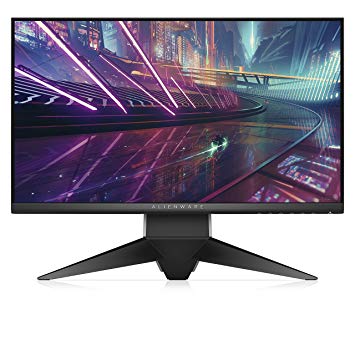
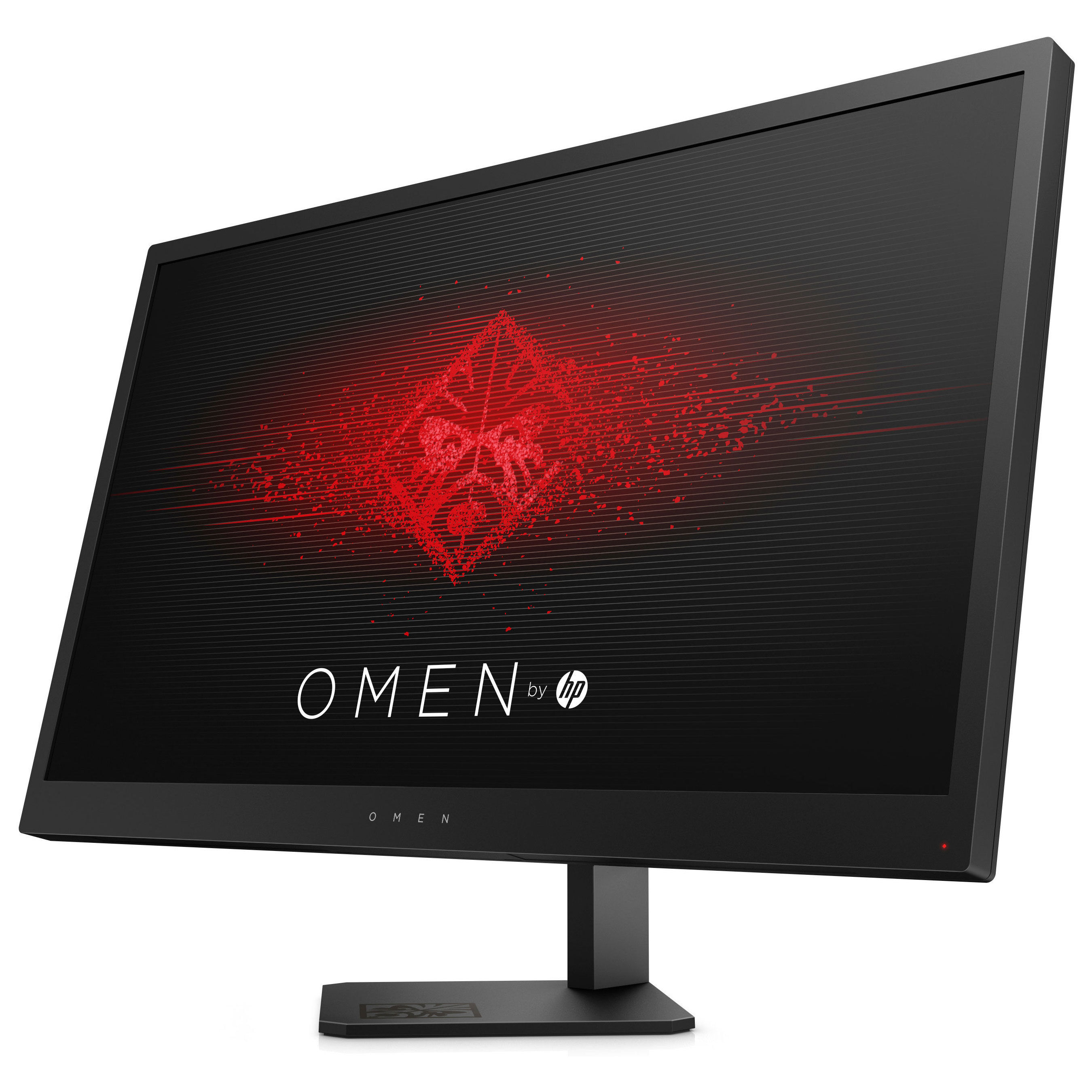
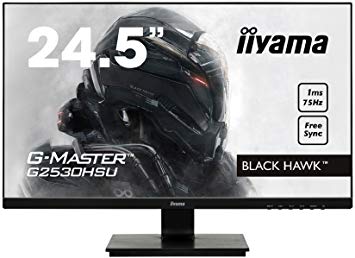
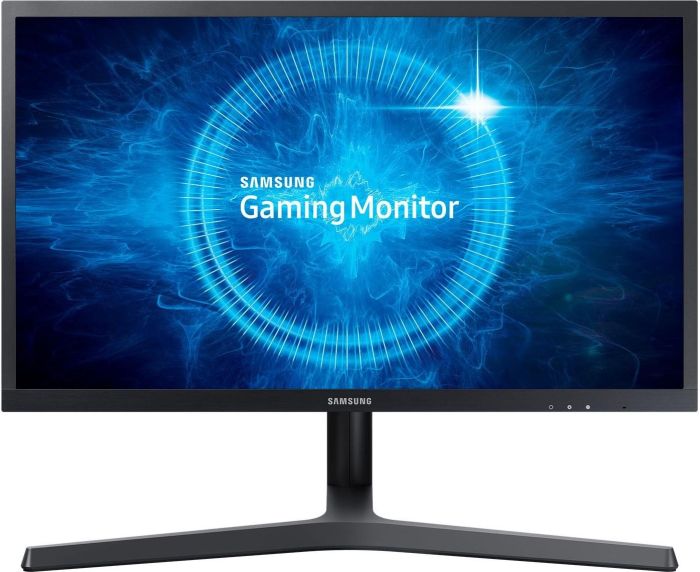
Gaming Monitors
Gaming Headsets
議論とコメント
あなたのコメントを共有する
I spilt cordial over the screen yesterday and the display is still working fine after wiping it. The problem is the monitor buttons to turn it off and change settings. mid game the monitor will turn itself off or scroll through all the settings without touching anything. I have tried to take the panel off where the buttons are to air it out but hasn't done anything. Anyone know a fix for this or how much it would cost to take it in to an IT store?
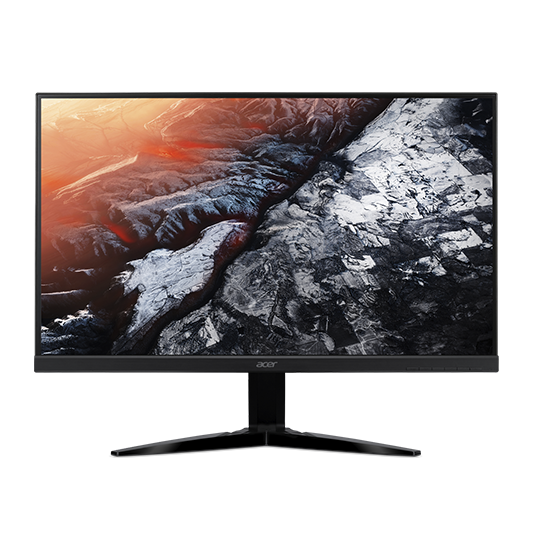
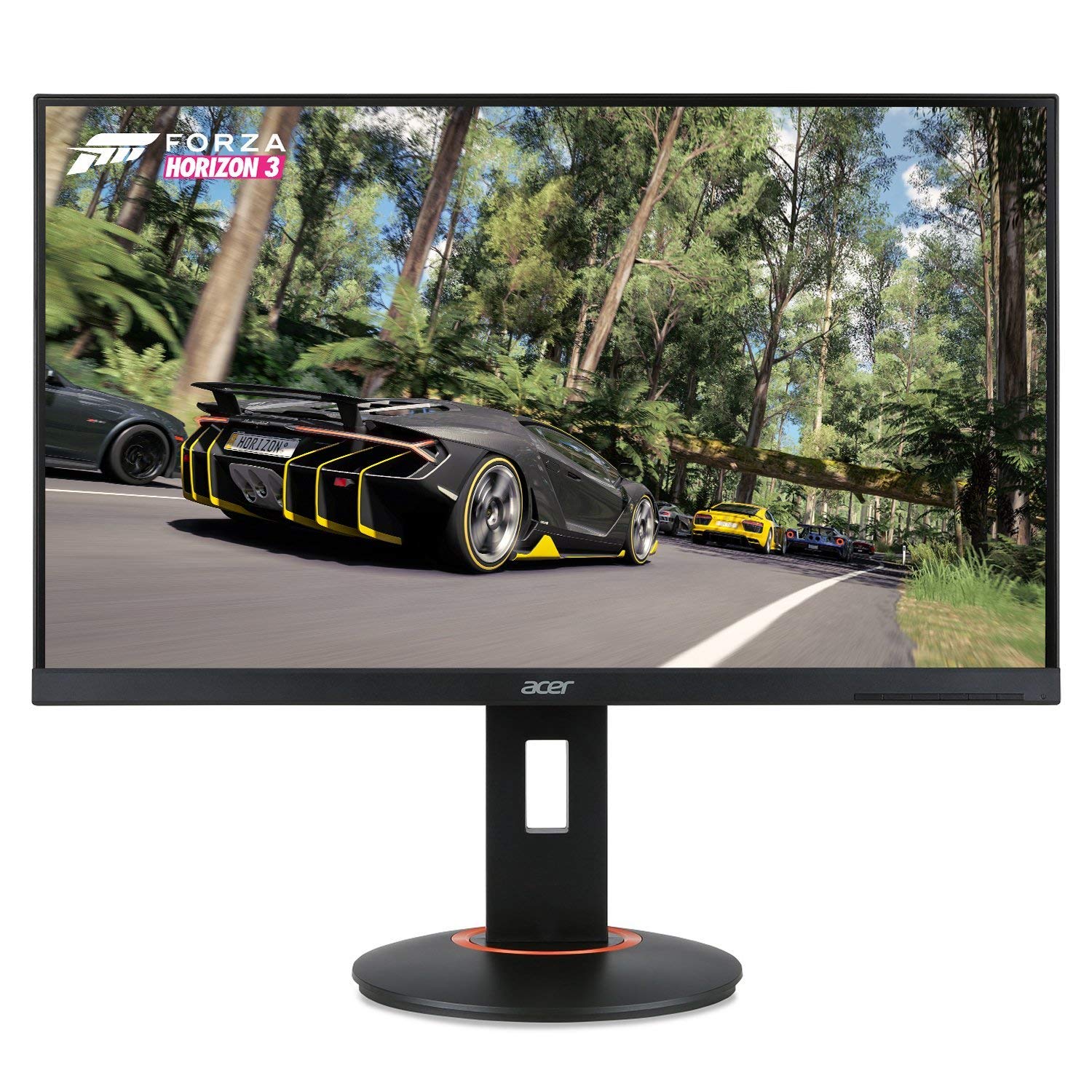
Hey everyone. I just bought a new monitor (Acer KG251QF), was looking forward to trying out 144Hz as my old monitor is only 75Hz.
However the max refresh rate i can select is 120Hz. I'm hoping you guys can help me out here!
I am using the DVI Dual Link cable which came with the monitor.
Specs;
I5-8400
Asus Prime B360M-K
GTX 970 4GB "Black Edition".
16GB DDR4 RAM.
Cheers.
tda.shelby :
Thanks for the quick reply! I only have the "PC" option in Nvidia Controlpanel. I also tried changing the refresh rate in Windows Display settings but i run into the same issue.
Try setting a custom resolution.
Hey!
Which monitor would be better? The Benq Zowie XL2411 or the Acer KG251QF?
I'd go with the Acer as it has free sync. Free sync wont matter if you have a Nvidia GPU, but if you have an AMD GPU it will be a nice feature. Other than that, both of the monitors have similar specification.
I recently ordered the acer kg251q and I have noticed that there is no dvi port on the monitor. It is a 75 hz monitor with freesync and 1ms response time and it was only $139.99 on amazon with one day shipping.
I am wondering as it only has hdmi and vga, how will I achieve 75 hz without dvi?
Try looking in the display settings in windows first. But if the monitor states it can do 75hz at 1080p on HDMI (which your one does!) then it can!. Also there seems to be a lot of uncertainty around, some people say HDMI will only do a max of 60hz @ 1080p, but truth is that it depends on your monitor and the cable you are using.
as a side note, You may need to see if you can turn the GPU scaling OFF. Otherwise you may not see the 75hz refresh rate in windows settings.
Hope this helps.
K