Dibandingkan
Select..
23.6" AOC C24G1 - ₨ 2,770,121 23.8" AOC 24V2H - ₨ 3,644,942 23.8" AOC 24V2Q - ₨ 1,822,398 23.8" AOC AGON AG241QG - ₨ 2,388,699 23.8" AOC AGON AG241QX - ₨ 4,811,370 24" AOC 24G2 - ₨ 3,731,841 24" AOC G2460PF - ₨ 2,915,924 24" AOC G2460PG - ₨ 2,388,699 24" AOC G2460PG-2 - ₨ 2,388,699 24" AOC G2460VQ6 - ₨ 2,186,907 24.5" AOC AGON AG251FG - ₨ 9,477,082 24.5" AOC AGON AG251FZ - ₨ 9,477,082 24.5" AOC G2590FX - ₨ 2,915,924 24.5" AOC G2590PX - ₨ 1,822,398 24.5" AOC G2590PX/G2 - ₨ 3,338,900 24.5" AOC G2590VXQ - ₨ 3,268,915 27" AOC 27V2H - ₨ 2,242,312 27" AOC 27V2Q - ₨ 1,922,711 27" AOC AGON AG271QG - ₨ 4,957,319 27" AOC AGON AG272FCX - ₨ 14,551,189 27" AOC AGON AG272FCX6 - ₨ 14,551,189 27" AOC AGON AG273QCG - ₨ 14,551,189 27" AOC AGON AG273QCX - ₨ 7,290,029 27" AOC C2789FH8 - ₨ 4,358,650 27" AOC C27G1 - ₨ 3,761,730 27" AOC CQ27G1 - ₨ 3,790,745 27" AOC CQ27G2 - ₨ 3,790,745 27" AOC G2770PF - ₨ 4,417,846 27" AOC G2778VQ - ₨ 1,922,711 27" AOC G2790PX - ₨ 6,055,219 28" AOC G2868PQU - ₨ 3,499,138 28" AOC U2879VF - ₨ 6,126,663 31.5" AOC AGON AG322FCX - ₨ 1,603,693 31.5" AOC AGON AG322QC4 - ₨ 8,019,047 31.5" AOC AGON AG322QCX - ₨ 6,557,804 31.5" AOC C32G1 - ₨ 3,645,088 31.5" AOC CQ32G1 - ₨ 7,800,341 31.5" AOC Q3279VWF - ₨ 3,353,335 31.5" AOC Q3279VWFD8 - ₨ 3,353,335 32" AOC CQ32G1 - ₨ 5,831,994 34" AOC CU34G2X - ₨ 5,831,994 35" AOC AGON AG352QCX - ₨ 5,831,994 35" AOC AGON AG352UCG - ₨ 11,660,927 35" AOC AGON AG352UCG6 - ₨ 10,789,459 35" AOC C3583FQ - ₨ 8,504,135 23.6" AOpen 24HC1QR P - ₨ 1,866,285 23.6" AOpen 24HX2Q P - ₨ 2,550,832 23.8" AOpen 24ML1Y - ₨ 2,550,832 23.8" AOpen 24ML2Y - ₨ 4,373,959 24" AOpen 24MX1 - ₨ 1,749,496 27" AOpen 27HC1R P - ₨ 3,207,531 27" AOpen 27ML1 - ₨ 3,455,397 27" AOpen 27ML1U - ₨ 3,455,397 27" AOpen 27ML2 - ₨ 2,959,082 27" AOpen 27MX1 - ₨ 2,959,082 27" AOpen 27MX1U - ₨ 2,959,082 31.5" AOpen 32HC1QUR P - ₨ 5,234,346 14" ASUS ProArt PA148CTV - ₨ 5,817,560 14" ASUS ZenScreen MB14AC - ₨ 2,915,924 15" ASUS ZenScreen Go MB16AHP - ₨ 4,359,525 15" ASUS ZenScreen Touch MB16AMT - ₨ 5,394,584 16" ASUS ROG Strix XG16AHPE - ₨ 5,088,542 17" ASUS ROG Strix XG17AHPE - ₨ 6,838,184 24" ASUS TUF Gaming VG249Q1A - ₨ 2,464,079 24" ASUS VG245H - ₨ 4,811,224 24" ASUS VG246H - ₨ 1,866,139 24" ASUS VG248QE - ₨ 3,330,006 24" ASUS VG248QG - ₨ 2,748,833 25" ASUS ROG Swift 360Hz PG259QN - ₨ 5,809,541 25" ASUS TUF Gaming VG258QM - ₨ 4,483,458 25" ASUS TUF Gaming VG259QM - ₨ 5,234,346 27" ASUS TUF VG27VQ - ₨ 5,802,979 27" ASUS MX279HS - ₨ 3,338,900 27" ASUS ProArt Display PA278CV - ₨ 6,429,789 27" ASUS ProArt Display PA278QV - ₨ 4,213,721 27" ASUS ROG Strix XG279Q - ₨ 10,351,903 27" ASUS ROG Strix XG27AQ - ₨ 6,572,676 27" ASUS ROG Strix XG27UQ - ₨ 9,739,528 27" ASUS ROG Swift PG279Q - ₨ 10,351,903 27" ASUS ROG Swift PG279QM - ₨ 11,649,700 27" ASUS ROG Swift PG279QZ - ₨ 14,565,770 27" ASUS TUF Gaming VG27AQL1A - ₨ 6,153,345 27" ASUS TUF Gaming VG27WQ1B - ₨ 5,030,221 27" ASUS TUF VG27AQ - ₨ 5,802,979 27" ASUS VG279Q - ₨ 3,776,165 27" ASUS VG279QM - ₨ 4,979,044 32" ASUS TUF VG32VQ - ₨ 6,717,751 34" ASUS TUF Gaming VG34VQL1B - ₨ 6,691,214 42" ASUS ROG Swift OLED PG42UQ - ₨ 23,729,228 23" Acer SA230Аbi - ₨ 1,603,693 23.6" Acer ED242Q - ₨ 2,623,005 23.6" Acer ED242QR - ₨ 2,623,005 23.6" Acer ED242QRbi - ₨ 1,603,693 23.6" Acer KG241Q - ₨ 2,026,523 23.6" Acer KG241QA - ₨ 1,895,300 23.8" Acer B247Y - ₨ 2,070,847 23.8" Acer B247Y bmiprx - ₨ 2,114,005 23.8" Acer HA240Y - ₨ 1,895,300 23.8" Acer Nitro VG240 - ₨ 2,332,710 23.8" Acer Nitro VG240Y - ₨ 2,332,710 23.8" Acer Nitro VG240YU - ₨ 1,895,300 23.8" Acer Predator XB1 XB241YU - ₨ 4,082,352 23.8" Acer RG240 - ₨ 1,895,300 23.8" Acer SA240YA - ₨ 1,895,300 23.8" Acer V247Y bmipx - ₨ 1,937,874 23.8" Acer V247Ybi - ₨ 1,895,300 23.8" Acer V247Ybip - ₨ 1,895,300 23.8" Acer XF240YU - ₨ 4,811,370 24" Acer B247W - ₨ 2,992,763 24" Acer GF246 - ₨ 1,895,300 24" Acer KG241 - ₨ 3,061,582 24" Acer Nitro RG241Y Pbiipx - ₨ 2,281,679 24" Acer Nitro XF243Y Pbmiiprx - ₨ 2,662,955 24" Acer Predator XB1 XB241H - ₨ 7,290,029 24" Acer XB240HA - ₨ 1,603,693 24" Acer XF240H - ₨ 3,280,433 24.5" Acer KG251Q - ₨ 1,895,300 24.5" Acer KG251QD - ₨ 2,857,603 24.5" Acer KG251QF - ₨ 2,857,603 24.5" Acer KG251QG - ₨ 2,857,603 24.5" Acer KG251QH - ₨ 2,857,603 24.5" Acer KG251QI - ₨ 2,857,603 24.5" Acer KG251Qbiix - ₨ 2,857,603 24.5" Acer Predator XB2 XB252Q - ₨ 7,217,127 24.5" Acer XF250Q - ₨ 3,630,507 24.5" Acer XF250QA - ₨ 1,895,300 24.5" Acer XF250QB - ₨ 1,895,300 24.5" Acer XF250QD - ₨ 1,895,300 24.5" Acer XF251Q - ₨ 1,895,300 24.5" Acer XF252QX - ₨ 1,895,300 25" Acer Nitro XF252Q Xbmiiprzx - ₨ 5,941,493 25" Acer Nitro XV252Q Fbmiiprx - ₨ 3,965,855 25" Acer Predator X25 bmiiprzx - ₨ 5,846,575 27" Acer B277 - ₨ 4,447,007 27" Acer B277 bmiprczx - ₨ 2,864,018 27" Acer B277 bmiprx - ₨ 2,646,917 27" Acer B277U - ₨ 3,926,780 27" Acer B277Ubmiipprczx - ₨ 3,645,088 27" Acer ED273 Awidpx - ₨ 2,915,924 27" Acer ED273UR - ₨ 3,965,855 27" Acer GF276 - ₨ 1,749,496 27" Acer GF276A - ₨ 2,186,907 27" Acer HA270 - ₨ 2,186,907 27" Acer KG271 - ₨ 3,719,739 27" Acer KG271A - ₨ 3,776,311 27" Acer KG271B - ₨ 1,749,496 27" Acer KG271D - ₨ 1,749,496 27" Acer KG271E - ₨ 1,749,496 27" Acer KG271F - ₨ 2,186,907 27" Acer KG271U - ₨ 3,353,335 27" Acer KG271U Abmiipx - ₨ 3,761,585 27" Acer Nitro VG270 - ₨ 3,601,347 27" Acer Nitro VG270U - ₨ 3,601,347 27" Acer Nitro VG270UP - ₨ 3,601,347 27" Acer Nitro VG271 Pbmiipx - ₨ 4,855,257 27" Acer Nitro VG271UP Pbmiipx - ₨ 1,895,300 27" Acer Nitro XF272U - ₨ 3,644,942 27" Acer Nitro XV272U - ₨ 3,644,942 27" Acer Nitro XV272U KVbmiiprzx - ₨ 3,644,942 27" Acer Nitro XV273 Xbmiiprzx - ₨ 3,644,942 27" Acer Nitro XV3 XV273K - ₨ 11,649,700 27" Acer PE270K - ₨ 4,665,566 27" Acer Predator Z1 Z271U - ₨ 4,082,352 27" Acer Predator X27 - ₨ 24,042,997 27" Acer Predator X27 bmiphzx - ₨ 24,844,771 27" Acer Predator XB1 XB271H - ₨ 6,881,925 27" Acer Predator XB1 XB271HU - ₨ 8,004,612 27" Acer Predator XB1 XB271HUA - ₨ 4,082,352 27" Acer Predator XB1 XB271HUT - ₨ 4,082,352 27" Acer Predator XB270H - ₨ 6,064,697 27" Acer Predator XB271HU Bmiprz - ₨ 4,082,352 27" Acer Predator XB273K - ₨ 14,565,770 27" Acer Predator XB273K Pbmiphzx - ₨ 17,496,420 27" Acer Predator XB273U GXbmiipruzx - ₨ 6,109,167 27" Acer Predator Z1 Z271 - ₨ 4,082,352 27" Acer Predator Z1 Z271T - ₨ 5,088,542 27" Acer Predator Z271UV - ₨ 6,064,697 27" Acer RG270 - ₨ 2,420,338 27" Acer RG270 bmipx - ₨ 2,915,924 27" Acer V277 - ₨ 2,186,907 27" Acer V277bi - ₨ 1,749,496 27" Acer V277bip - ₨ 3,348,961 27" Acer VG271P - ₨ 1,749,496 27" Acer VG271UP - ₨ 5,496,938 27" Acer XB270HA - ₨ 1,749,496 27" Acer XB270HU - ₨ 7,727,440 27" Acer XB270HUD - ₨ 5,802,979 27" Acer XF270HA - ₨ 4,228,302 27" Acer XF270HB - ₨ 1,749,496 27" Acer XF270HBbmiiprx - ₨ 3,644,942 27" Acer XF270HC - ₨ 1,749,496 27" Acer XF270HU - ₨ 3,644,942 27" Acer XF270HUA - ₨ 5,088,396 27" Acer XG270HU - ₨ 5,483,670 27" Acer XN253QP - ₨ 6,561,012 27" Acer XN253QX - ₨ 1,749,496 27" Acer XZ271 - ₨ 1,749,496 27" Acer XZ271U - ₨ 7,129,791 28" Acer Nitro XV282K KVbmiipruzx - ₨ 9,461,918 28" Acer RT280K - ₨ 1,603,693 28" Acer XB280HK - ₨ 5,802,979 29" Acer XF290CB - ₨ 1,603,693 30" Acer Predator Z301CT - ₨ 2,186,907 31.5" Acer ED323QUR Abidpx - ₨ 5,102,977 31.5" Acer ED323QUR widpx - ₨ 1,603,693 31.5" Acer ET322QK - ₨ 5,831,994 31.5" Acer ET322QK Abmiipx - ₨ 4,373,959 31.5" Acer ET322QK Bbmiiprx - ₨ 5,831,994 31.5" Acer ET322QU - ₨ 5,102,977 31.5" Acer ET322QUAbmiprx - ₨ 3,336,859 31.5" Acer Predator XZ1 XZ321QU - ₨ 7,129,791 31.5" Acer Predator Z1 Z321Q - ₨ 1,603,693 31.5" Acer Predator Z1 Z321QU - ₨ 8,733,630 31.5" Acer XZ321Q - ₨ 7,129,791 34" Acer BX340C - ₨ 1,895,300 34" Acer BX340CK - ₨ 1,895,300 34" Acer ED347CKR - ₨ 1,895,154 34" Acer Nitro XV340CK Pbmiipphzx - ₨ 6,006,958 34" Acer Predator X34 - ₨ 18,808,652 34" Acer Predator X34P - ₨ 11,955,887 34" Acer XR341CK - ₨ 1,530,937 34" Acer XR342CK - ₨ 13,402,404 34" Acer XR342CKP - ₨ 4,213,575 35" Acer CZ350CK - ₨ 1,530,937 35" Acer Predator Z35 - ₨ 10,935,117 35" Acer Predator Z35P - ₨ 10,935,117 35" Acer XZ350CUbmijphz - ₨ 1,895,300 37.5" Acer XR382CQK - ₨ 12,680,093 49" Acer EI491CR - ₨ 11,503,167 27" Apple Studio Display - ₨ 21,126,927 23.6" Asus VP247QG - ₨ 1,968,201 23.8" Asus XG248Q - ₨ 5,088,542 24" Asus MG248QE - ₨ 5,628,015 24" Asus MG248QR - ₨ 3,731,841 24" Asus PG248Q - ₨ 5,102,977 24" Asus VG245H - ₨ 2,624,317 24" Asus VG245HE - ₨ 2,624,317 24" Asus VG245Q - ₨ 4,092,267 24" Asus VG248QG - ₨ 3,644,942 24" Asus VP248H - ₨ 3,338,900 24" Asus VP248HL - ₨ 3,338,900 24" Asus VP248QG - ₨ 2,186,907 24" Asus VP248QGL - ₨ 2,186,907 24" Asus VP248QGL-P - ₨ 3,338,900 24.5" Asus RoG Strix XG258Q - ₨ 5,831,994 24.5" Asus RoG Swift PG258Q - ₨ 6,998,422 24.5" Asus VG255H - ₨ 2,187,053 24.5" Asus VG258Q - ₨ 4,067,918 24.5" Asus VG258QR - ₨ 3,061,728 27" Asus MG278Q - ₨ 5,831,994 27" Asus MG279Q - ₨ 5,831,994 27" Asus MX27UQ - ₨ 4,082,352 27" Asus PB27UQ - ₨ 2,041,103 27" Asus RoG Strix XG27VQ - ₨ 4,796,935 27" Asus RoG Swift PG278Q - ₨ 7,873,243 27" Asus RoG Swift PG278QE - ₨ 10,191,665 27" Asus RoG Swift PG278QR - ₨ 7,873,243 27" Asus RoG Swift PG279Q - ₨ 8,050,394 27" Asus RoG Swift PG27UQ - ₨ 26,230,050 27" Asus RoG Swift PG27VQ - ₨ 10,206,099 27" Asus TUF Gaming VG27AQE - ₨ 5,802,979 27" Asus VG275Q - ₨ 3,790,745 27" Asus VG278Q - ₨ 4,199,141 27" Asus VG278QF - ₨ 5,030,221 27" Asus VG278QR - ₨ 5,540,533 27" Asus VG279Q - ₨ 4,890,395 27" Asus VL278H - ₨ 3,338,900 27" Asus VL278HE - ₨ 3,338,900 27" Asus VP278QG - ₨ 3,061,728 27" Asus VP278QGL - ₨ 3,061,728 27" Asus VP279QG - ₨ 3,338,900 27" Asus VP279QGL - ₨ 2,041,103 31.5" Asus MX32VQ - ₨ 6,006,813 31.5" Asus RoG Strix XG32VQ - ₨ 8,004,612 31.5" Asus RoG Strix XG32VQR - ₨ 8,004,612 34" Asus MX34VQ - ₨ 1,895,300 34" Asus ProArt PA34V - ₨ 15,358,212 34" Asus ProArt PA34VC - ₨ 15,358,212 34" Asus RoG Swift PG348Q - ₨ 10,935,117 34" Asus RoG Swift PG349Q - ₨ 14,565,770 35" Asus RoG Strix XG35VQ - ₨ 1,895,300 35" Asus RoG Swift PG35VQ - ₨ 1,895,300 37.5" Asus MX38VC - ₨ 17,841,683 49" Asus VG49V - ₨ 13,107,735 49" Asus XG49VQ - ₨ 13,107,735 24" BenQ XL2420G - ₨ 1,749,496 24" BenQ ZOWIE XL2411P - ₨ 5,102,977 25" BenQ ZOWIE XL2540 - ₨ 3,484,704 25" BenQ ZOWIE XL2546K - ₨ 6,254,970 25" BenQ ZOWIE XL2566K - ₨ 10,854,487 27" BenQ EX2780Q - ₨ 7,275,011 27" BenQ PD2700U - ₨ 7,873,243 27" BenQ XL2720G - ₨ 2,186,907 27" BenQ XL2730Z - ₨ 2,186,907 27" BenQ ZOWIE XL2735 - ₨ 2,901,490 28" BenQ EL2870U - ₨ 5,102,685 31.5" BenQ EW3270U - ₨ 7,048,141 31.5" BenQ EX3203R - ₨ 8,733,630 32" BenQ EW3270U - ₨ 5,831,994 35" BenQ EX3501R - ₨ 10,920,682 27" Cooler Master Tempest GP27U - ₨ 15,351,651 32" Corsair XENEON 32QHD165 - ₨ 13,851,187 14" Dell C1422H - ₨ 3,936,549 22" Dell E2220H - ₨ 1,881,886 23.8" Dell InfinityEdge S2418HN - ₨ 2,317,984 23.8" Dell InfinityEdge S2418HX - ₨ 1,822,252 23.8" Dell S2417DG - ₨ 5,394,584 24" Dell S2417DG - ₨ 5,102,977 24" Dell S2419HGF - ₨ 2,477,931 24" Dell S2419HGF - ₨ 5,469,527 24" Dell S2421H - ₨ 2,186,907 24.5" Dell Alienware AW2518H - ₨ 4,813,994 24.5" Dell Alienware AW2518HF - ₨ 4,813,994 25" Dell Alienware AW2521H - ₨ 6,896,506 25" Dell Alienware AW2521HF - ₨ 6,109,167 25" Dell Alienware AW2523HF - ₨ 4,373,959 25" Dell U2518D - ₨ 8,019,047 25" Dell UltraSharp U2520D - ₨ 5,322,411 27" Dell Alienware AW2721D - ₨ 16,095,686 27" Dell Alienware AW2723DF - ₨ 9,477,082 27" Dell D2719HGF - ₨ 2,624,317 27" Dell G2722HS - ₨ 2,843,168 27" Dell S2716DG - ₨ 6,518,729 27" Dell S2716DG - ₨ 9,477,082 27" Dell S2718H - ₨ 3,521,592 27" Dell S2718HN - ₨ 7,698,279 27" Dell S2718HX - ₨ 7,698,279 27" Dell S2718NX - ₨ 7,698,279 27" Dell S2719DGF - ₨ 4,373,959 27" Dell S2719DGF - ₨ 5,496,646 27" Dell S2721D - ₨ 4,165,606 27" Dell S2721DGF - ₨ 6,400,774 27" Dell S2721HGF - ₨ 4,169,397 27" Dell S2721QS - ₨ 3,644,942 27" Dell S2722DGM - ₨ 4,373,959 27" Dell S2722QC - ₨ 5,831,994 27" Dell SE2717H - ₨ 2,449,499 27" Dell U2718Q - ₨ 9,754,254 27" Dell U2723QE - ₨ 7,552,621 27" Dell UltraSharp U2720Q - ₨ 7,698,279 27" Dell UltraSharp U2721DE - ₨ 4,957,173 27" Dell UltraThin S2719DM - ₨ 3,644,942 32" Dell G3223Q - ₨ 13,107,735 32" Dell P3223DE - ₨ 7,275,595 32" Dell S3219D - ₨ 4,286,623 32" Dell S3220DGF - ₨ 7,275,595 32" Dell S3221QS - ₨ 5,248,780 32" Dell S3222DGM - ₨ 6,561,158 32" Dell U3219Q - ₨ 13,632,627 32" Dell U3223QE - ₨ 12,101,545 34" Dell Alienware AW3418DW - ₨ 42,268,435 34" Dell Alienware AW3420DW - ₨ 10,424,950 34" Dell Alienware AW3423DW - ₨ 17,364,905 34" Dell Alienware AW3423DWF - ₨ 17,364,905 34" Dell S3422DWG - ₨ 5,831,994 34.13" Dell Alienware AW3418HW - ₨ 5,831,994 34.14" Dell Alienware AW3418DW - ₨ 12,378,717 38" Dell Alienware AW3821DW - ₨ 16,095,686 38" Dell U3818DW - ₨ 20,412,344 40" Dell UltraSharp U4021QW - ₨ 27,702,519 27" EIZO Foris FS2735 - ₨ 4,373,959 27" Gamemax GMX27C144 - ₨ 2,310,986 31.5" Gamemax GMX32CEWQ - ₨ 1,603,547 24.5" Gigabyte AORUS KD25F - ₨ 6,561,012 27" Gigabyte AORUS AD27QD - ₨ 8,484,597 27" Gigabyte AORUS CV27F - ₨ 8,484,597 27" Gigabyte AORUS FI27Q - ₨ 8,484,597 27" Gigabyte AORUS FI27Q-X - ₨ 8,484,597 27" Gigabyte Aorus AD27QD - ₨ 8,748,064 27" Gigabyte G27Q - ₨ 5,831,994 27" Gigabyte G27QC - ₨ 4,082,352 27" Gigabyte M27Q - ₨ 4,373,959 27" Gigabyte M27Q X - ₨ 6,269,405 28" Gigabyte M28U - ₨ 7,290,029 32" Gigabyte AORUS FI32U - ₨ 10,935,117 32" Gigabyte G32QC - ₨ 4,373,959 32" Gigabyte M32Q - ₨ 7,290,029 32" Gigabyte M32U - ₨ 9,535,403 32" Gigabyte M32UC - ₨ 9,185,475 34" Gigabyte G34WQC - ₨ 5,540,387 34" Gigabyte M34WQ - ₨ 6,123,601 43" Gigabyte AORUS FV43U - ₨ 10,206,099 48" Gigabyte AORUS FO48U OLED - ₨ 16,038,239 23" HP 23f - ₨ 3,278,538 23.8" HP 24f - ₨ 4,034,091 23.8" HP 24fh - ₨ 2,310,986 23.8" HP 24fw - ₨ 2,624,317 23.8" HP 24fwа - ₨ 1,803,881 24" HP X24ih - ₨ 2,624,317 24.5" HP 25mx - ₨ 3,557,605 24.5" HP 25x - ₨ 6,561,012 24.5" HP Omen 25 - ₨ 3,178,516 25" HP 25f - ₨ 2,041,103 27" HP 27F - ₨ 2,710,487 27" HP 27f - ₨ 2,624,317 27" HP 27fh - ₨ 14,565,770 27" HP 27fw - ₨ 4,665,566 27" HP 27mx - ₨ 2,310,986 27" HP 27q - ₨ 8,748,064 27" HP 27x - ₨ 4,359,525 27" HP 27xq - ₨ 5,832,140 27" HP OMEN 27c - ₨ 5,613,289 27" HP OMEN 27i - ₨ 6,444,661 27" HP OMEN X 27 - ₨ 14,135,795 27" HP Omen 27 - ₨ 8,748,064 27" HP X27q - ₨ 3,061,728 32" HP Omen 32 - ₨ 5,525,953 32" HP Pavilion 32 QHD - ₨ 41,685,221 32" HP Pavilion 32 QHD - ₨ 41,685,221 32" HP Pavilion 32 QHD - ₨ 41,685,221 32" HP Pavilion 32 QHD - ₨ 41,685,221 32" HP Pavilion 32 QHD - ₨ 41,685,221 32" HP Pavilion 32 QHD - ₨ 41,685,221 32" HP Pavilion 32 QHD - ₨ 41,685,221 32" HP Pavilion 32 QHD - ₨ 41,685,221 32" HP Pavilion Gaming 32 HDR - ₨ 4,540,029 34" HP Envy 34 - ₨ 48,100,575 35.03" HP Omen X 35 - ₨ 11,022,599 24" Hanns.G HG244PJB - ₨ 2,477,202 31.5" Hanns.G HG324QJB - ₨ 2,041,103 24" Iiyama G-Master GB2488HSU-B2 - ₨ 3,796,432 24" Iiyama G-Master GB2488HSU-B3 - ₨ 1,749,496 24" Iiyama G-Master GE2488HS-B2 - ₨ 1,506,733 24.5" Iiyama G-Master G2530HSU-B1 - ₨ 1,749,496 24.5" Iiyama G-Master GB2530HSU-B1 - ₨ 27,556,862 24.5" Iiyama G-Master GB2560HSU-B1 - ₨ 1,749,496 24.5" Iiyama ProLite E2591HSU-B1 - ₨ 3,120,049 24.95" Iiyama ProLite XU2595WSU-B1 - ₨ 5,059,236 24.95" Iiyama ProLite XUB2595WSU-B1 - ₨ 5,584,274 27" Iiyama G-Master G2730HSU-B1 - ₨ 2,959,082 27" Iiyama G-Master GB2730HSU-B1 - ₨ 3,497,680 27" Iiyama G-Master GB2730QSU-B1 - ₨ 4,432,426 27" Iiyama G-Master GB2760HSU-B1 - ₨ 4,957,319 27" Iiyama G-Master GB2760QSU-B1 - ₨ 2,959,082 27" Iiyama G-Master GB2783QSU - ₨ 3,338,900 27" Iiyama G-Master GB2788HS-B1 - ₨ 1,749,496 27" Iiyama G-Master GB2788HS-B2 - ₨ 1,749,496 27" Iiyama ProLite B2783QSU - ₨ 4,696,185 27" Iiyama ProLite B2791HSU - ₨ 2,959,082 27" Iiyama ProLite E2783QSU - ₨ 4,373,959 27" Iiyama ProLite X2788QS-B1 - ₨ 27,556,862 27" Iiyama ProLite XB2788QS-B1 - ₨ 27,556,862 27" Iiyama ProLite XUB2792QSU - ₨ 4,696,185 28" Iiyama G-Master GB2888UHSU - ₨ 1,749,496 28" Iiyama ProLite B2875UHSU-B1 - ₨ 5,059,236 31.5" Iiyama G-Master G3266HS-B1 - ₨ 1,603,693 23.6" LG 24GL600F - ₨ 2,551,561 23.8" LG 24MK400H - ₨ 1,749,496 23.8" LG 24MK430H - ₨ 2,041,103 23.8" LG 24MK600M - ₨ 2,419,463 23.8" LG 24MP59G - ₨ 1,990,072 23.8" LG 24MP68VQ - ₨ 2,699,843 24" LG 24GL600F - ₨ 2,332,710 24" LG 24GM79G - ₨ 3,636,339 27" LG 27GK750F - ₨ 4,968,254 27" LG 27GL650F-B - ₨ 4,213,721 27" LG 27GL83A-B - ₨ 4,373,959 27" LG 27GL850-B - ₨ 6,268,967 27" LG 27GN650-B - ₨ 3,808,825 27" LG 27GN750-B - ₨ 6,247,680 27" LG 27GN800-B - ₨ 4,330,218 27" LG 27GN850-B - ₨ 6,268,967 27" LG 27GN880-B - ₨ 9,035,880 27" LG 27GN950-B - ₨ 9,927,323 27" LG 27GP83B-B - ₨ 6,268,967 27" LG 27GP850-B - ₨ 6,268,967 27" LG 27GP950-B - ₨ 11,664,134 27" LG 27MK400H - ₨ 2,186,907 27" LG 27MK430H - ₨ 2,024,919 27" LG 27MK600M - ₨ 2,464,079 27" LG 27MK60TM - ₨ 2,143,166 27" LG 27MN60T-W - ₨ 1,603,693 27" LG 27MP59G - ₨ 3,630,507 27" LG 27MP89HM - ₨ 1,603,693 27" LG 27UK650-W - ₨ 4,811,370 27" LG UltraGear 27GL850G - ₨ 9,927,323 29" LG 29UM50 - ₨ 1,603,693 29" LG 29UM59 - ₨ 3,134,629 29" LG 29UM60 - ₨ 18,502,464 29" LG 29UM67 - ₨ 6,559,700 29" LG 29UM68-P - ₨ 4,373,959 29" LG 29UM69G - ₨ 3,350,564 29" LG 29WK500 - ₨ 3,226,486 29" LG 29WK50S - ₨ 2,985,473 29" LG 29WK600 - ₨ 5,525,953 31.5" LG 32GK650F - ₨ 4,796,935 31.5" LG 32GK850F - ₨ 6,053,907 31.5" LG 32GK850G - ₨ 8,339,960 31.5" LG 32QK500 - ₨ 4,286,477 32" LG 32GK650F-B - ₨ 4,038,611 32" LG 32GK850G-B - ₨ 4,505,328 32" LG 32GN50T-B - ₨ 2,624,317 32" LG 32GN600-B - ₨ 3,172,976 32" LG 32GN63T-B - ₨ 3,061,728 32" LG 32GN650-B - ₨ 5,496,646 32" LG 32GP850-B - ₨ 11,212,289 32" LG 32GQ950-B - ₨ 14,536,463 32" LG 32QN55T-B - ₨ 2,915,924 32" LG 32UD99-W - ₨ 15,192,579 32" LG 32UL500-W - ₨ 4,286,477 32" LG 32UL950-W - ₨ 15,192,579 34" LG 34CB88 - ₨ 1,895,300 34" LG 34CB88-A - ₨ 1,895,300 34" LG 34GK950F-B - ₨ 10,296,789 34" LG 34GN850-B - ₨ 10,206,099 34" LG 34GP83A-B - ₨ 10,296,789 34" LG 34GP950G-B - ₨ 13,078,428 34" LG 34UC79G - ₨ 7,431,604 34" LG 34UC88 - ₨ 8,456,457 34" LG 34UC89G - ₨ 8,696,596 34" LG 34UC98 - ₨ 11,518,477 34" LG 34UC99 - ₨ 1,895,300 34" LG 34UM59 - ₨ 4,643,404 34" LG 34UM60 - ₨ 4,359,525 34" LG 34UM61 - ₨ 4,810,349 34" LG 34UM67 - ₨ 8,587,826 34" LG 34UM68-P - ₨ 5,073,962 34" LG 34UM69G - ₨ 5,073,962 34" LG 34WK500 - ₨ 5,073,379 34" LG 34WK650 - ₨ 5,540,387 34" LG UltraGear 34GK950F - ₨ 11,518,477 34" LG UltraGear 34GK950G - ₨ 1,895,300 35" LG 35WN65C-B - ₨ 4,373,959 37.5" LG 38UC99 - ₨ 14,565,770 37.5" LG 38WK95C - ₨ 21,189,331 37.5" LG UltraGear 38GL950G - ₨ 20,027,131 38" LG 38GL950G-B - ₨ 14,580,204 38" LG 38GN950-B - ₨ 10,935,117 38" LG 38WN95C-W - ₨ 17,841,683 40" LG 40WP95C-W - ₨ 24,300,924 42" LG 42 C2 OLED - ₨ 12,101,545 48" LG 48 C1 OLED - ₨ 20,431,590 48" LG 48 CX OLED - ₨ 15,585,957 48" LG 48GQ900-B - ₨ 11,510,603 49" LG 49WL95C-W - ₨ 14,580,204 14" Lenovo ThinkVision M14 - ₨ 3,630,507 23.8" Lenovo ThinkVision L24e-20 - ₨ 2,114,005 24.5" Lenovo Legion Y25F-10 - ₨ 4,670,524 27" Lenovo D27-30 - ₨ 1,822,398 27" Lenovo L27i-28 - ₨ 2,041,103 27" Lenovo L27m-28 - ₨ 3,111,738 27" Lenovo Legion Y27gq-25 - ₨ 6,561,012 27" Lenovo Legion Y27q-20 - ₨ 6,252,054 27" Lenovo Q27q-10 - ₨ 4,255,275 27" Lenovo Y27f - ₨ 6,269,405 27" Lenovo Y27g - ₨ 1,822,398 43.4" Lenovo Legion Y44w-10 - ₨ 3,796,432 43.4" Lenovo ThinkVision P44w-10 - ₨ 16,023,805 15" Lepow Z1 - ₨ 2,915,924 15" Lepow Z1 Gamut - ₨ 2,915,924 15" MSI Optix MAG161V - ₨ 3,805,326 23.6" MSI Optix G24C - ₨ 2,915,341 23.6" MSI Optix MAG240VC - ₨ 3,061,728 23.6" MSI Optix MAG241C - ₨ 2,901,490 23.6" MSI Optix MAG241CR - ₨ 2,099,425 23.6" MSI Optix MAG24C - ₨ 3,193,097 24.5" MSI Oculux NXG251R - ₨ 5,540,387 25" MSI Oculux NXG253R - ₨ 6,415,208 27" MSI Optix G272 - ₨ 3,790,745 27" MSI Optix G273 - ₨ 2,185,449 27" MSI Optix G273QF - ₨ 5,054,133 27" MSI Optix G27C - ₨ 3,499,138 27" MSI Optix G27C2 - ₨ 3,499,138 27" MSI Optix G27C4 - ₨ 3,259,291 27" MSI Optix G27C5 - ₨ 4,373,959 27" MSI Optix G27C6 - ₨ 3,259,291 27" MSI Optix G27CQ4 - ₨ 3,495,931 27" MSI Optix MAG270VC - ₨ 5,521,724 27" MSI Optix MAG271C - ₨ 5,831,994 27" MSI Optix MAG271CQR - ₨ 5,831,994 27" MSI Optix MAG271CQR - ₨ 5,729,349 27" MSI Optix MAG271CR - ₨ 4,373,959 27" MSI Optix MAG271R - ₨ 4,541,196 27" MSI Optix MAG273R - ₨ 5,044,510 27" MSI Optix MAG274QRF-QD - ₨ 5,948,054 27" MSI Optix MAG27C - ₨ 5,769,153 27" MSI Optix MAG27CQ - ₨ 5,769,153 27" MSI Optix MPG27C - ₨ 6,618,604 27" MSI Optix MPG27CQ - ₨ 6,561,012 31.5" MSI Optix AG32C - ₨ 4,516,555 31.5" MSI Optix AG32CQ - ₨ 1,603,693 31.5" MSI Optix AG32CV - ₨ 1,603,693 31.5" MSI Optix MAG321CQR - ₨ 6,184,693 34" MSI Optix MAG341CQ - ₨ 6,254,970 27" Medion Erazer X57425 - ₨ 4,406,765 31.5" Medion Erazer X58426 - ₨ 1,603,693 34" Medion Akoya X58434 - ₨ 1,895,300 13" Mobile Pixels DUEX Plus - ₨ 3,264,249 13" Mobile Pixels TRIO - ₨ 8,385,014 24" Nixeus VUE 24 - ₨ 2,114,151 24" Nixeus VUE 24B - ₨ 1,506,733 27" Nixeus EDG 27 - ₨ 5,831,994 27" Nixeus EDG 27 v2 - ₨ 9,914,492 27" Nixeus EDG 27240 - ₨ 9,914,492 27" Nixeus EDG 27240S - ₨ 9,914,492 27" Nixeus EDG 27S - ₨ 6,167,342 27" Nixeus EDG 27S v2 - ₨ 4,373,959 34" Nixeus EDG 34 - ₨ 6,784,091 24" Ozone DSP24 - ₨ 1,506,733 27" Ozone DSP27 - ₨ 2,959,082 23.6" Philips 248E9QHSB - ₨ 1,803,881 23.6" Philips 248E9QSB - ₨ 3,338,900 23.8" Philips 245E1S - ₨ 23,328,414 23.8" Philips 246E9QDSB - ₨ 1,749,642 23.8" Philips 246E9QJAB - ₨ 1,506,733 27" Philips 276E9QDSB - ₨ 2,089,802 27" Philips 276E9QJAB - ₨ 2,959,082 27" Philips 278E8QJAB - ₨ 3,790,745 27" Philips 278E8QJAW - ₨ 3,790,745 27" Philips 278E9QHSB - ₨ 3,790,745 27" Philips 278E9QJAB - ₨ 2,885,889 31.5" Philips 322E1C - ₨ 1,603,693 31.5" Philips 325E1C - ₨ 1,603,547 31.5" Philips 326E8FJSB - ₨ 4,096,933 31.5" Philips 328E1CA - ₨ 1,603,693 31.5" Philips 328E9FJAB - ₨ 2,041,103 31.5" Philips 328E9FJSB - ₨ 1,603,693 31.5" Philips 328E9QJAB - ₨ 3,353,335 31.5" Philips 328M6FJMB - ₨ 3,644,942 34" Philips 349P7FUBEB - ₨ 1,895,154 34" Philips 349X7FJEW - ₨ 1,895,300 34.6" Philips 356M6QJAB - ₨ 1,895,154 42.5" Philips Momentum 436M6VBPAB - ₨ 14,580,204 43" Philips Momentum 436M6VBPAB - ₨ 8,660,436 27" Pixio PX7 Prime - ₨ 3,790,745 27" Razer Raptor 27 - ₨ 7,290,029 27" Razer Raptor 27 144Hz - ₨ 8,455,874 27" Razer Raptor 27 165Hz - ₨ 7,290,029 23.5" Samsung S24F350F - ₨ 2,172,472 23.5" Samsung S24F356FHU - ₨ 1,749,496 23.5" Samsung U24E850R - ₨ 1,749,496 23.6" Samsung C24FG70 - ₨ 4,034,091 23.6" Samsung C24FG73 - ₨ 1,749,496 23.6" Samsung C24RG50 - ₨ 1,749,496 23.6" Samsung S24E370D - ₨ 4,357,921 23.6" Samsung U24E590D - ₨ 5,511,227 23.8" Samsung S24H850 - ₨ 4,304,411 23.8" Samsung S24H850QFI - ₨ 9,447,921 24" Samsung Odyssey G3 S24AG30 - ₨ 6,167,488 24.5" Samsung S25HG50 - ₨ 5,511,227 27" Samsung C27FG70 - ₨ 5,092,333 27" Samsung C27FG73 - ₨ 4,519,763 27" Samsung C27H711QEU - ₨ 3,163,207 27" Samsung C27HG70 - ₨ 6,706,815 27" Samsung C27RG5 - ₨ 18,807,777 27" Samsung CHG70 - ₨ 27,556,862 27" Samsung JG50 - ₨ 6,561,012 27" Samsung Odyssey G3 F27G35T - ₨ 3,111,884 27" Samsung Odyssey G4/G40B S27BG40 - ₨ 4,024,031 27" Samsung Odyssey G5 C27G55T - ₨ 6,561,012 27" Samsung Odyssey G5 S27AG50 - ₨ 6,167,488 27" Samsung Odyssey G5/G55A S27AG55 - ₨ 3,521,009 27" Samsung S27E370D - ₨ 3,353,335 27" Samsung S27F350F - ₨ 2,987,514 27" Samsung S27F358F - ₨ 7,260,869 27" Samsung S27H850 - ₨ 2,959,082 27" Samsung S27H850QFI - ₨ 6,531,851 28" Samsung Odyssey G7 S28AG70 - ₨ 8,748,064 28" Samsung U28E570D - ₨ 4,373,959 28" Samsung U28E590D - ₨ 4,796,935 28" Samsung U28E850R - ₨ 8,675,162 28" Samsung UE590 - ₨ 6,400,774 31.5" Samsung C32H711QEU - ₨ 7,260,869 31.5" Samsung C32HG70 - ₨ 7,873,243 31.5" Samsung U32E850R - ₨ 1,603,693 31.5" Samsung U32J590 - ₨ 5,394,584 32" Samsung Odyssey G6 S32BG65 - ₨ 9,982,291 32" Samsung Odyssey G7 C32G75T - ₨ 9,982,291 32" Samsung Odyssey G7/G70B S32BG70 - ₨ 10,206,099 32" Samsung Odyssey Neo G7 S32BG75 - ₨ 18,954,309 32" Samsung Odyssey Neo G8 S32BG85 - ₨ 18,444,143 32" Samsung Smart Monitor M8 S32BM80 - ₨ 7,505,818 32" Samsung T55 - ₨ 3,353,335 32" Samsung U32J590 - ₨ 4,373,959 34" Samsung C34F791 - ₨ 11,100,166 34" Samsung C34H890 - ₨ 10,053,297 34" Samsung C34J791 - ₨ 9,171,040 34" Samsung Odyssey G5 C34G55T - ₨ 6,561,012 34" Samsung S34J55W - ₨ 3,796,432 43" Samsung 43 QN90B QLED - ₨ 13,093,009 43" Samsung Smart Monitor M7 S43BM70 - ₨ 4,373,959 48.5" Samsung QN49Q70R - ₨ 16,009,079 49" Samsung C49HG90 - ₨ 14,580,204 49" Samsung C49RG9/CRG9 - ₨ 13,122,169 49" Samsung C49RG90 - ₨ 29,014,897 49" Samsung Odyssey G9 - ₨ 19,376,994 49" Samsung Odyssey Neo G9 - ₨ 27,556,862 27" Sony INZONE M3 - ₨ 7,261,014 27" Sony INZONE M9 - ₨ 13,093,154 42" Sony 42 A90K OLED - ₨ 16,738,242 15" ViewSonic VG1655 - ₨ 2,915,924 23.6" ViewSonic VX2457-mhd - ₨ 1,836,978 23.6" ViewSonic VX2458-C-mhd - ₨ 3,440,963 23.6" ViewSonic VX2458-mhd - ₨ 2,361,871 24" ViewSonic XG2401 - ₨ 2,912,279 24" ViewSonic XG2402 - ₨ 3,499,138 24" ViewSonic XG2402 - ₨ 1,924,460 24" ViewSonic XG240R - ₨ 3,411,656 24" ViewSonic XG2431 - ₨ 6,838,330 24.5" ViewSonic XG2530 - ₨ 4,213,721 24.5" ViewSonic XG2560 - ₨ 8,546,710 27" ViewSonic Elite XG270 - ₨ 6,269,405 27" ViewSonic Elite XG270QG - ₨ 6,852,619 27" ViewSonic VX2757 - ₨ 2,464,079 27" ViewSonic VX2758-2KP-MHD - ₨ 5,817,560 27" ViewSonic VX2758-C-mh - ₨ 3,017,987 27" ViewSonic XG2701 - ₨ 4,082,352 27" ViewSonic XG2702 - ₨ 4,009,450 27" ViewSonic XG2703-GS - ₨ 14,298,949 27" ViewSonic XG2730 - ₨ 2,041,103 27" ViewSonic XG2760 - ₨ 4,373,959 31.5" ViewSonic VX3258-2KC-mhd - ₨ 4,986,334 31.5" ViewSonic VX3258-PC-mhd - ₨ 1,603,693 31.5" ViewSonic XG3202-C - ₨ 1,603,693 31.5" ViewSonic XG3240C - ₨ 1,603,693 35" ViewSonic XG350R-C - ₨ 9,185,475 27" Yashi YZ2707 - ₨ 1,866,285 27" Yashi YZ2709 - ₨ 5,802,979 27" Yashi YZ2717 - ₨ 4,373,959 35" Yashi YZ3521 - ₨ 1,895,300






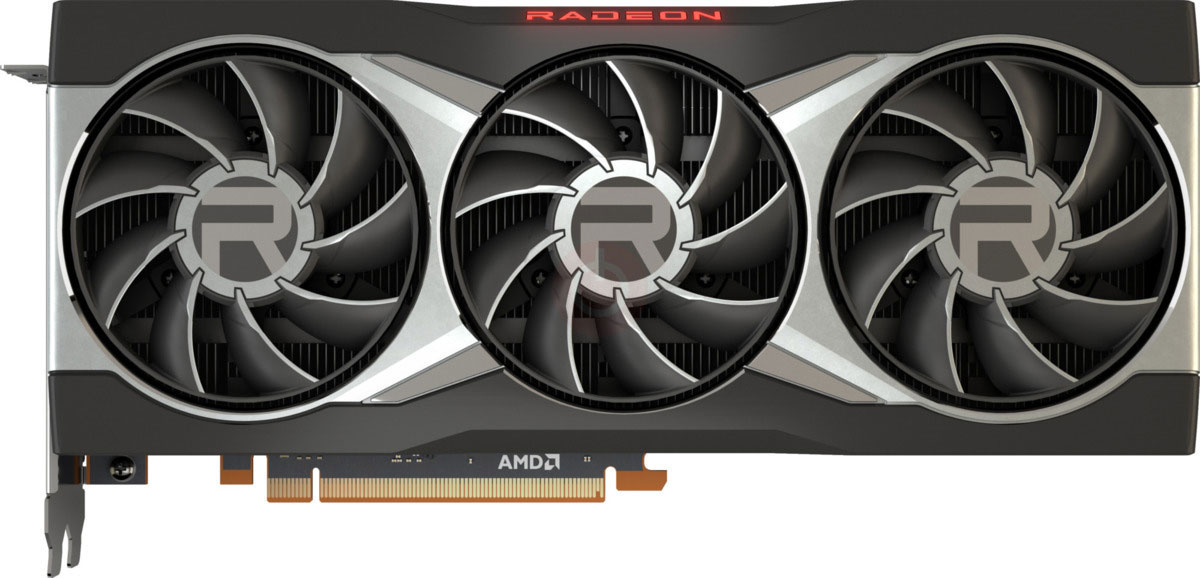





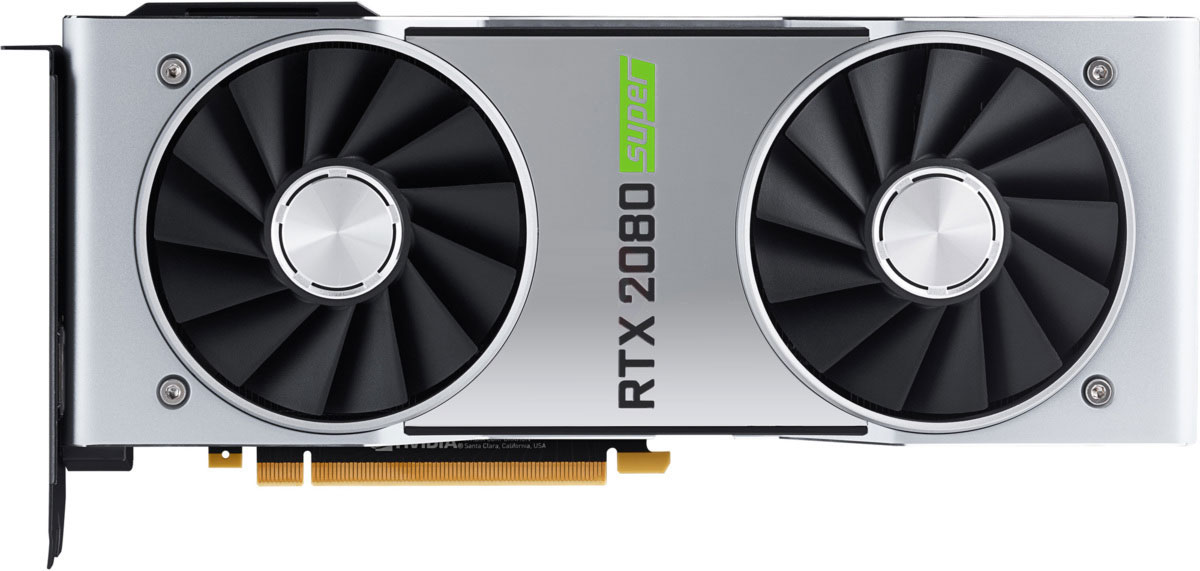
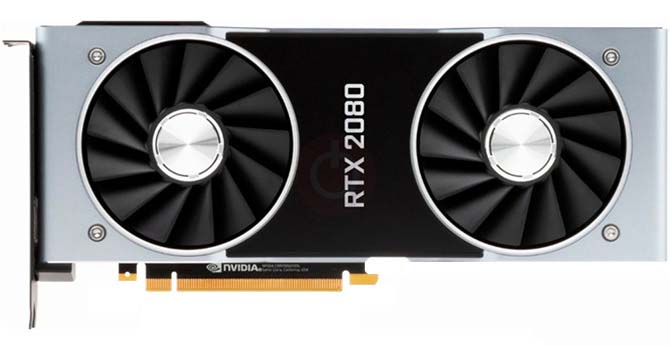


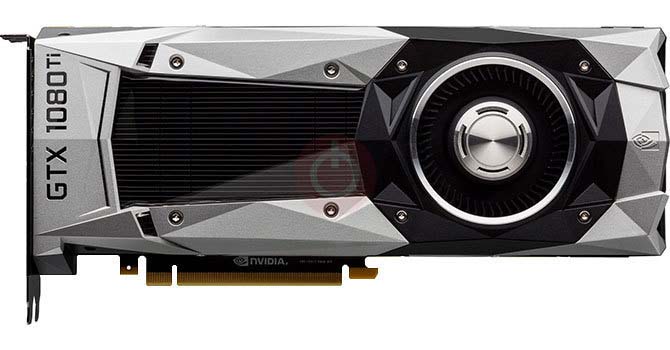

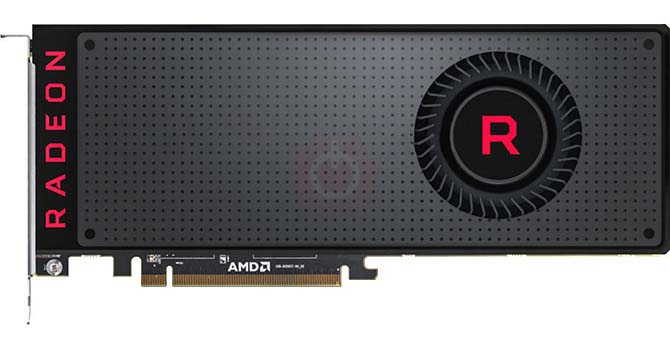



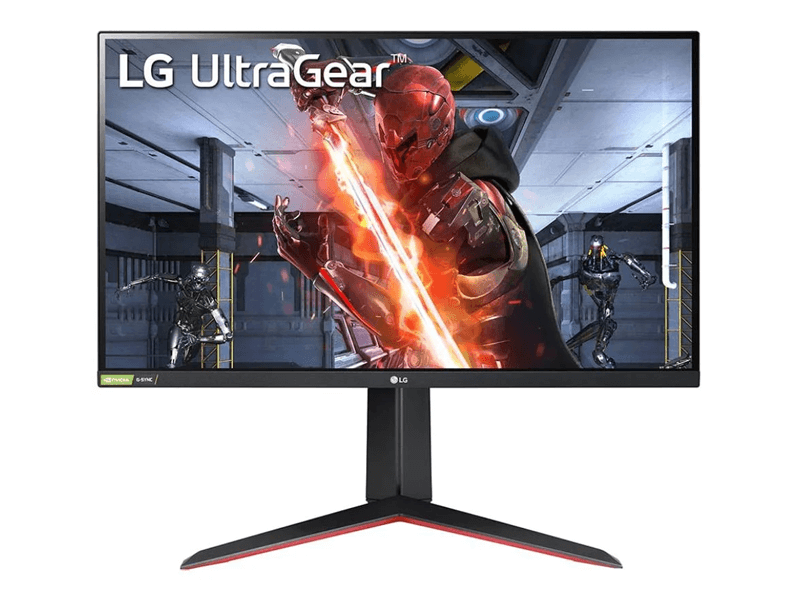
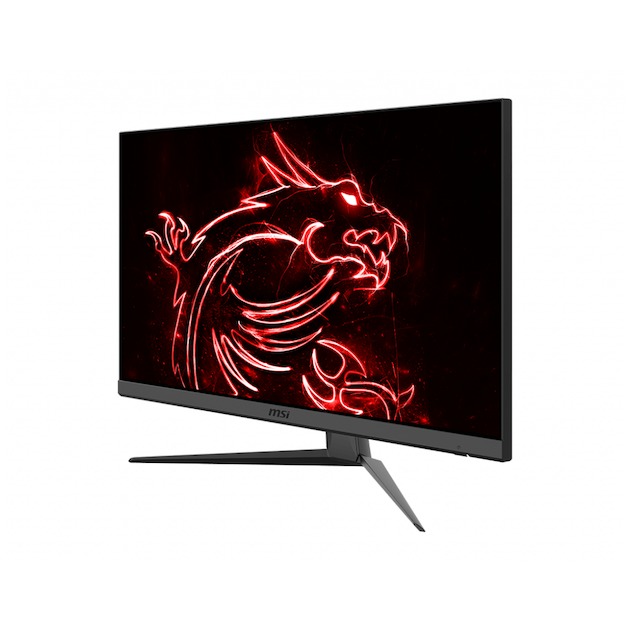























































































Apa yang Perlu Dipertimbangkan Sebelum Membeli Kartu Grafis
Jika Anda telah berencana untuk meningkatkan sistem Anda dengan membeli kartu grafis baru. Lalu ada beberapa faktor penting untuk dipertimbangkan.
Resolusi VS Kualitas: Dampak pada Kinerja Game
Apa yang memengaruhi kinerja game? Kejelasan atau Detail?
Pengaturan Kualitas Tinggi Ultra VS di Game PC
Setiap pemain memiliki gagasan berbeda tentang pengaturan ideal untuk game PC. Tetapi dalam kebanyakan kasus, memilih untuk konfigurasi grafis berkualitas tinggi adalah cara untuk pergi.
Apa yang dimaksud dengan bottleneck CPU atau GPU?
Apakah Anda mendapatkan tetes bingkai mendadak? Anda mungkin mengalami hambatan.
Berapa kecepatan FPS yang bisa saya terima?
Untuk beberapa gim, Anda masih bisa menikmati garphics hebat dengan frame rate lebih rendah.
GPU Hierarchy
GPU Compare
CPU Compare
Gaming Laptops
Gaming Monitors
Gaming Headsets
Diskusi dan Komentar
Bagikan Komentar Anda